Comp node reference
This reference covers every node intended to appear in the Comp workspace. It describes the node card, its Inspector, and the contract of each socket. The screenshots use a large documentation zoom and consistent Inspector width so controls are easy to compare. Cards are shown at 300% except when a tall socket list needs a slightly lower scale to remain fully visible.
Some inspectors continue below the visible screenshot. The accompanying Controls entry describes the complete inspector, including controls that require scrolling.
Most nodes are available in both Document and Edit Clip graphs. Process and Export are Document-only. Media Input and Comp Output are created automatically for an Edit Clip graph. Camera RAW appears only for a supported RAW source.
Socket names in brackets are optional. A node that is muted passes its primary image through unchanged unless its section says otherwise.
Status legend
| Status | Meaning |
|---|---|
| Available | The authored result is evaluated in the viewer and supported render/export routes. |
| Workflow | The node is usable, but analysis, tracking, import, or cache preparation must be completed first. |
| Runtime-dependent | The result requires a qualified local decoder, model, framework, or packaged runtime. Unsupported inputs remain unchanged or fail visibly. |
| Pass-through | Controls can be authored, but the current renderer deliberately leaves pixels unchanged. |
| Viewer-only control | The control changes inspection or comparison, not rendered pixels. |
Quick navigation
| Group | Nodes |
|---|---|
| Sources and routing | Media Input, Solid Color, Camera RAW, Reroute |
| Transform and spatial | Crop, Transform, Transform 360, Camera Rotation CSV |
| Color and channels | Color, Color Space & EOTF Converter, Curves, Separate Color, Combine Color |
| Masks and tracking | Track, Mask Paint, Clone Paint, Polygon / B-Spline / Roto, Rectangle Mask, Ellipse Mask, Mask Combine, Cryptomatte, Subject Track |
| Generate and repair | Generate, FrameFix, Object Removal, Clean Plate, Reference Frame |
| Time | Frame Hold, Retime, Duration / Trim Range, Seamless Loop |
| Analysis and restoration | Guidance Passes, Restoration Analysis, Compression Restore, Chroma Reconstruct, Deband, Denoise, Uprez, Flicker Reduction, Smart Sharpen, HDR Mapping |
| Lens and finishing | Lens Undistort / Redistort, Lens Character, Sensor Noise, Film Grain, ACEScg Cache, Bloom, Gaussian Blur, Depth Fog, Motion Blur |
| Composite and output | Composite, Process, Export, Comp Output |
Sources and routing
Media Input
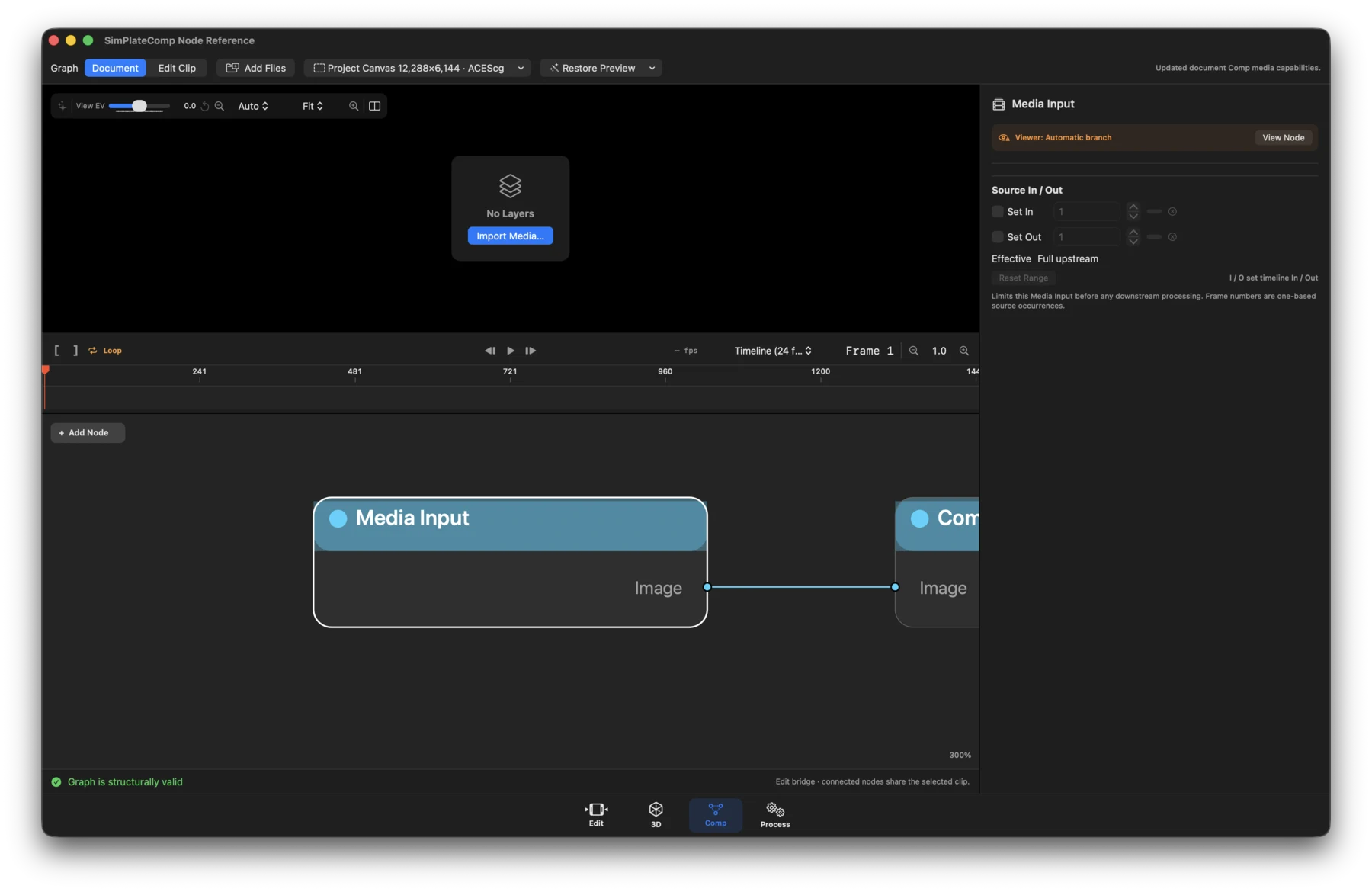
- Status: Available; created automatically in Edit Clip graphs.
- What it does: Reads the exact media descriptor bound to the Edit layer. EXR sources may also expose a typed depth output when the decoder confirms one.
- Inputs / outputs: No inputs. Outputs: Image, and EXR Depth when qualified.
- Controls: Source, decoder, codec, alpha, bit depth, sequence and effective range information; media interpretation; EXR data-channel selection; reset range; choose different media. Most fields are descriptive rather than looks.
Solid Color
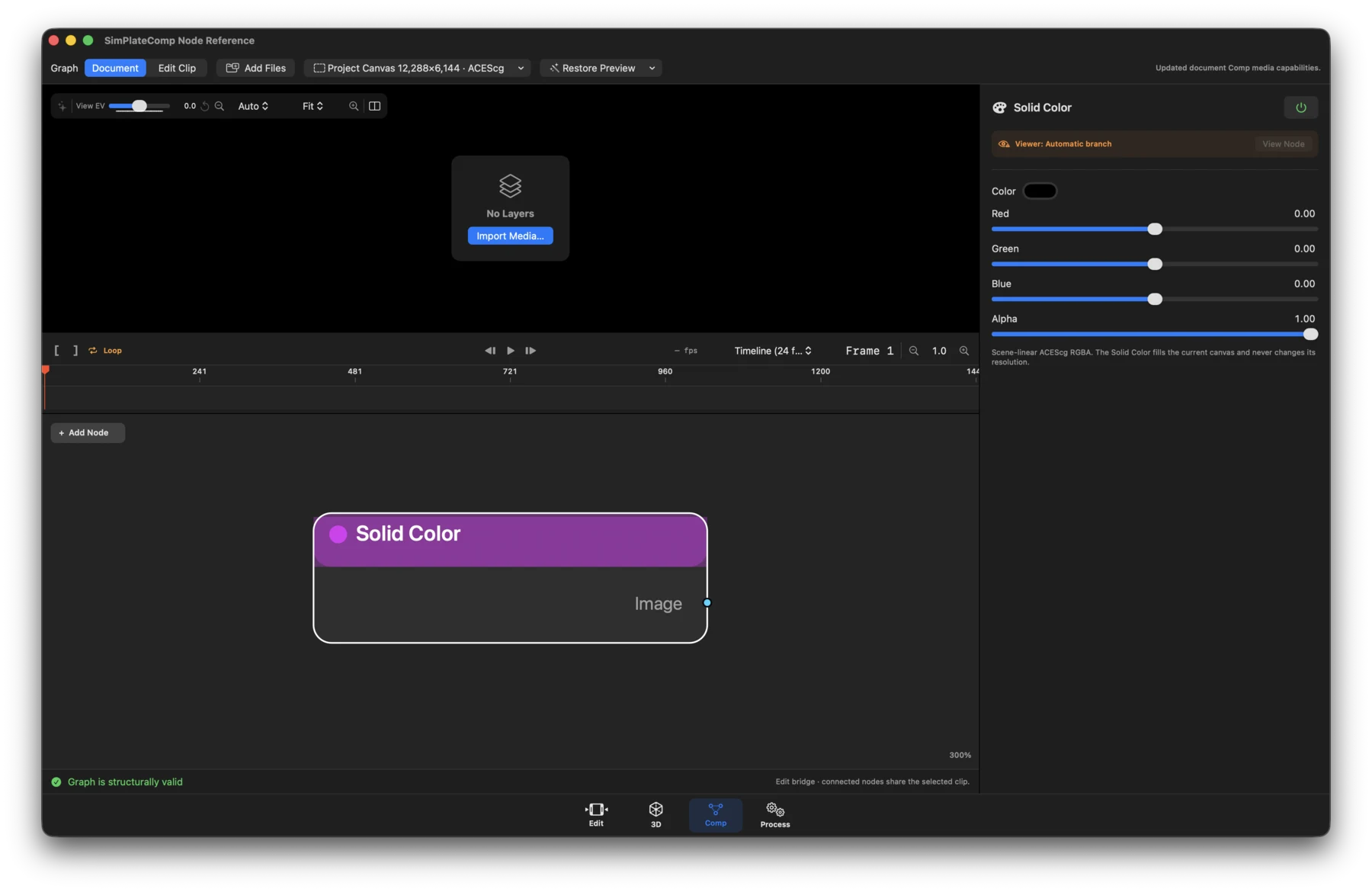
- Status: Available.
- What it does: Creates a constant scene-linear ACEScg RGBA image at the current canvas size.
- Inputs / outputs: No inputs. Output: Image.
- Controls: Color and alpha values. The node does not change resolution.
Camera RAW
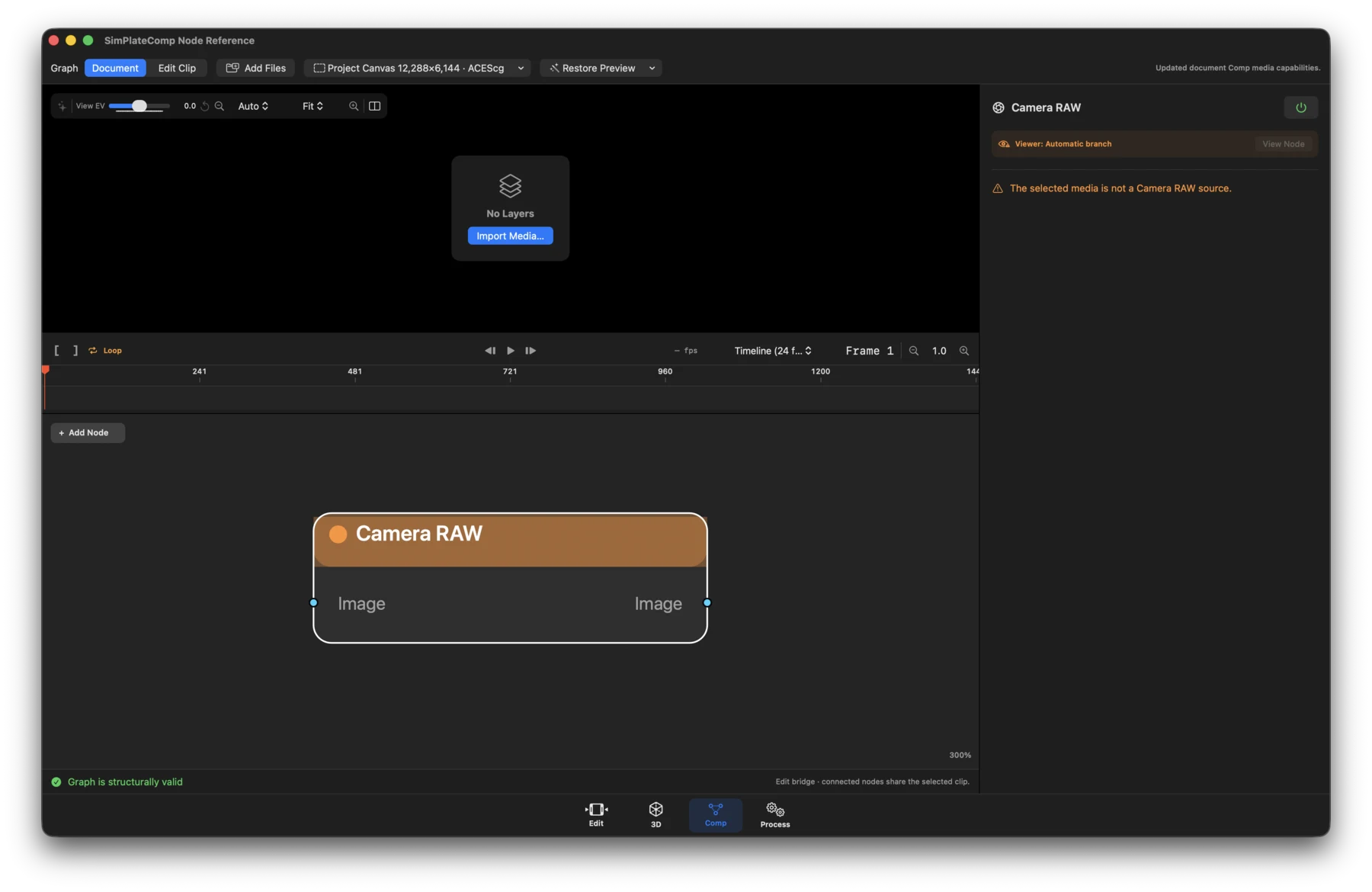
- Status: Runtime-dependent and source-specific.
- What it does: Applies decoder-supported camera development before image effects. It appears only when the selected source is recognized as Camera RAW.
- Inputs / outputs: Image in; Image out.
- Controls: The source format's supported development settings. BRAW and R3D can expose ISO, white balance, tint, exposure, and decode/preview quality; unsupported formats show their decoder boundary instead of fabricated controls.
Reroute
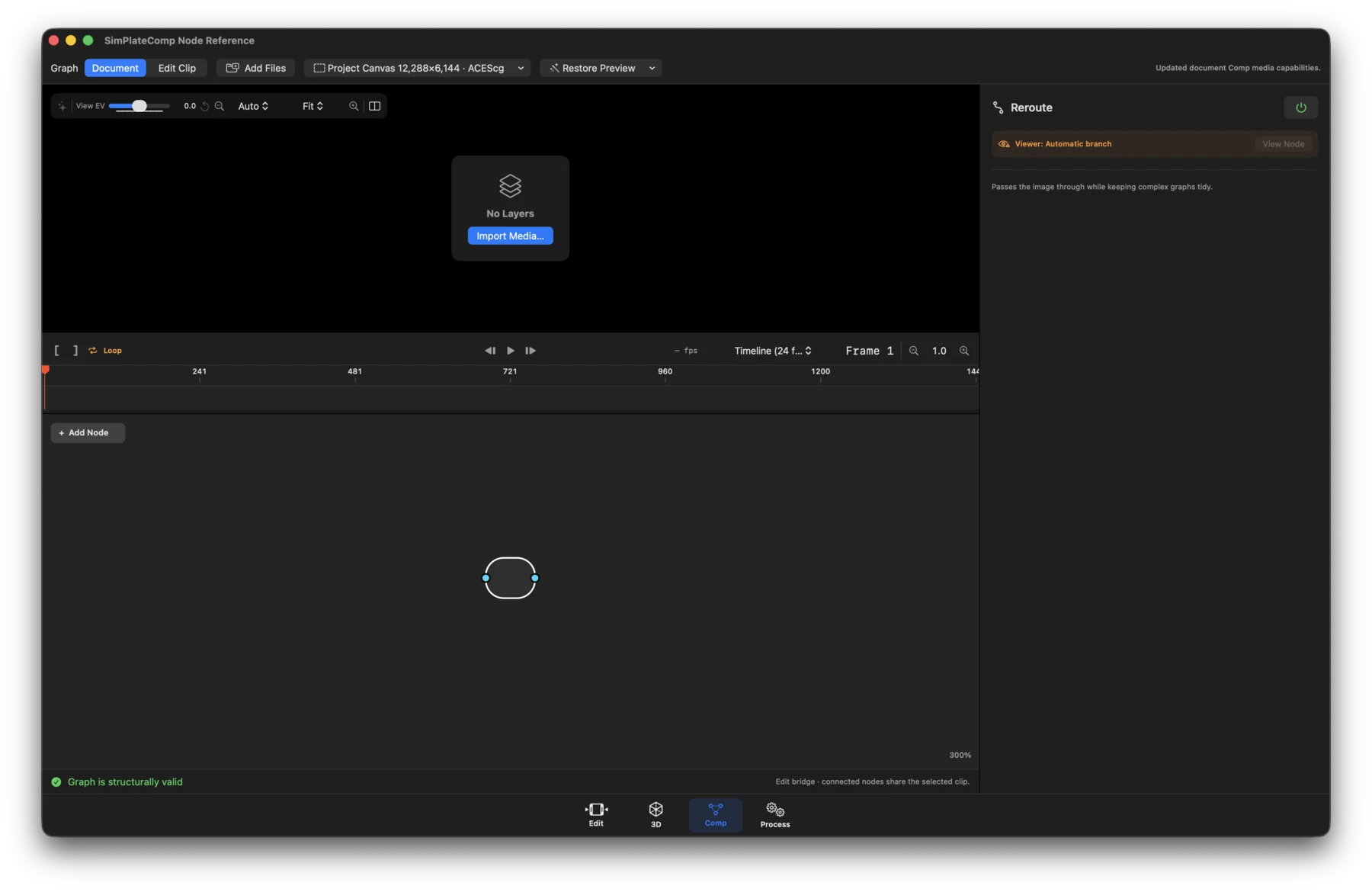
- Status: Available.
- What it does: Passes an image through unchanged so complex graphs can be laid out clearly.
- Inputs / outputs: Image in; Image out.
- Controls: None beyond the standard node name, viewer routing, and mute state.
Transform and spatial
Crop
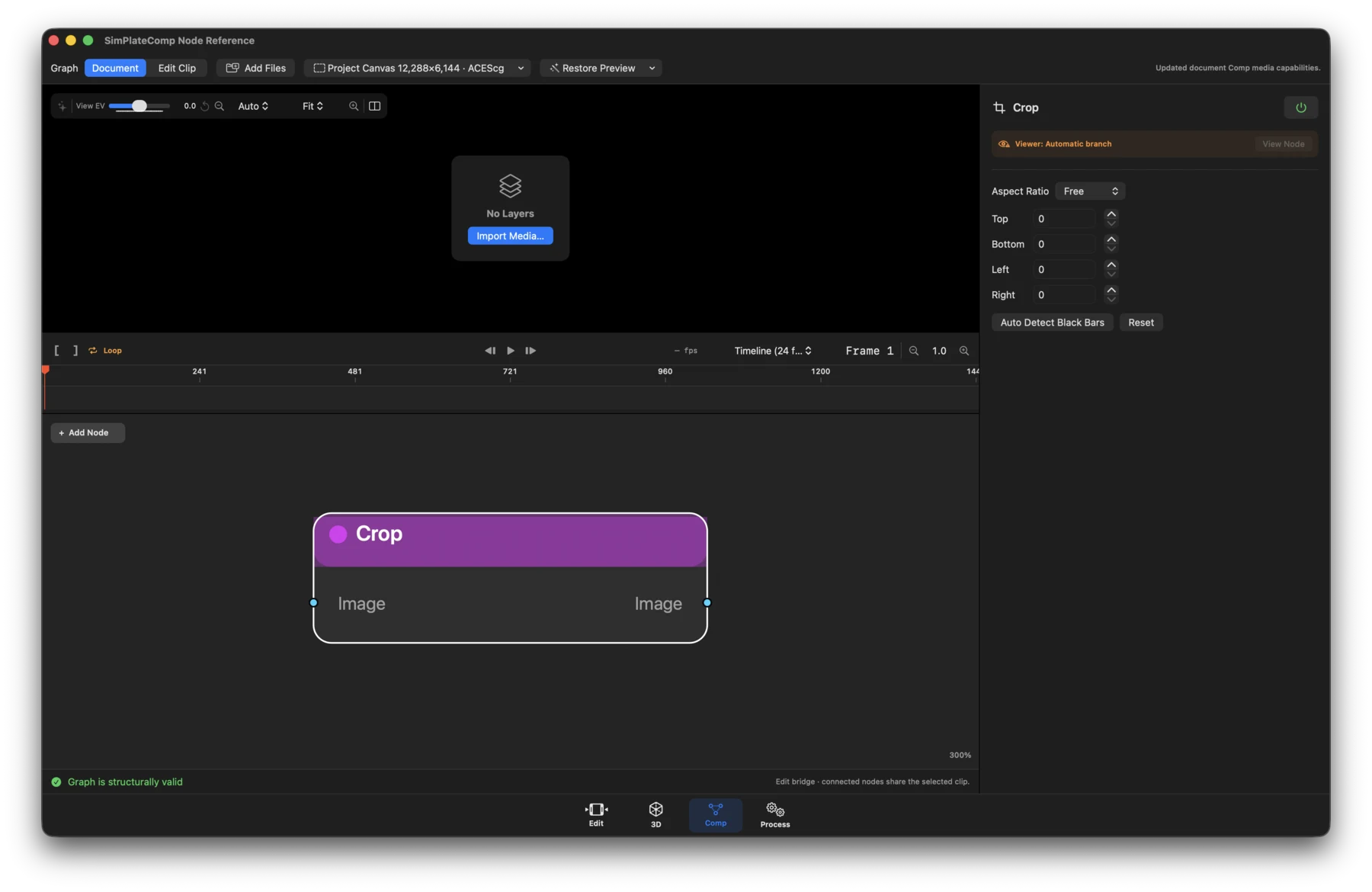
- Status: Available.
- What it does: Changes active image bounds without resampling.
- Inputs / outputs: Image in; Image out.
- Controls: Aspect ratio (Original, Free, or Custom), custom ratio, top/bottom/ left/right crop, position, active width and height, Auto Detect Black Bars, Apply, and Reset. The Inspector reports source, crop, and exact output size.
Transform
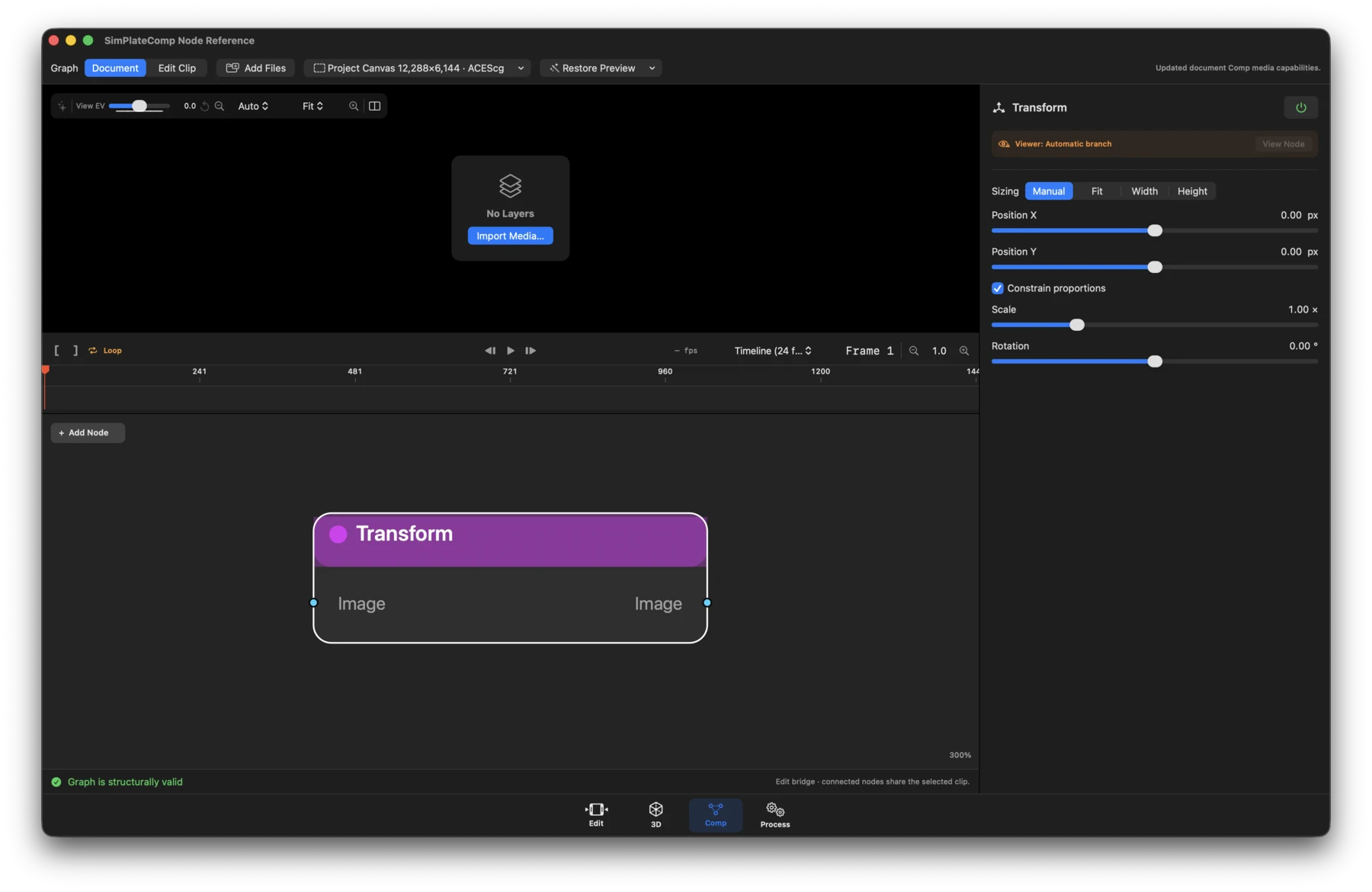
- Status: Available.
- What it does: Positions, scales, and rotates the current image branch.
- Inputs / outputs: Image in; Image out.
- Controls: Sizing mode (Manual, Fit, Width, Height), X/Y position, uniform or independent X/Y scale, constrain-scale toggle, and rotation.
Transform 360
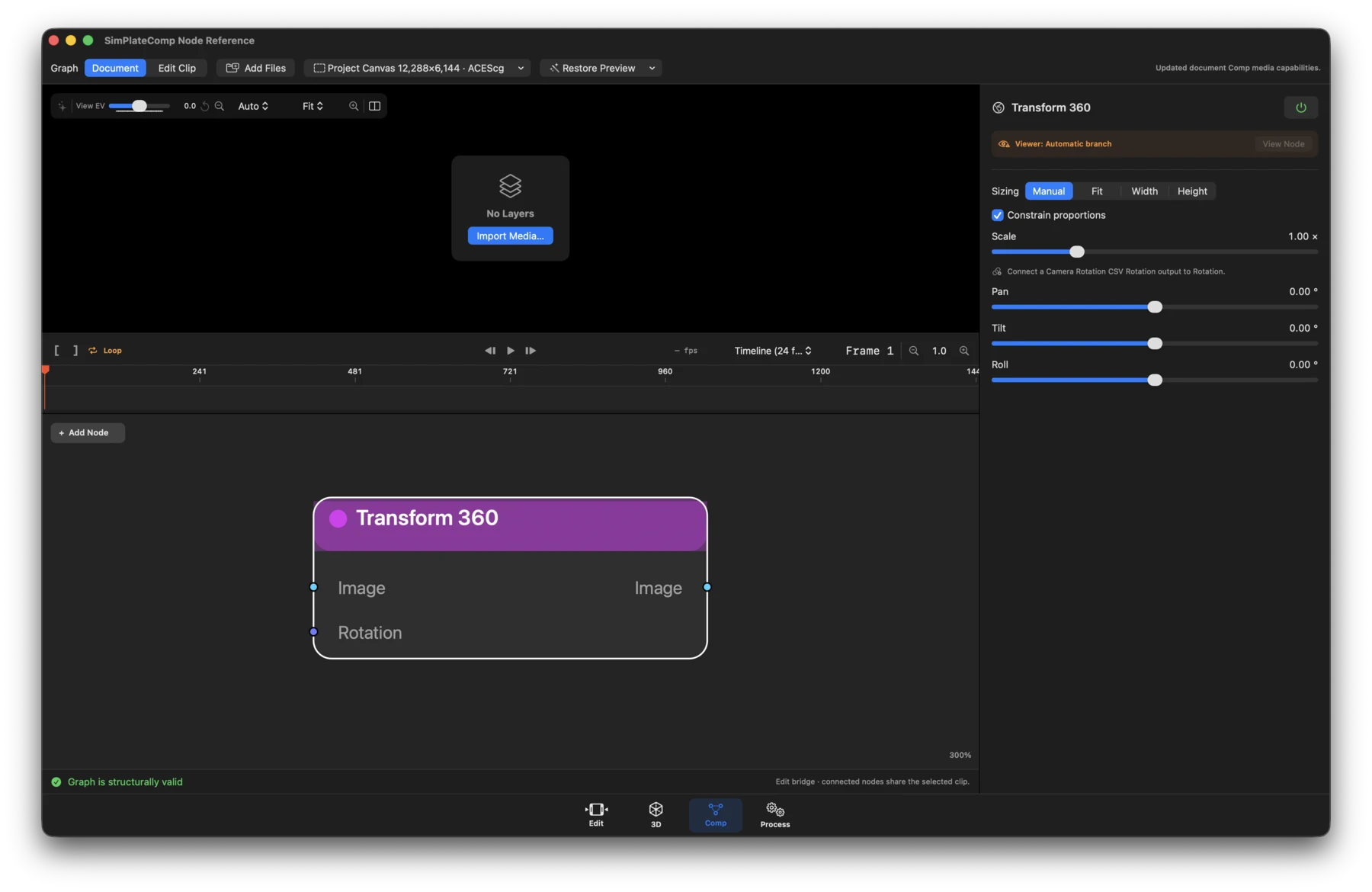
- Status: Available.
- What it does: Reprojects an equirectangular image with wrapped longitude and pole-safe orientation handling.
- Inputs / outputs: Image and optional Rotation in; Image out.
- Controls: Sizing mode, pan, tilt, roll, scale, X/Y scale, and constrain-scale. A connected Camera Rotation CSV adds its animated pitch, roll, and yaw.
Camera Rotation CSV
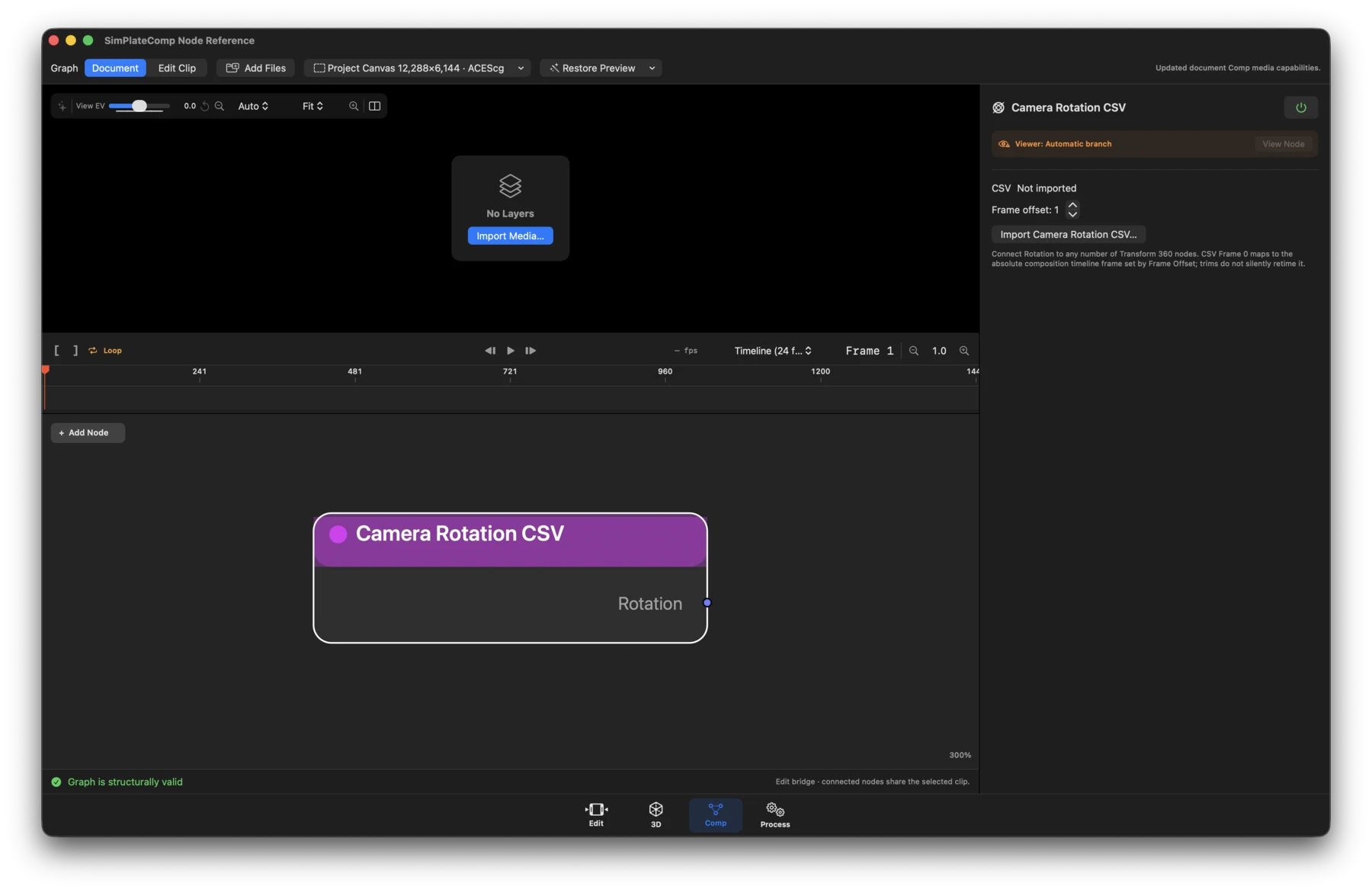
- Status: Workflow.
- What it does: Publishes typed pitch, roll, and yaw samples that can drive any number of Transform 360 nodes.
- Inputs / outputs: No inputs. Output: Rotation.
- Controls: Import Camera Rotation CSV, frame offset, source filename, sample count, CSV frame range, current sampled rotation, and validation warnings.
Color and channels
Color
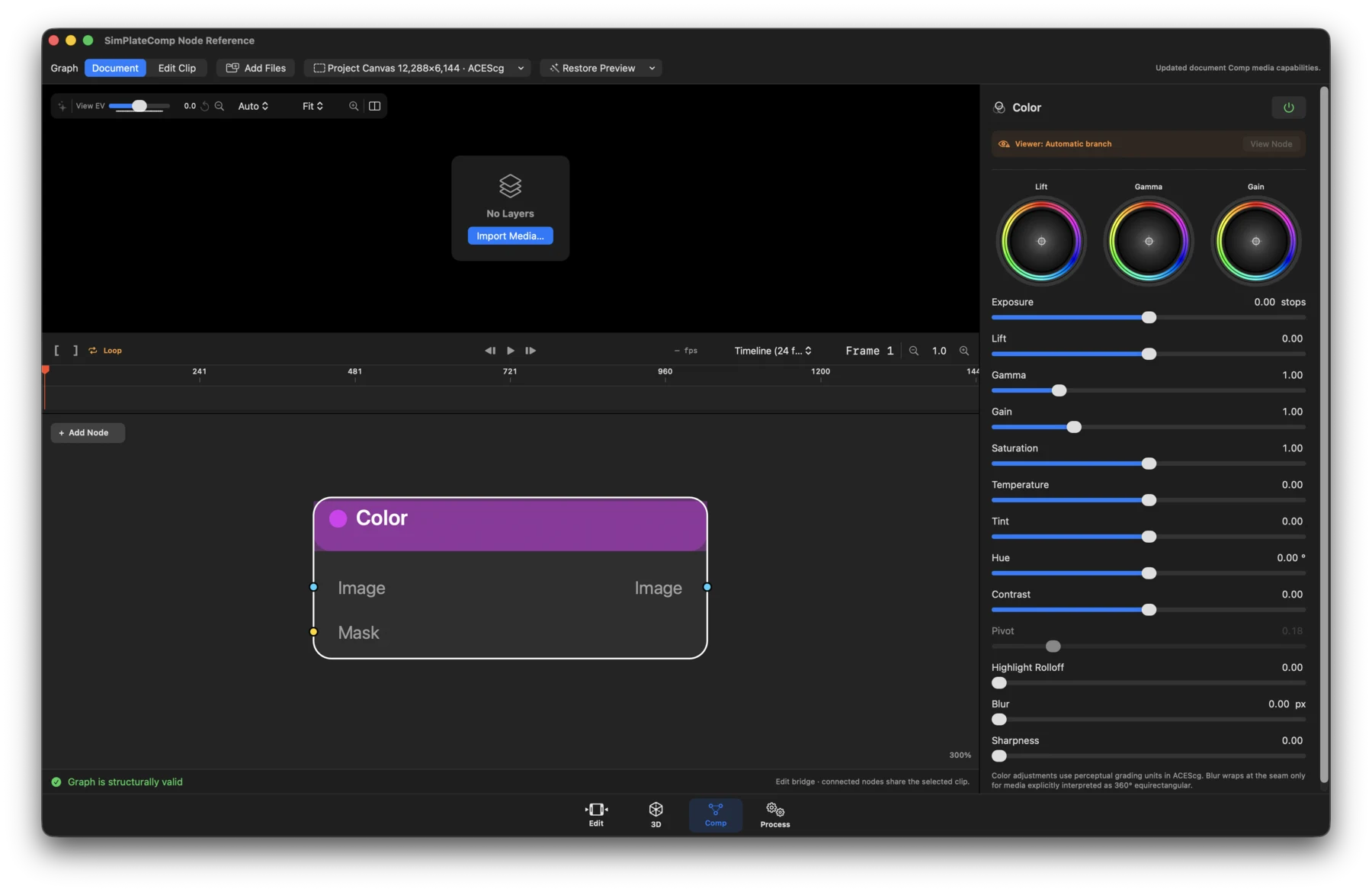
- Status: Available.
- What it does: Applies scene-linear grading in playback and export.
- Inputs / outputs: Image and optional Mask in; Image out.
- Controls: Exposure; master and RGB Lift, Gamma, and Gain; saturation; temperature, tint, hue, contrast, pivot, highlight rolloff, blur, and sharpness. Blur wraps only for media explicitly interpreted as 360° equirectangular.
Color Space & EOTF Converter
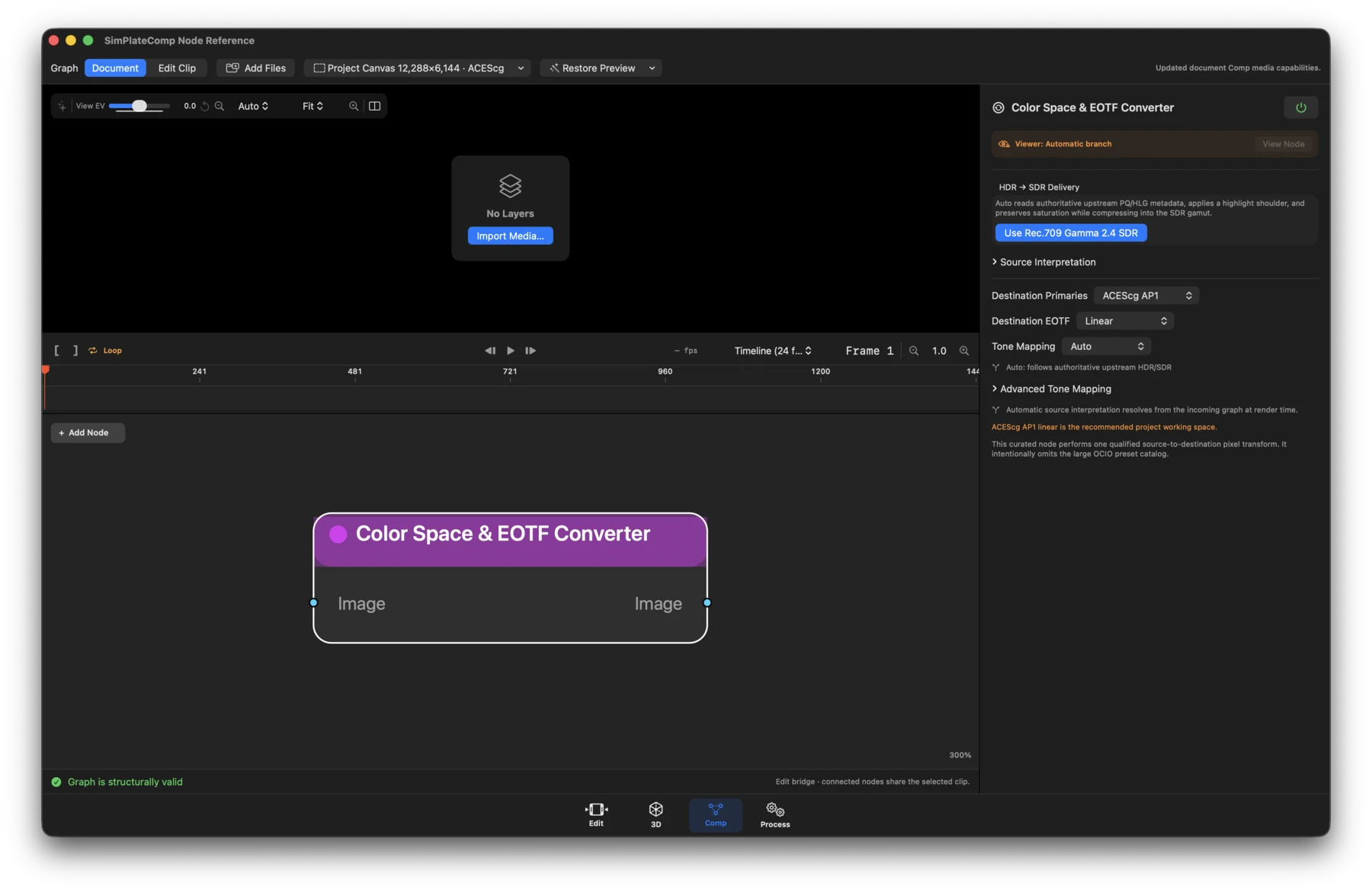
- Status: Available for curated conversion pairs; unsupported pairs fail visibly without relabeling pixels.
- What it does: Converts source primaries and transfer function independently into a selected destination encoding.
- Inputs / outputs: Image in; Image out.
- Controls: Source primaries and EOTF, Auto/metadata interpretation, destination primaries and EOTF, conversion summary, and validation state.
Curves
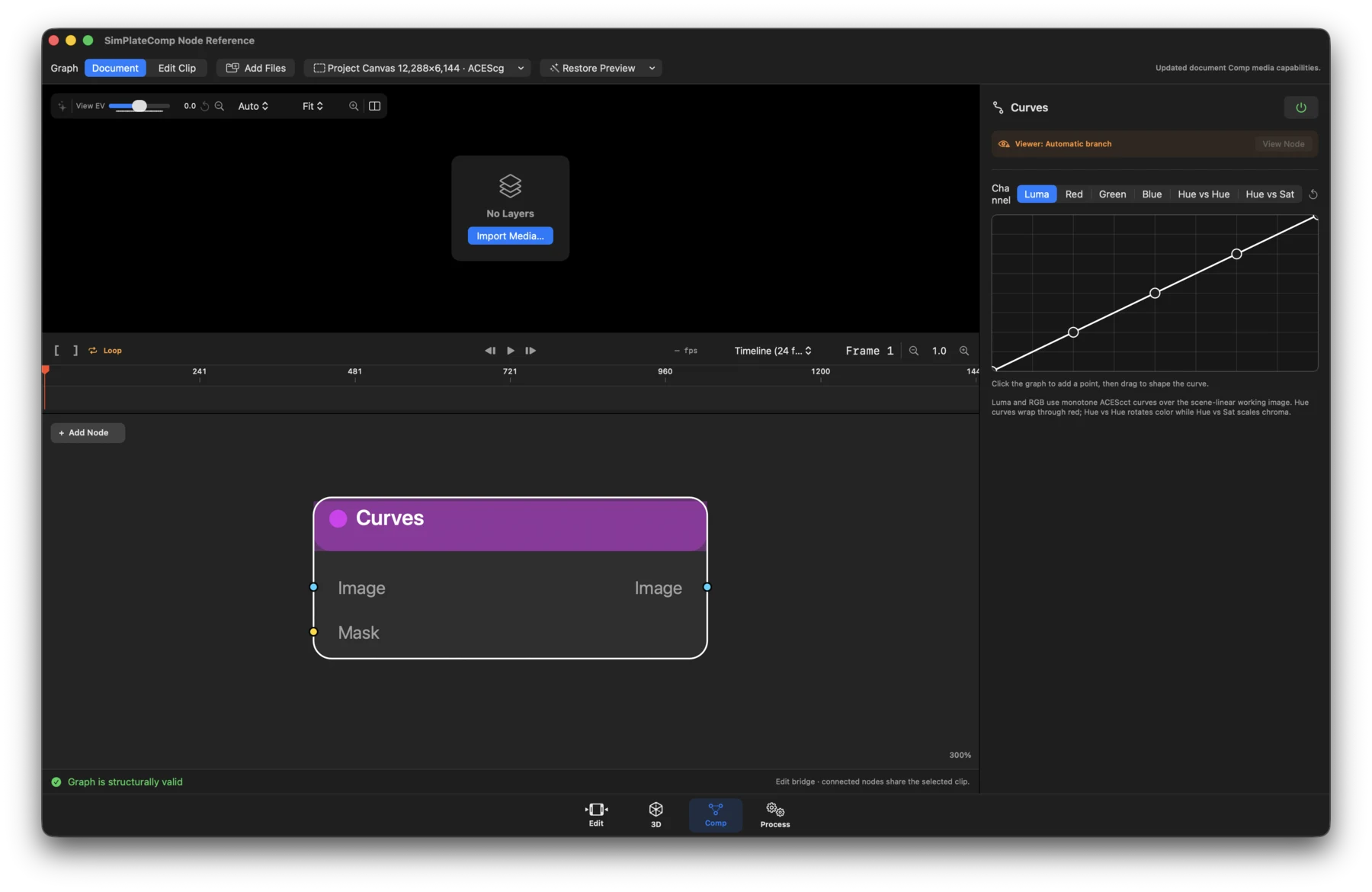
- Status: Available.
- What it does: Applies versioned scene-linear curves through a cached 1D LUT.
- Inputs / outputs: Image and optional Mask in; Image out.
- Controls: Channel selector for Luma, Red, Green, Blue, Hue vs Hue, and Hue vs Saturation; interactive graph points and channel reset actions.
Separate Color
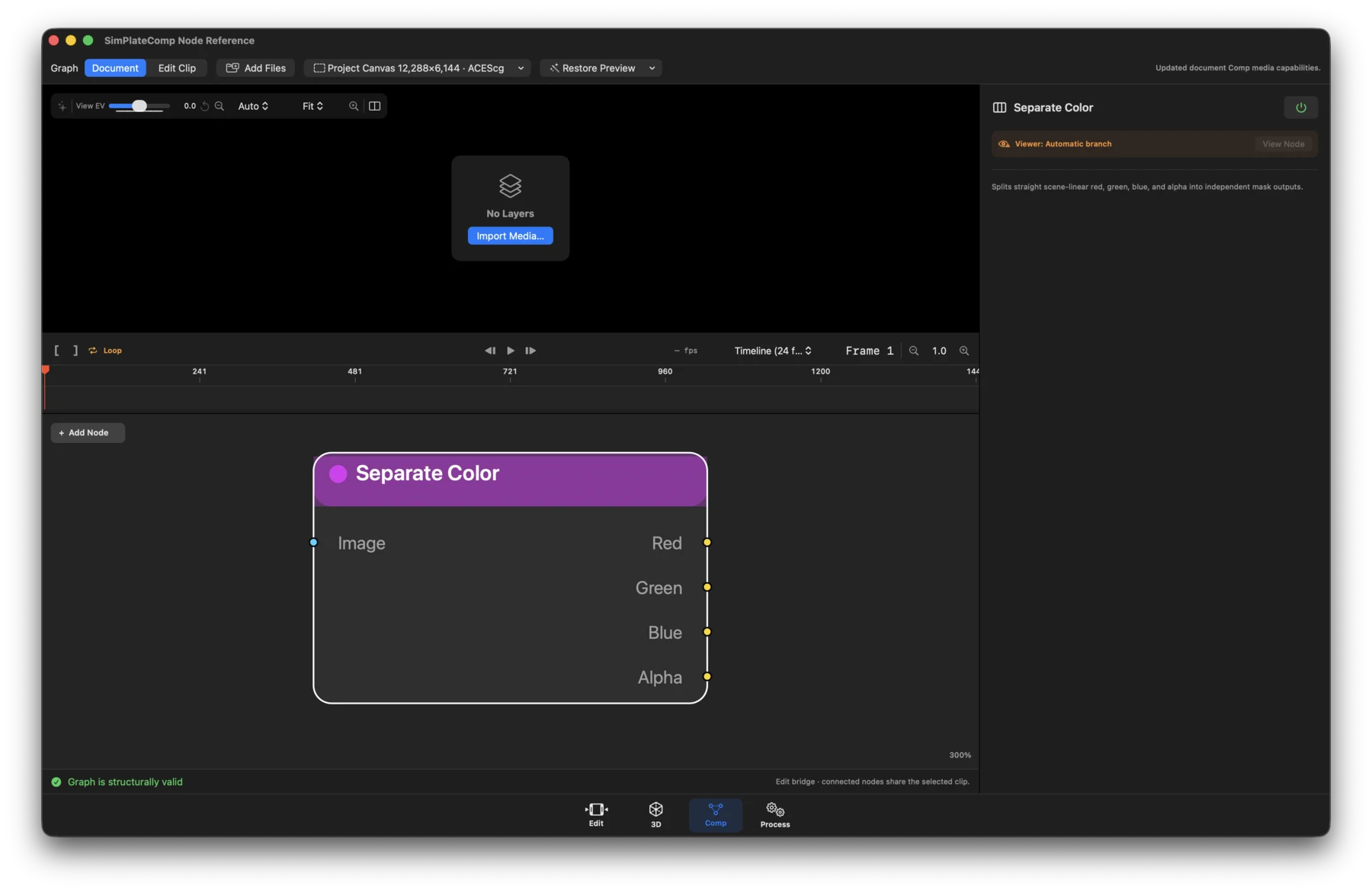
- Status: Available.
- What it does: Splits straight scene-linear RGBA into independent grayscale channel branches.
- Inputs / outputs: Image in; Red, Green, Blue, and Alpha mask outputs.
- Controls: No numeric controls; connect the channel output you need.
Combine Color
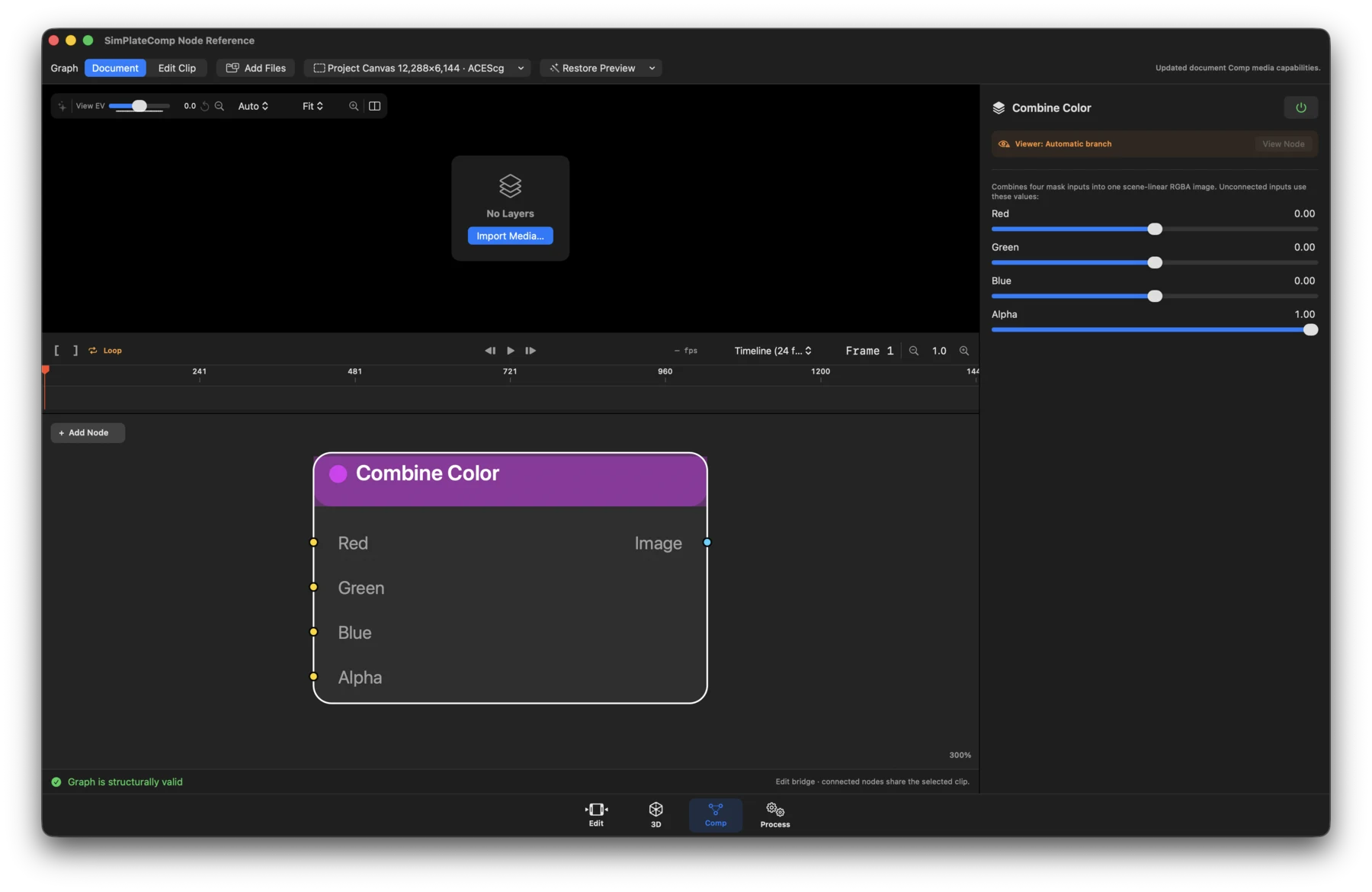
- Status: Available.
- What it does: Combines scalar branches into one premultiplied scene-linear RGBA image.
- Inputs / outputs: Optional Red, Green, Blue, and Alpha masks in; Image out.
- Controls: Fallback Red, Green, Blue, and Alpha values used when the matching input is not connected.
Masks and tracking
Track
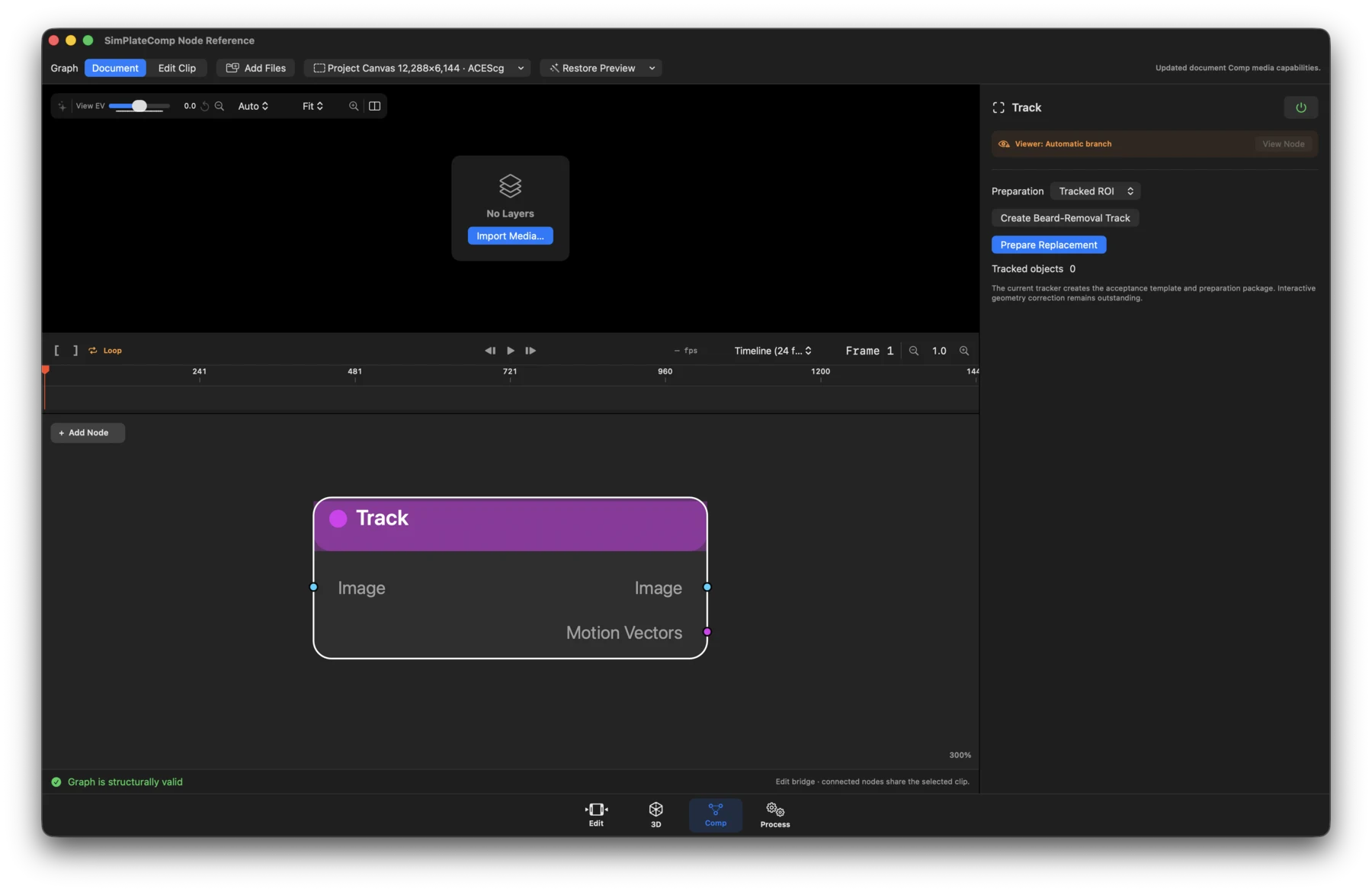
- Status: Workflow.
- What it does: Routes the branch to the existing tracking and region-of- interest preparation workflow.
- Inputs / outputs: Image in; Image and Motion Vectors out.
- Controls: Tracking workflow status and actions. Motion-vector availability depends on completing the associated analysis.
Mask Paint
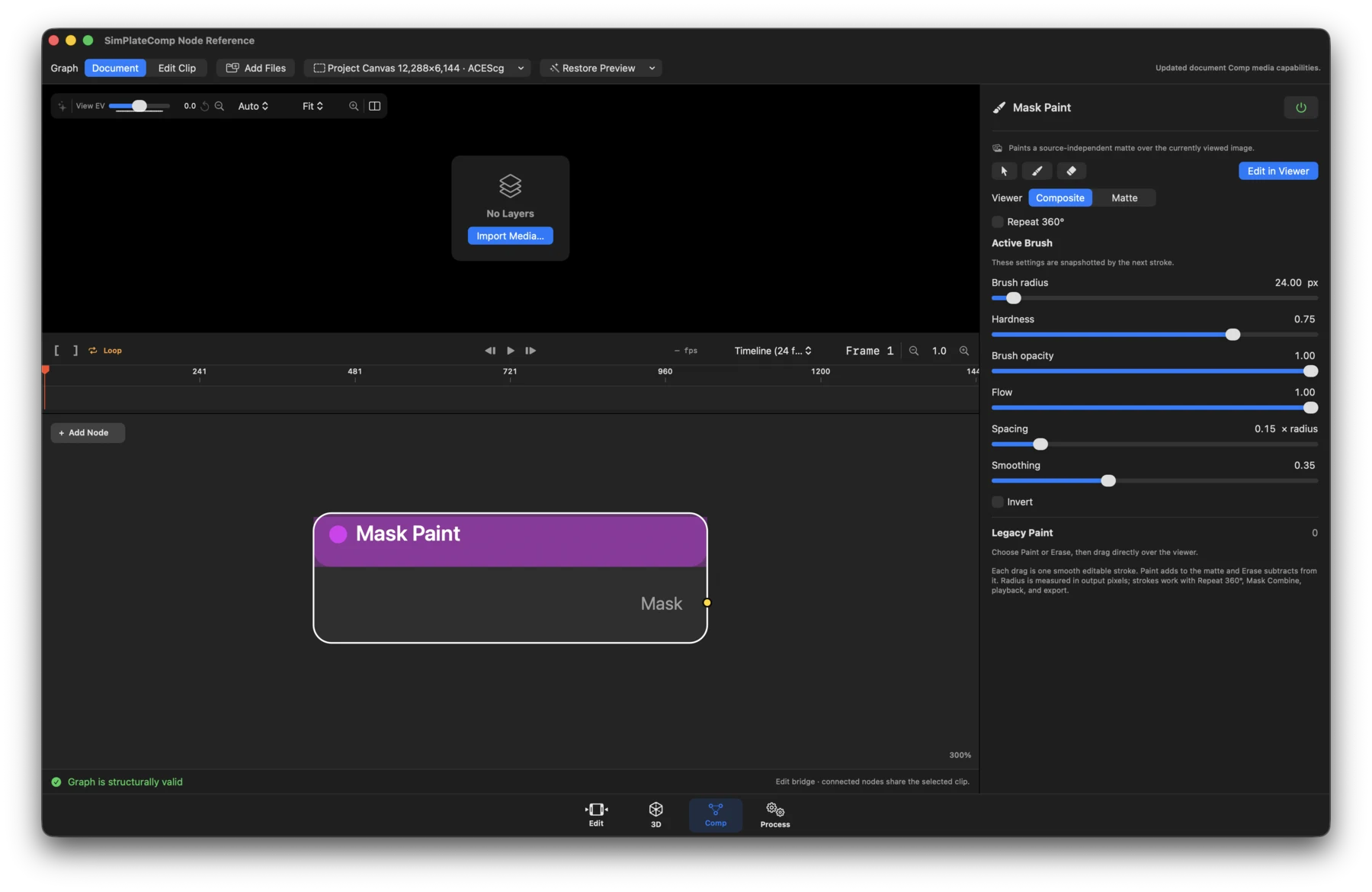
- Status: Available.
- What it does: Paints or erases an editable, source-independent matte in the viewer.
- Inputs / outputs: No inputs. Output: Mask.
- Controls: Viewer mode, Paint/Erase operation, brush radius, hardness, opacity, flow, spacing, smoothing, overall opacity, softness, invert, animation, and Clear Strokes. Brush settings are captured by each new stroke.
Clone Paint
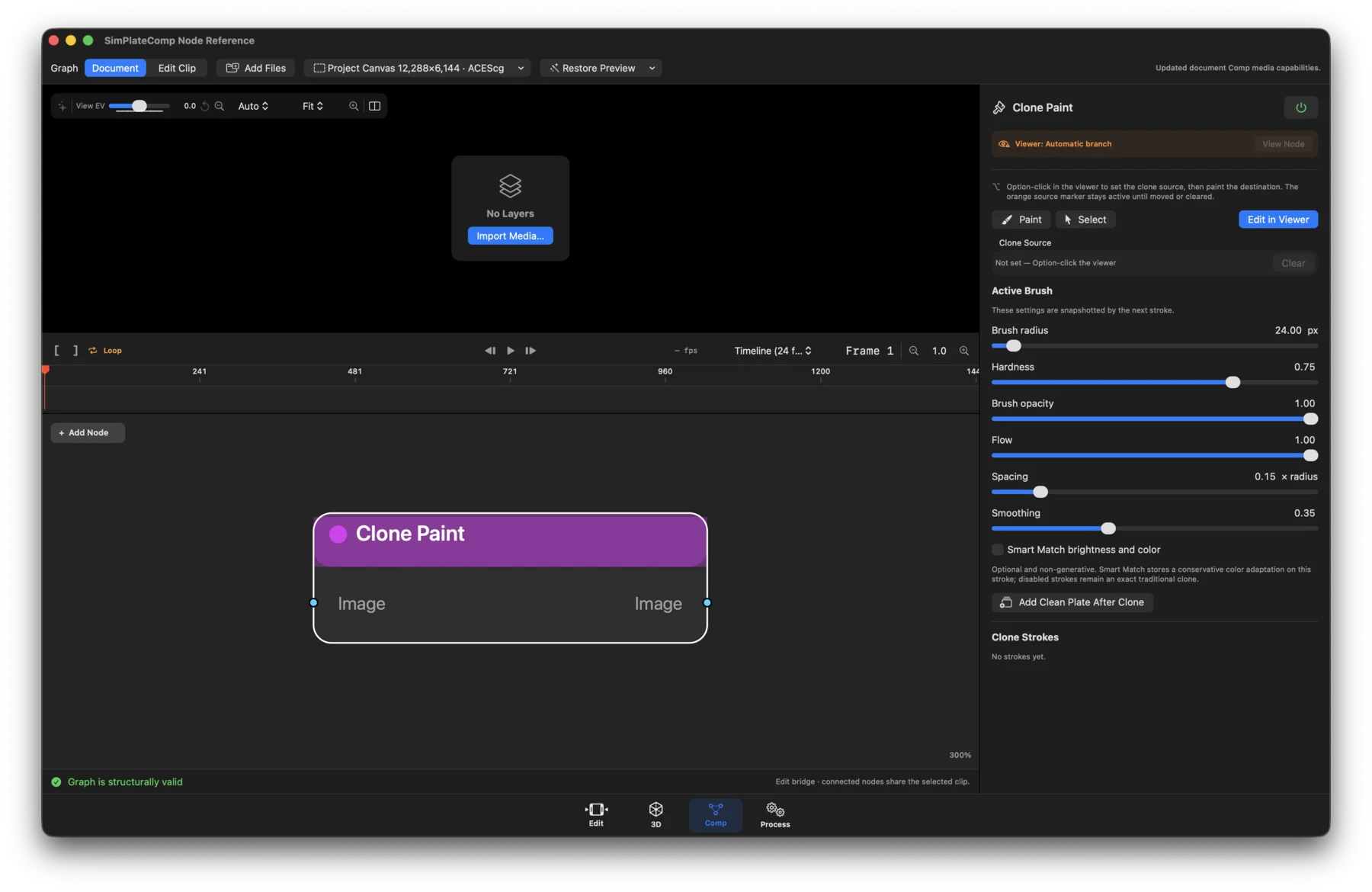
- Status: Available authoring workflow.
- What it does: Stores source-relative clone strokes on an image branch.
- Inputs / outputs: Image in; Image out.
- Controls: Source point, Paint/Erase-style brush settings, stroke list and deletion, Clear All Strokes, plus optional Smart Match strength and feather. Smart Match is conservative color adaptation, not generative filling.
Polygon / B-Spline / Roto
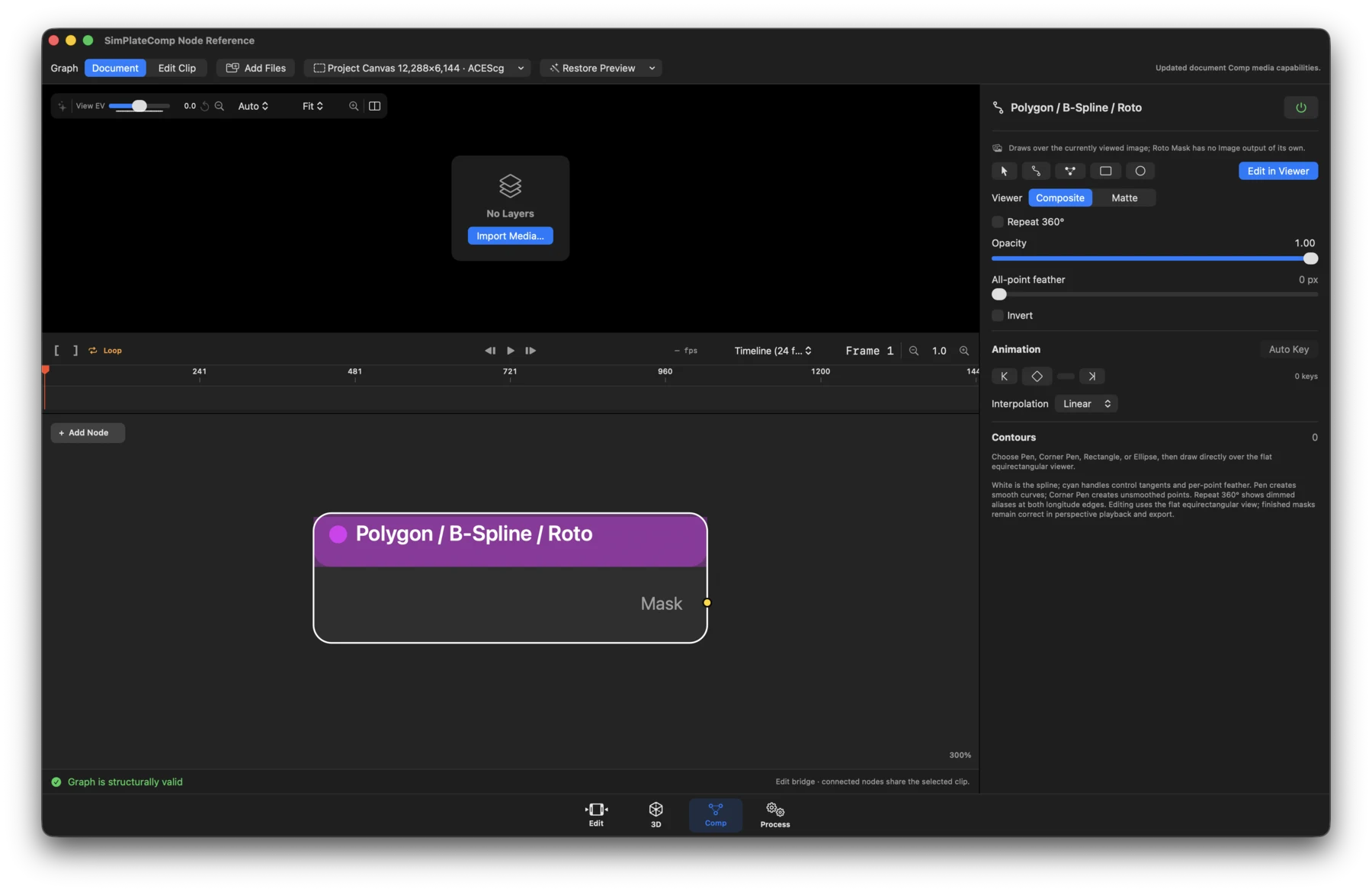
- Status: Available.
- What it does: Authors editable Bézier matte contours, including seamless 360° longitude repeat.
- Inputs / outputs: No inputs. Output: Mask.
- Controls: Viewer mode, point selection and editing, contour operation (Add, Subtract, Intersect), opacity, softness, invert, all-point feather, animation, Smooth Selected, Corner, and clear actions. SAM detail modes may be available when their runtime is installed.
Rectangle Mask
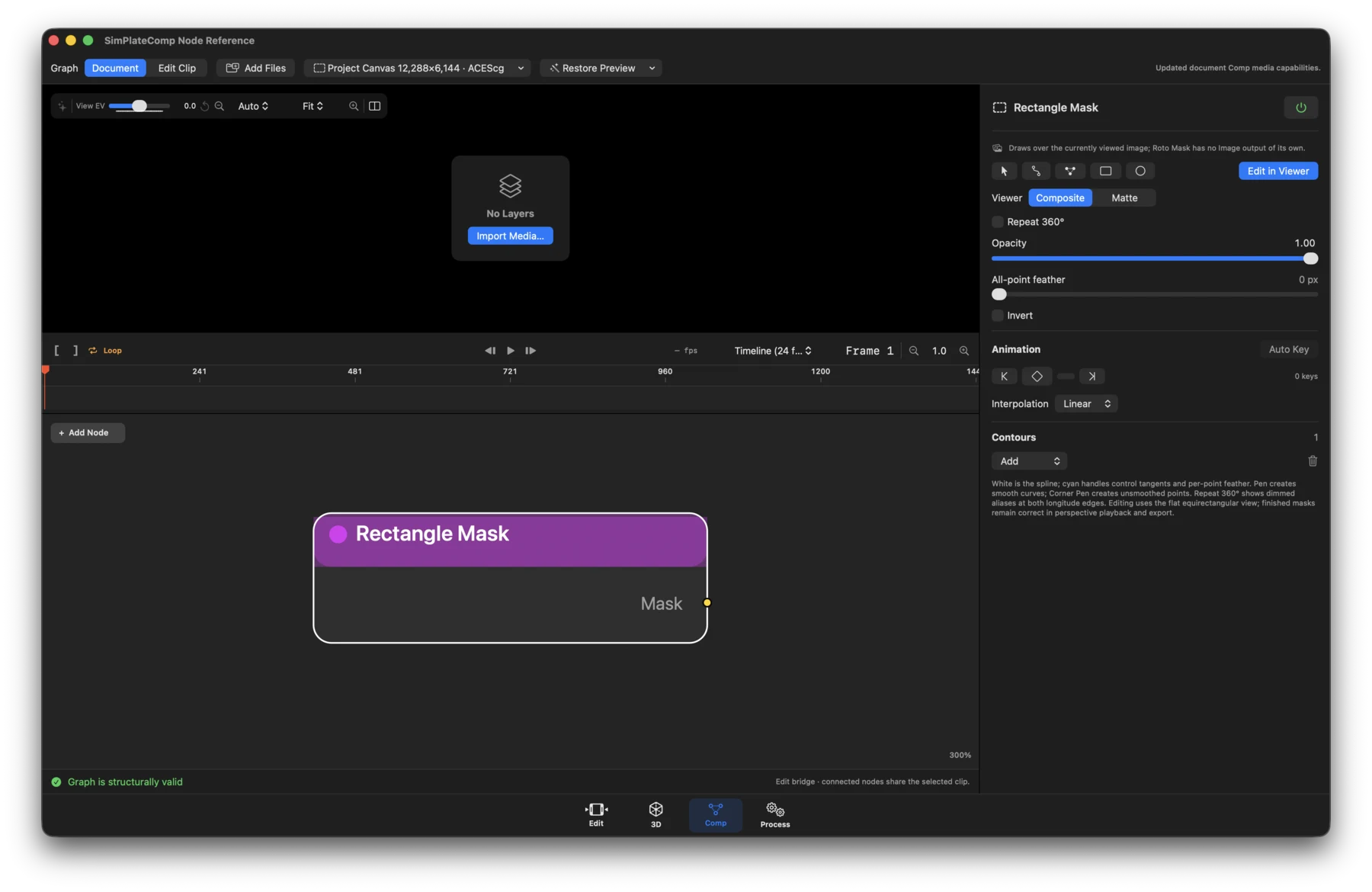
- Status: Available.
- What it does: Creates a rectangular procedural matte using the same editable contour system as roto shapes.
- Inputs / outputs: No inputs. Output: Mask.
- Controls: Rectangle points and transform, feather, opacity, softness, invert, animation, and contour operation when combined with additional contours.
Ellipse Mask
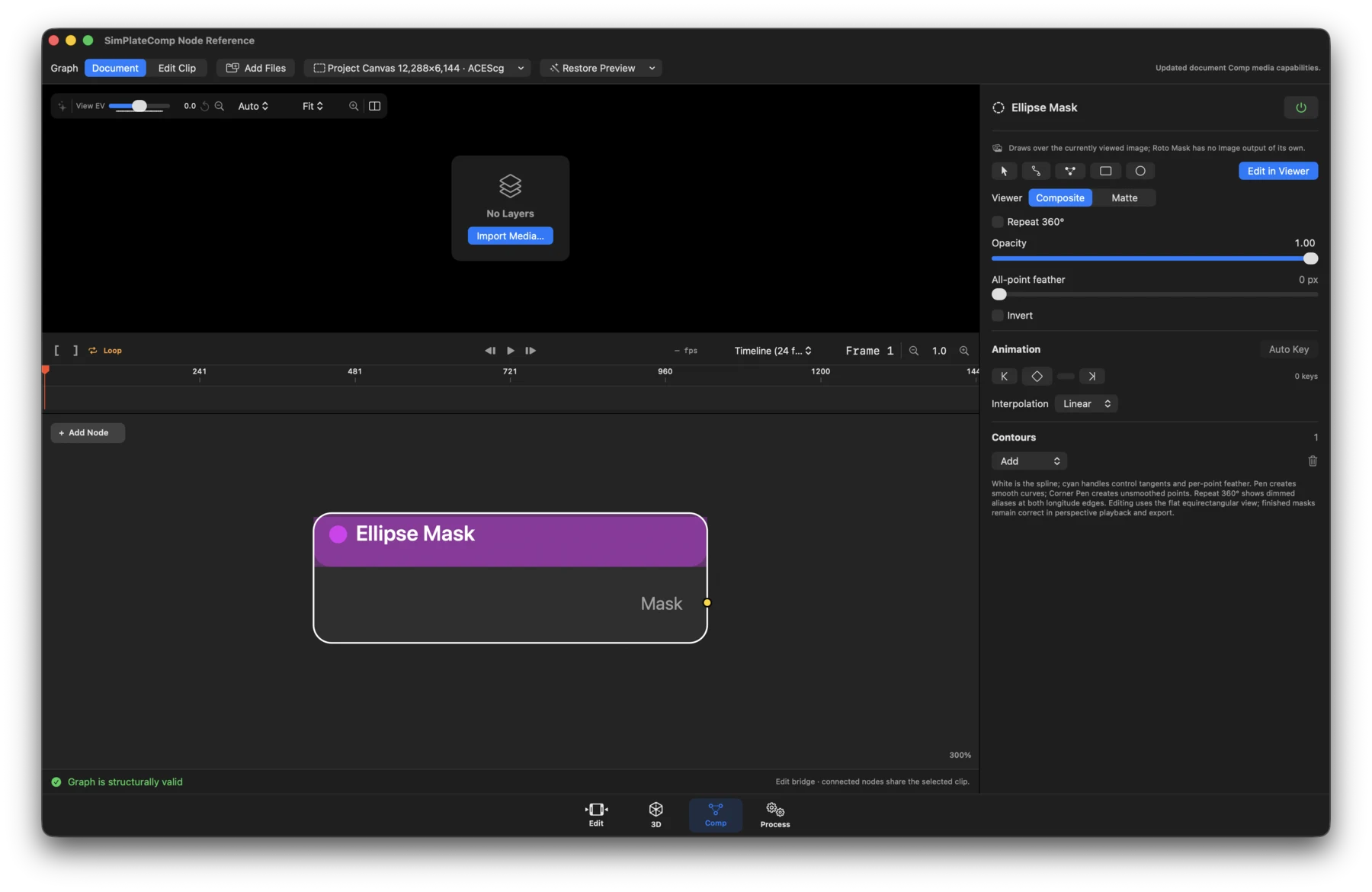
- Status: Available.
- What it does: Creates an elliptical procedural matte using the editable contour system.
- Inputs / outputs: No inputs. Output: Mask.
- Controls: Ellipse points and transform, feather, opacity, softness, invert, animation, and contour operation when combined with additional contours.
Mask Combine
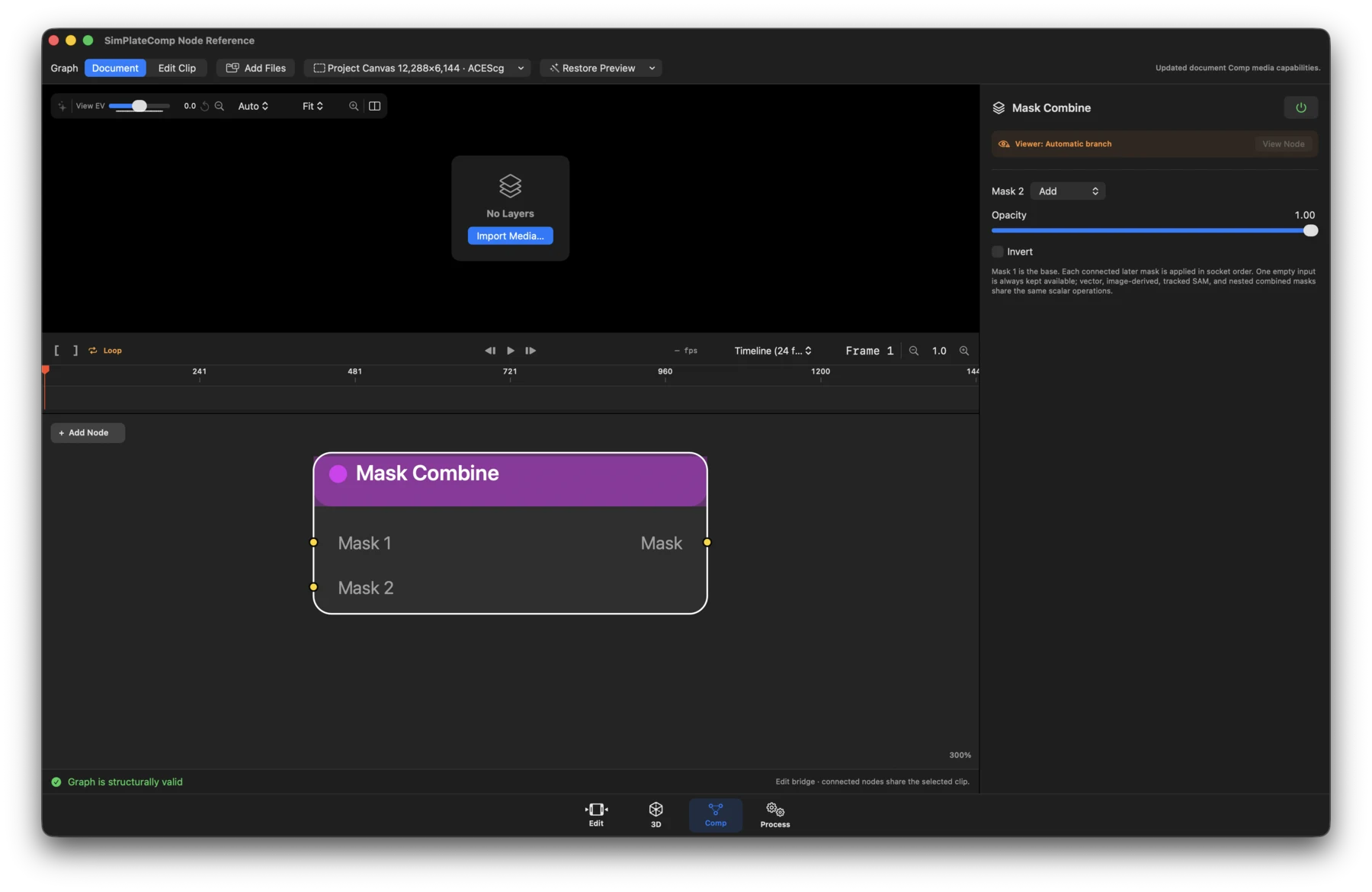
- Status: Available.
- What it does: Combines multiple independently generated masks.
- Inputs / outputs: Mask 1 required and additional optional Mask N inputs; Mask out. New nodes start with two inputs and can expand to 64.
- Controls: Add/remove inputs, per-input Add/Subtract/Intersect operation, opacity, softness, and invert.
Cryptomatte
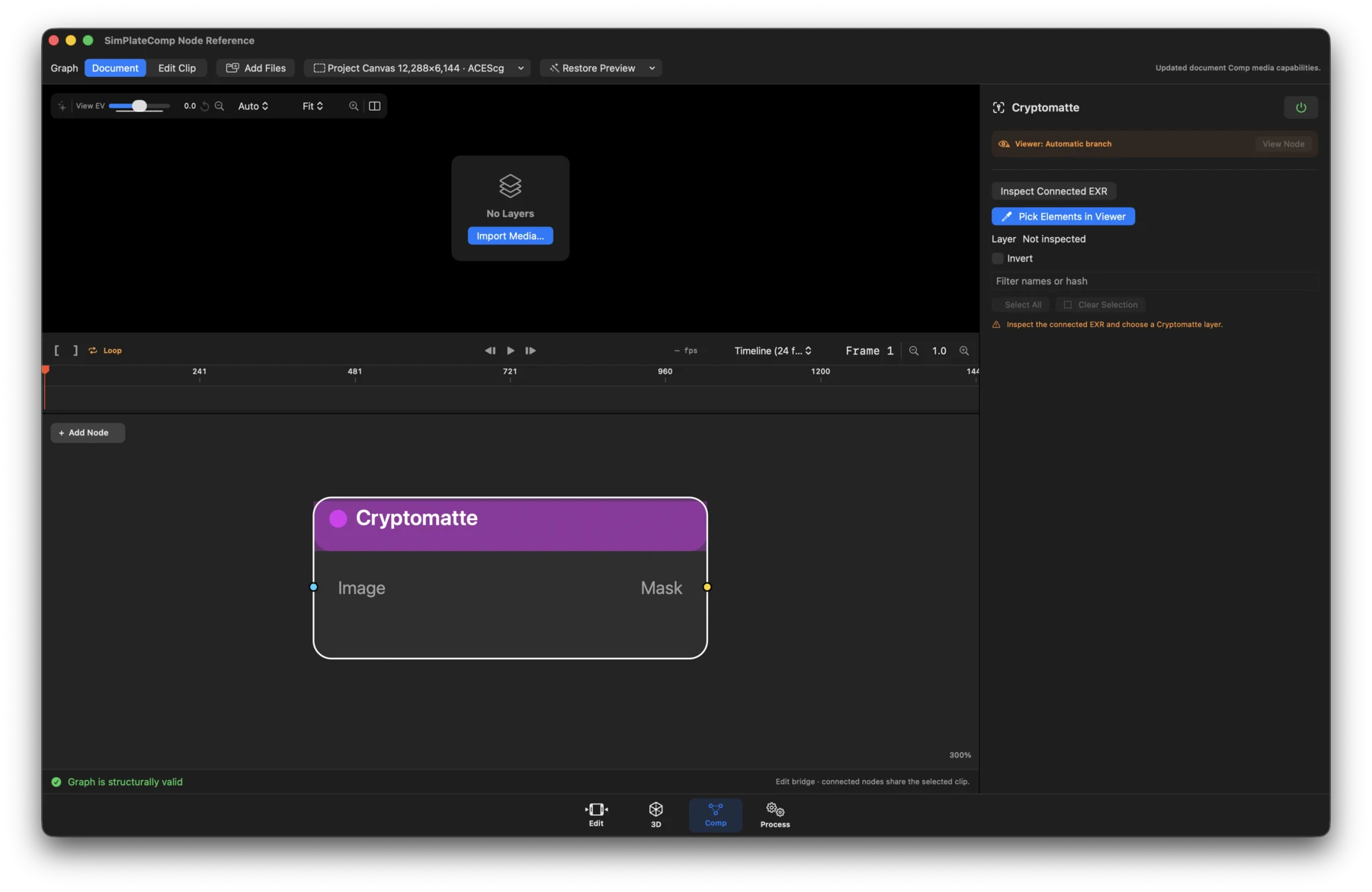
- Status: Available for OpenEXR sources with valid Cryptomatte metadata and channels.
- What it does: Extracts selected object or material IDs as a typed mask.
- Inputs / outputs: Image in; Image and Mask out.
- Controls: Inspect Connected EXR, manifest/layer selection, ranked ID list, search and selection, viewer picking, matte inspection, and Done.
Subject Track
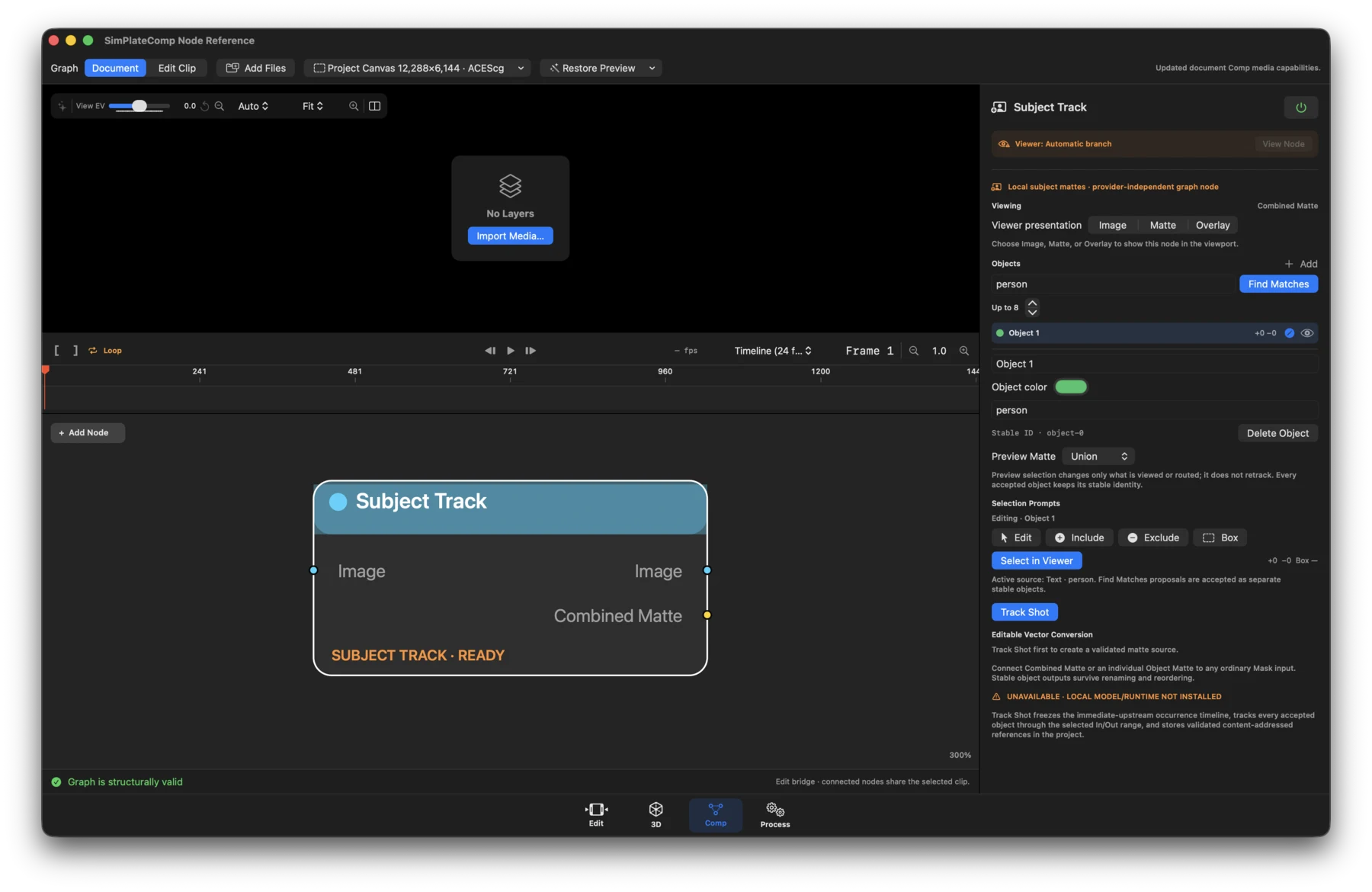
- Status: Runtime-dependent workflow.
- What it does: Tracks accepted subjects through a frozen upstream occurrence and publishes stable mattes.
- Inputs / outputs: Image in; Image, Combined Matte, and one dynamic Object Matte per accepted object out.
- Controls: Include/exclude point and box prompts, object list, Track Shot and cancellation, range and status, conservative/balanced/strong settings, and viewer-only Image/Matte/Overlay presentation. Requires the qualified local tracking runtime and valid stored artifacts.
Generate and repair
Generate
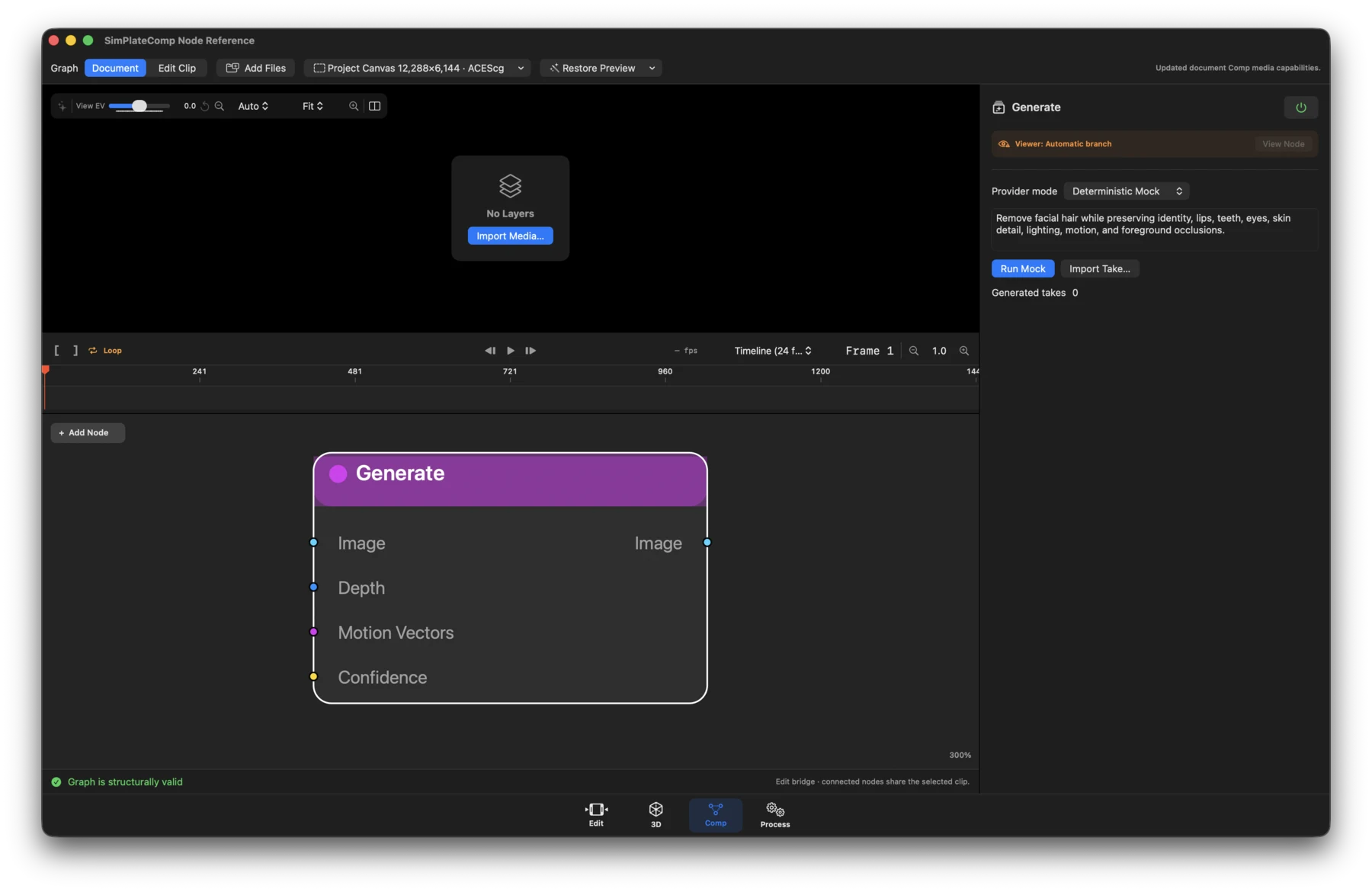
- Status: Workflow.
- What it does: Produces deterministic mock results or imports an immutable manually generated take. Provider configuration does not make graph evaluation submit cloud work.
- Inputs / outputs: Image plus optional Depth, Motion Vectors, and Confidence in; Image out.
- Controls: Deterministic Mock, Manual Take Import, or Configured Provider workflow choice; take/import state and generation workflow actions.
FrameFix
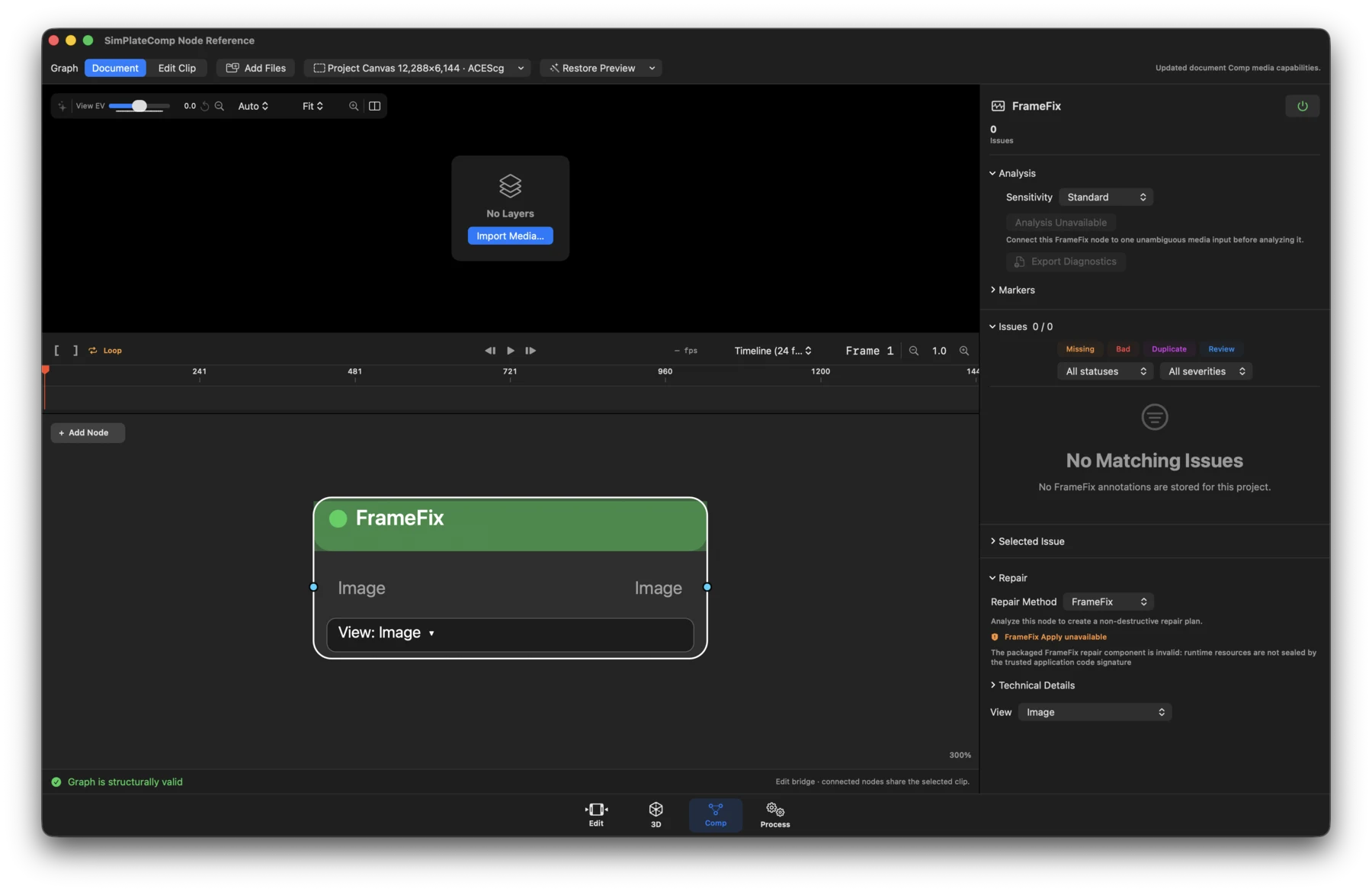
- Status: Runtime-dependent workflow.
- What it does: Analyzes the effective immediate-upstream occurrence, stores QC findings, and applies an approved repair plan.
- Inputs / outputs: Image in; Image out.
- Controls: Analysis/review status, issue counts and categories, repair method, review/open actions, and runtime availability. A FrameFix-enabled build must pass the final installed application's runtime trust check; otherwise it is not available. Chained nodes invalidate downstream plans when upstream identity changes.
Object Removal
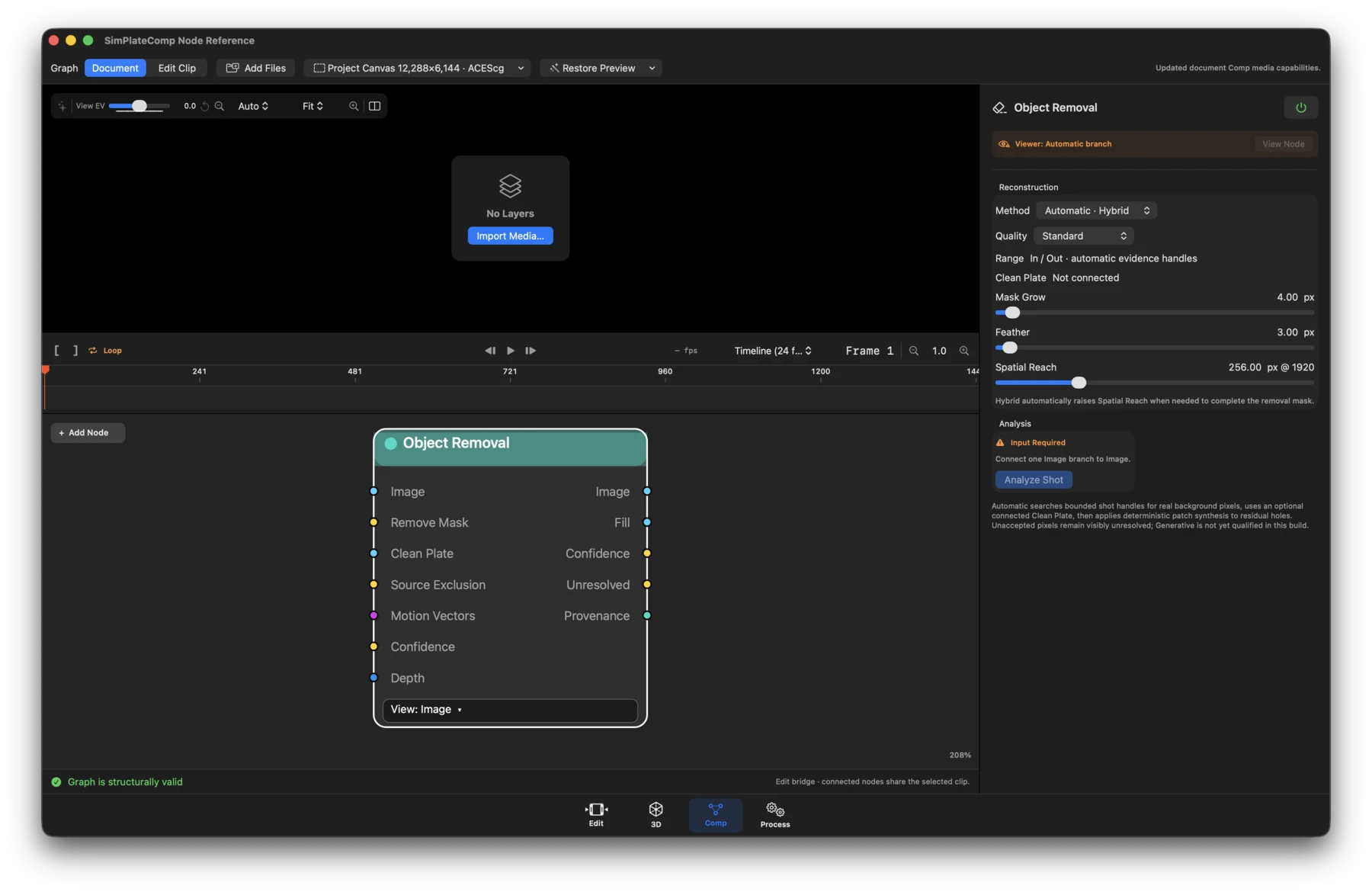
- Status: Workflow and runtime-dependent.
- What it does: Builds a cut-bounded reconstruction from a removal mask, preferring temporal evidence before deterministic spatial filling.
- Inputs / outputs: Image, Remove Mask, and optional Clean Plate, Source Exclusion, Motion Vectors, Confidence, and Depth in; Image, Fill, Confidence, Unresolved, and Provenance out.
- Controls: Method and temporal search settings, spatial fallback, protection/ confidence controls, range and plan status, prepare/render actions, and result diagnostics. Missing qualified evidence remains explicit.
Clean Plate
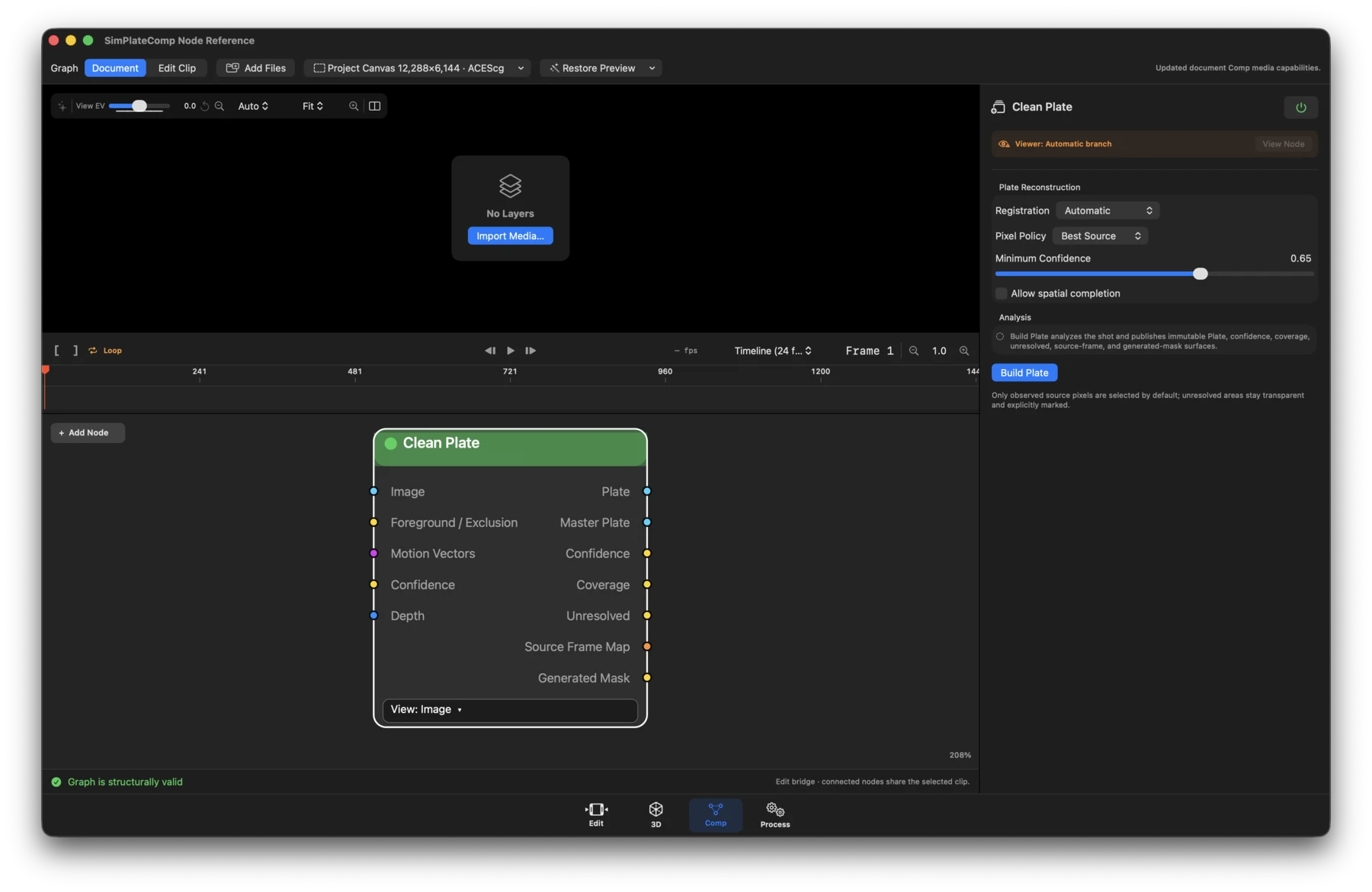
- Status: Workflow and runtime-dependent.
- What it does: Materializes the best observed background pixels from the effective upstream shot with exact source-frame lineage.
- Inputs / outputs: Image plus optional Foreground / Exclusion, Motion Vectors, Confidence, and Depth in; Plate, Master Plate, Confidence, Coverage, Unresolved, Source Frame Map, and Generated Mask out.
- Controls: Analysis range, source selection and reconstruction settings, artifact destination/status, build/cancel actions, and coverage/confidence diagnostics.
Reference Frame
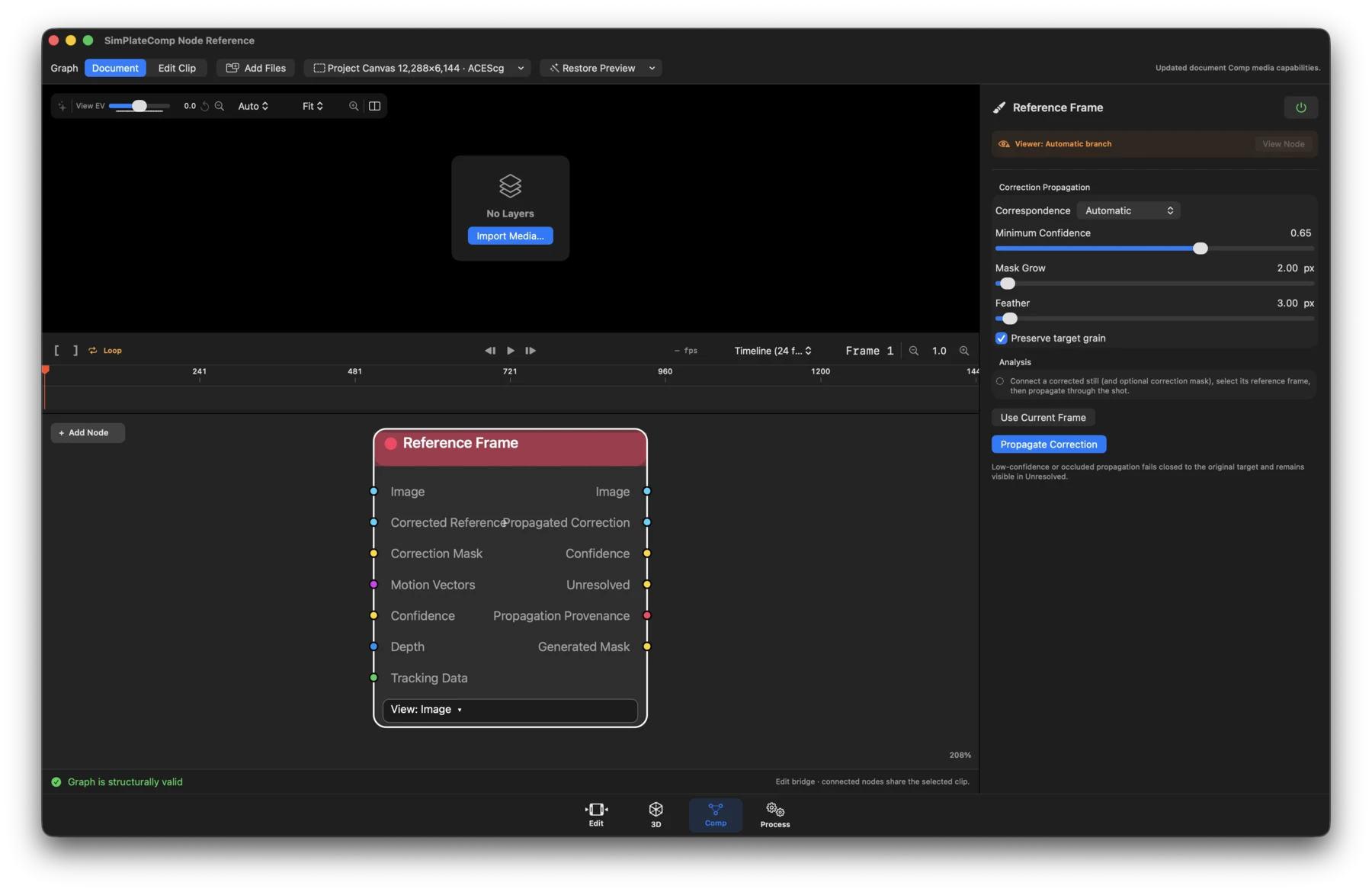
- Status: Workflow and runtime-dependent.
- What it does: Propagates a corrected reference still through the effective shot with confidence and occlusion gating.
- Inputs / outputs: Image, Corrected Reference, and optional Correction Mask, Motion Vectors, Confidence, Depth, and Tracking Data in; Image, Propagated Correction, Confidence, Unresolved, Propagation Provenance, and Generated Mask out.
- Controls: Reference frame and range, propagation/registration settings, confidence and occlusion thresholds, prepare/cancel actions, and artifact status.
Time
Frame Hold
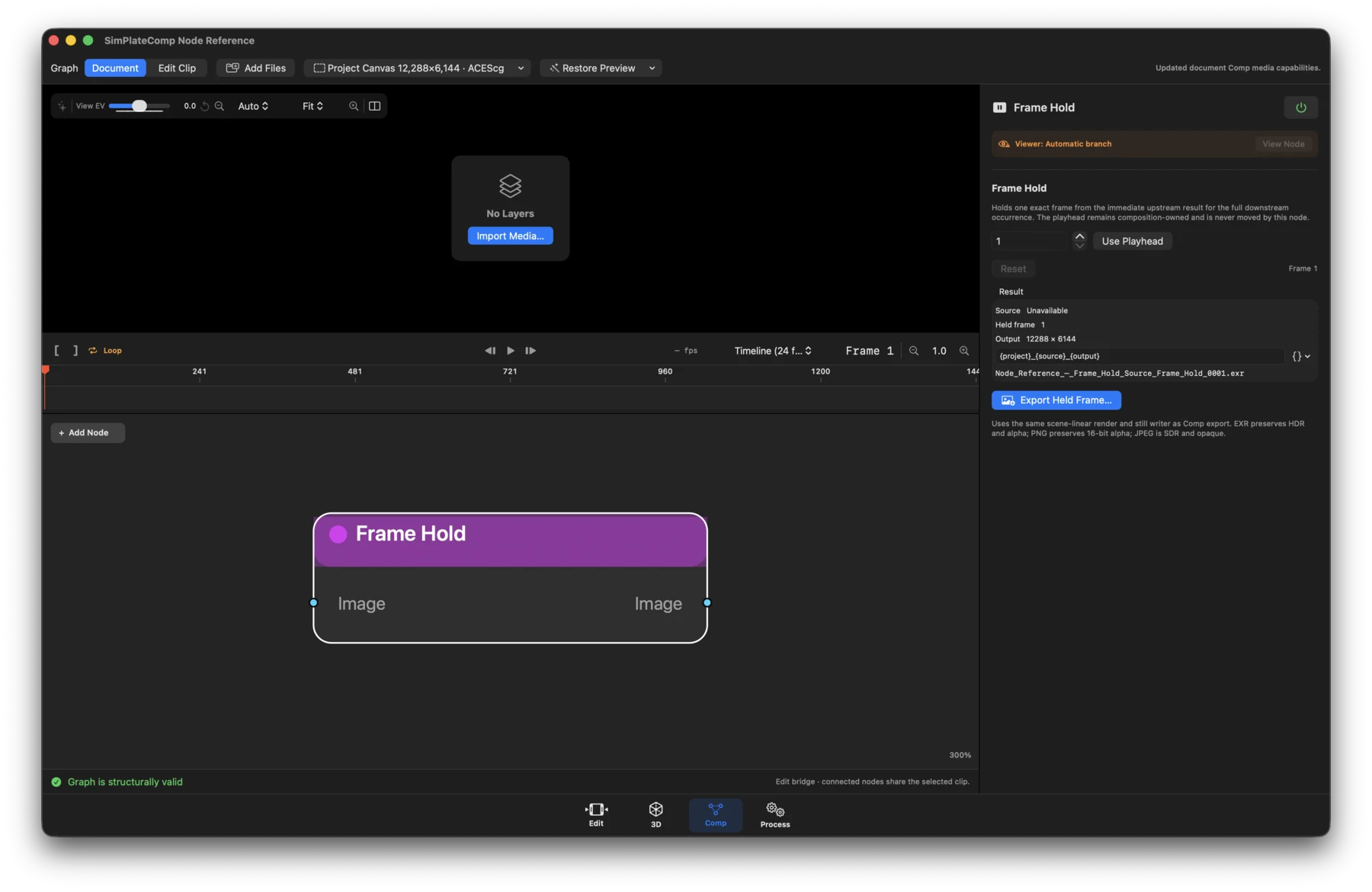
- Status: Available.
- What it does: Resolves one exact frame from the immediate upstream occurrence and reuses it downstream without moving the composition playhead.
- Inputs / outputs: Image in; Image out.
- Controls: Held frame, Use Playhead, Reset, source dimensions, held-frame status, output dimensions, and still export options.
Retime
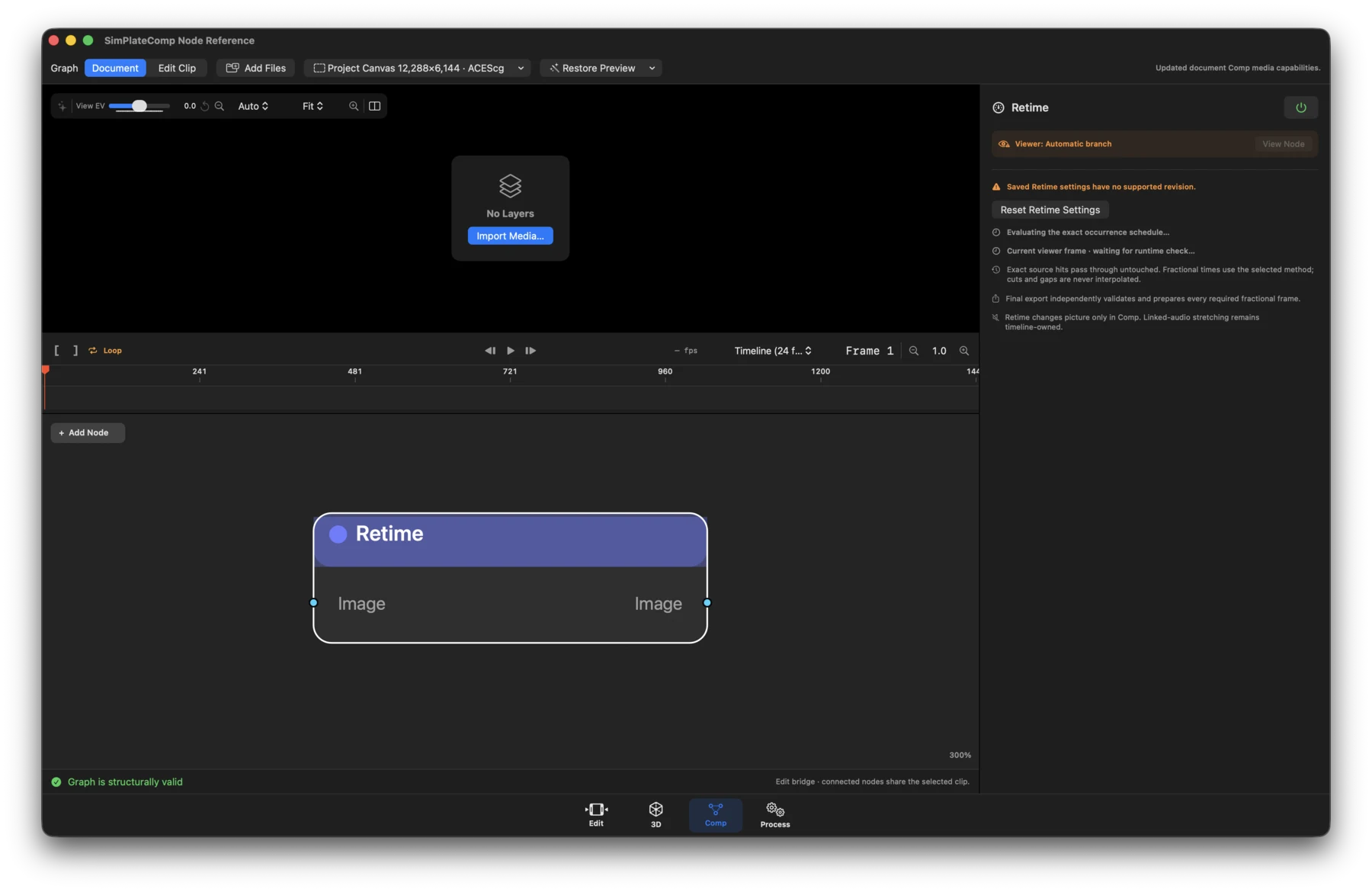
- Status: Available; neural and optical-flow interpolation are runtime-dependent.
- What it does: Maps every output frame to an exact upstream time. Exact hits pass through directly.
- Inputs / outputs: Image in; Image out.
- Controls: Timing mode, speed preset or custom ratio, target frame rate, Forward/Reverse, interpolation method (Neural, Optical Flow, Frame Blend, Nearest Frame), Preserve Occurrence/Adjust Picture Duration, status, and Reset.
Duration / Trim Range
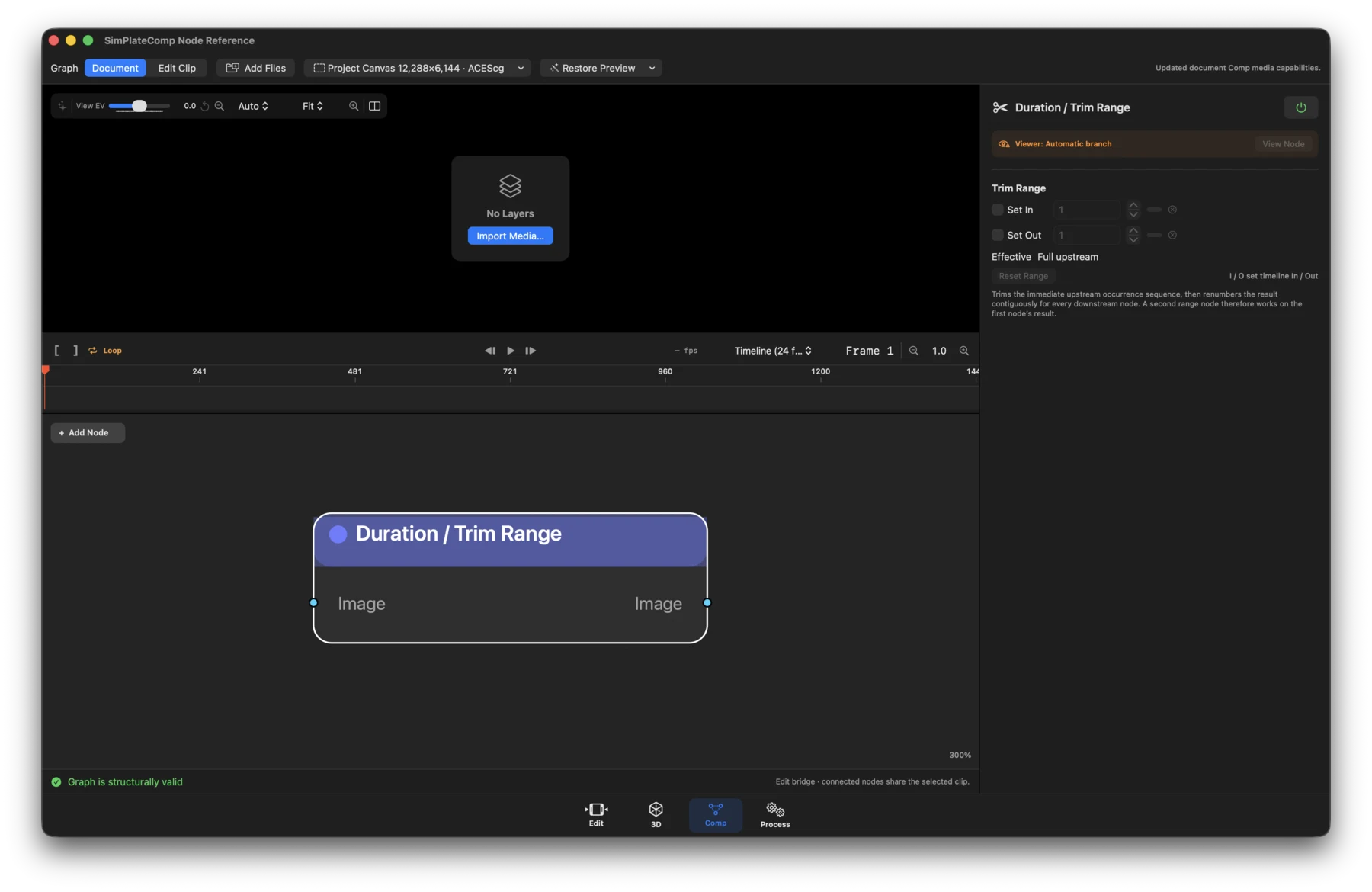
- Status: Available.
- What it does: Trims the immediate-upstream occurrence and publishes a newly fingerprinted, contiguous downstream timeline.
- Inputs / outputs: Image in; Image out.
- Controls: In and Out enable toggles, frame values, effective range, Reset Range, and the timeline In/Out shortcut reminder.
Seamless Loop
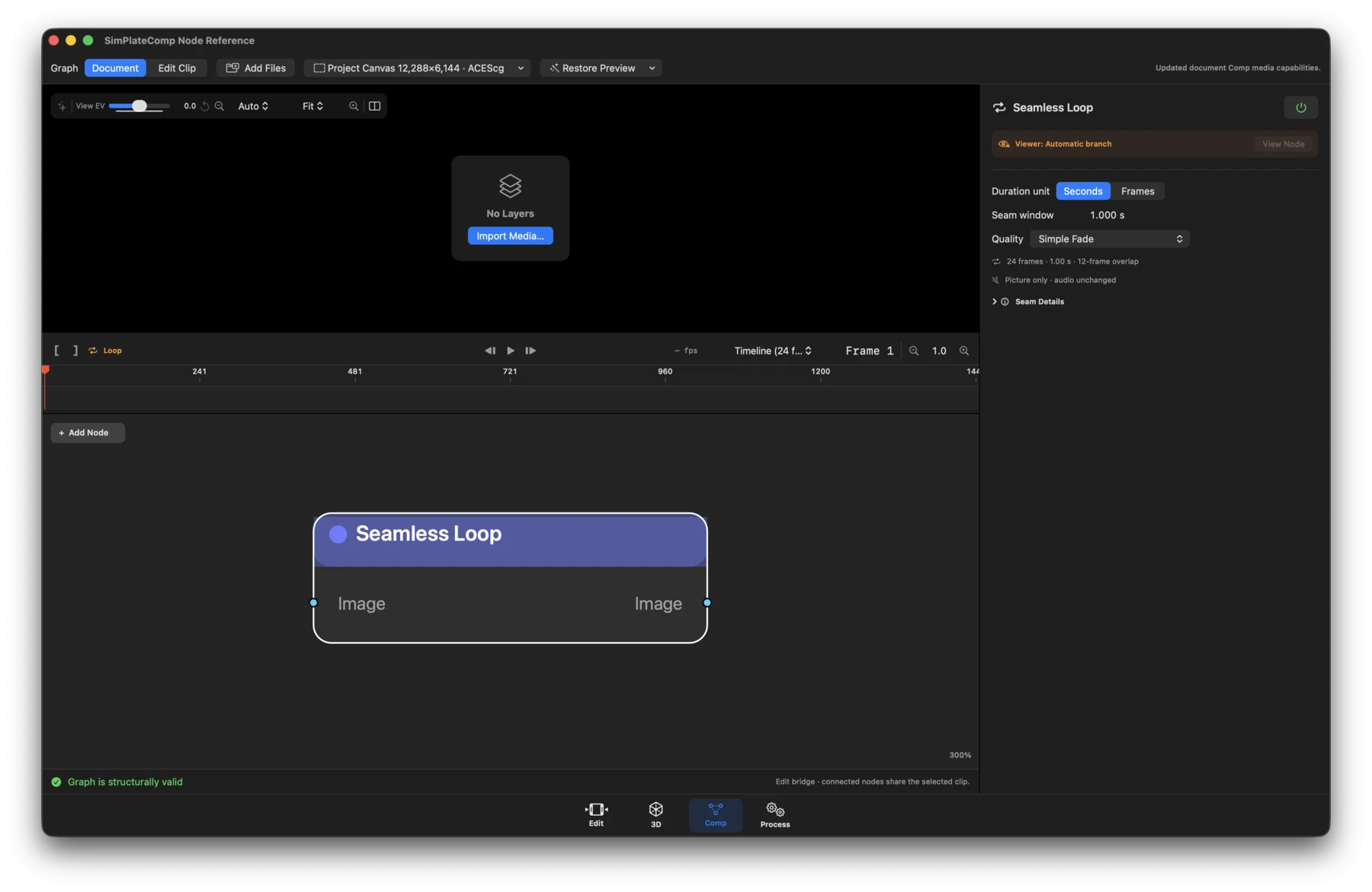
- Status: Simple Fade is available; Optical Flow is runtime-dependent; Neural RIFE is experimental and runtime-dependent.
- What it does: Blends matching tail and head handles into a shortened, self-looping occurrence.
- Inputs / outputs: Image in; Image out.
- Controls: Duration in seconds or frames, seam window, method, quality (Preview/Balanced/Final), analysis/render status, and cancellation.
Analysis and restoration
Guidance Passes
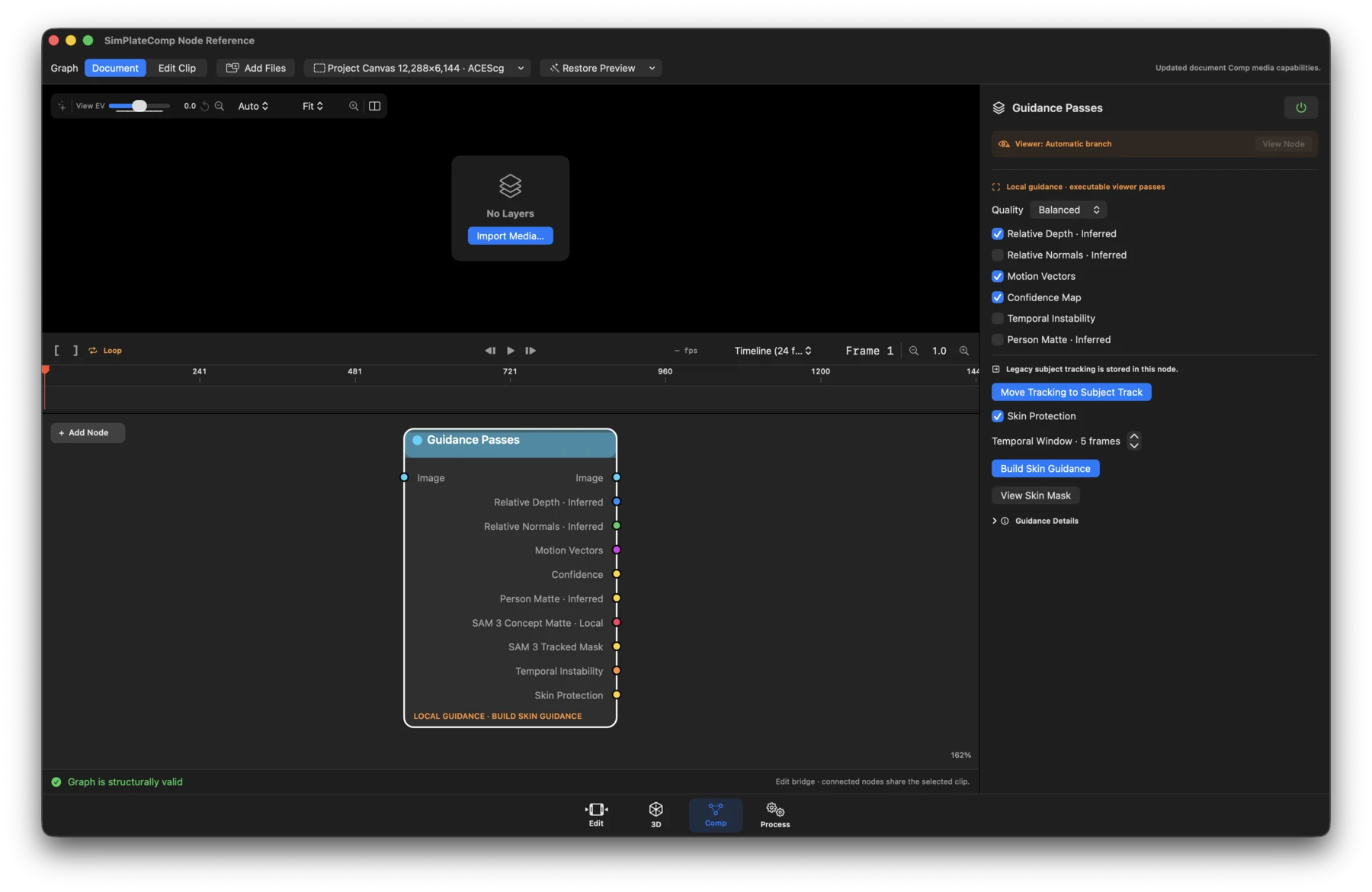
- Status: Runtime-dependent; Image itself is pass-through.
- What it does: Produces explicitly typed local analysis surfaces for downstream nodes. Inferred passes are not presented as captured camera data.
- Inputs / outputs: Image in; Image, Relative Depth · Inferred, Relative Normals · Inferred, Motion Vectors, Confidence, Person Matte · Inferred, SAM 3 Concept Matte · Local, SAM 3 Tracked Mask, Temporal Instability, and Skin Protection out.
- Controls: Quality, pass enable toggles, temporal radius, SAM prompt and viewer style, Move Tracking to Subject Track, analysis/cancel actions, Build Skin Guidance, View Skin Mask, and per-pass runtime status.
Restoration Analysis
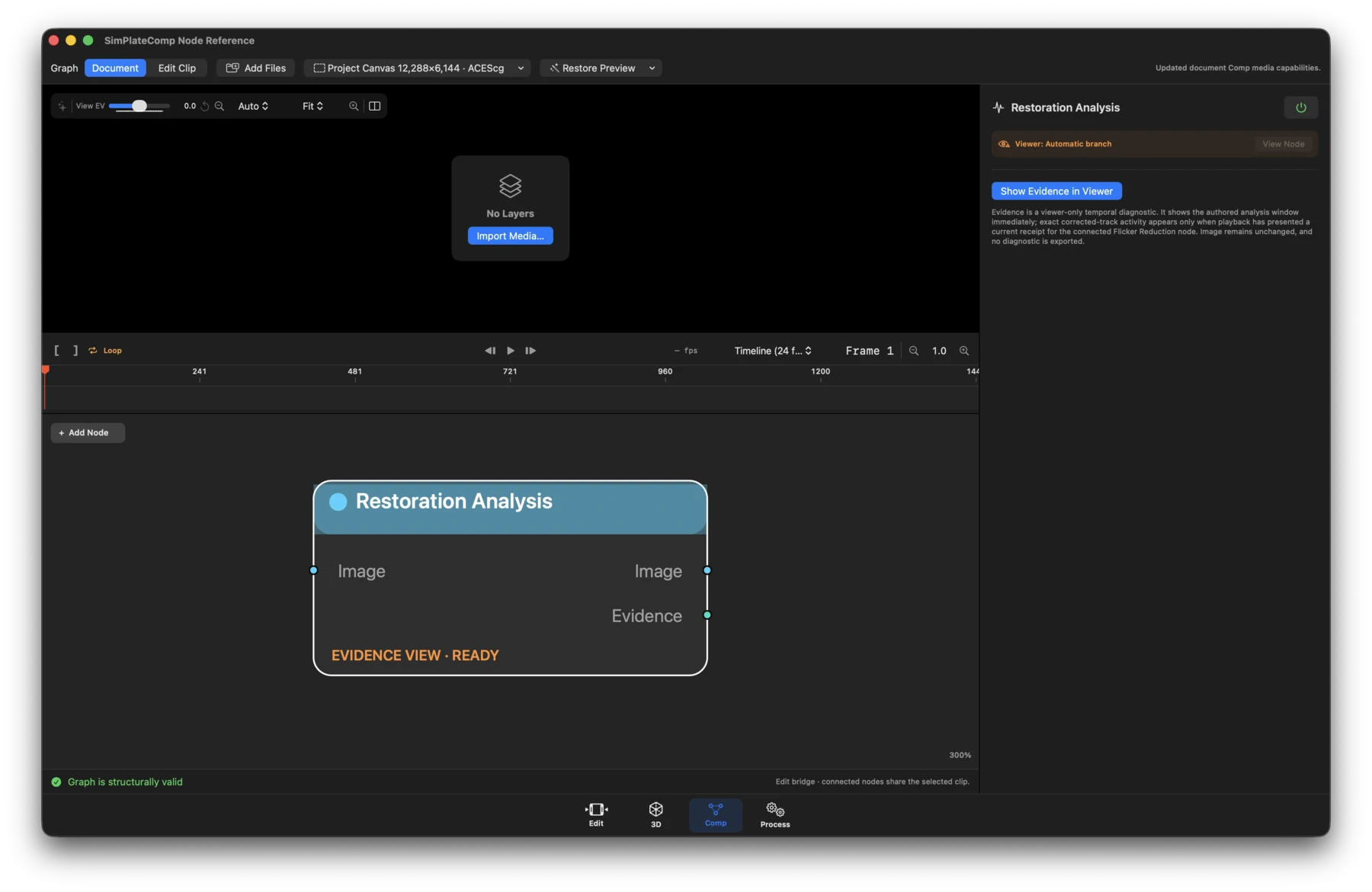
- Status: Runtime-dependent analysis; Image is pass-through.
- What it does: Publishes fingerprinted temporal evidence required by Flicker Reduction and exposes receipt-backed activity for inspection.
- Inputs / outputs: Image in; Image and Evidence out.
- Controls: Analysis range/window, current provenance and activity, analyze/ cancel actions, and viewer-only evidence inspection.
Compression Restore
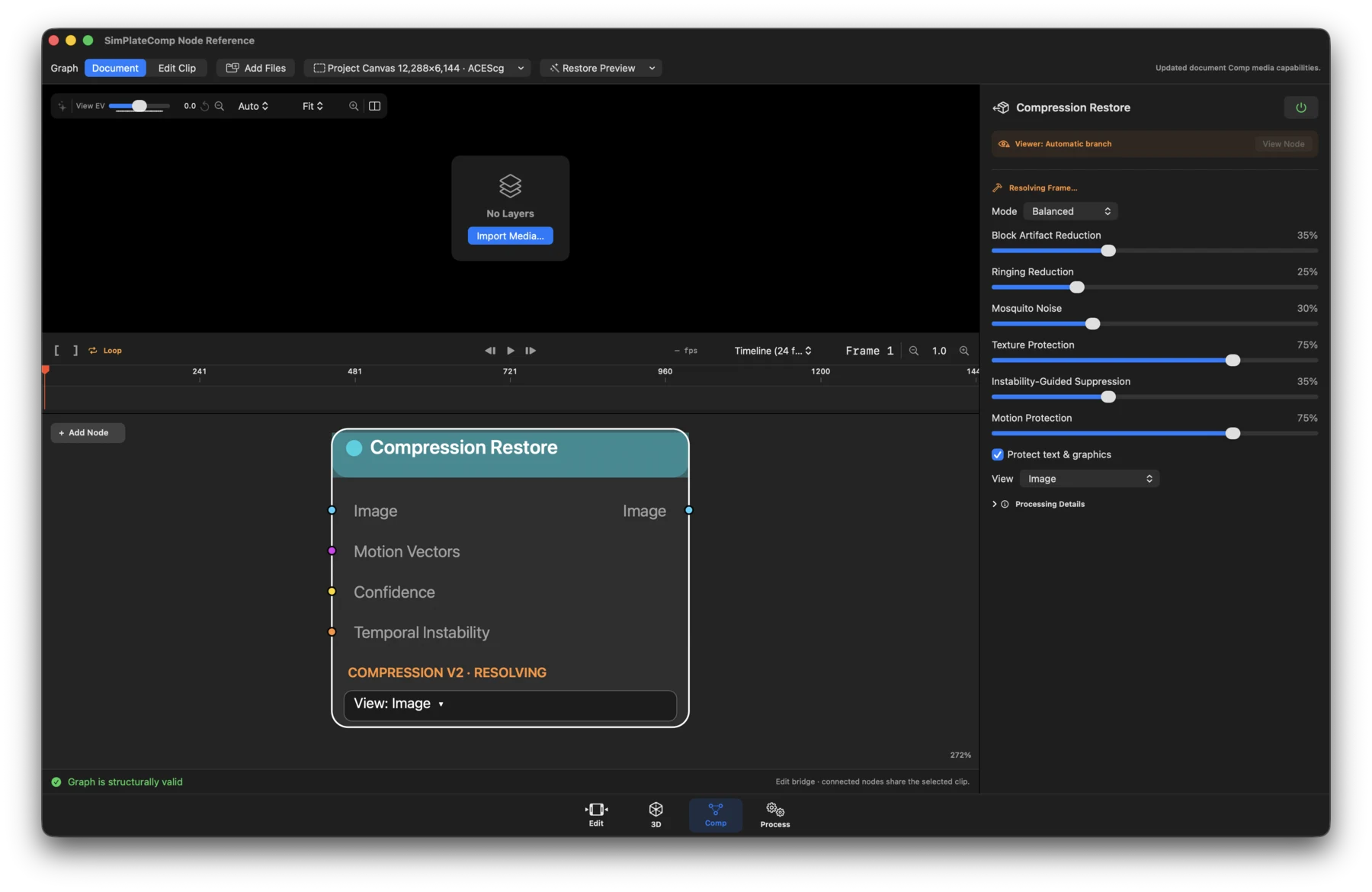
- Status: Runtime-dependent executable.
- What it does: Suppresses blocking, ringing, and mosquito noise when its authored backend version is supported.
- Inputs / outputs: Image plus optional Motion Vectors, Confidence, and Temporal Instability in; Image out.
- Controls: Preset; blocking, ringing, and mosquito-noise strength; texture, motion, and graphics protection; temporal radius and suppression; source bit depth; diagnostic viewer modes and A/B wipe.
Chroma Reconstruct
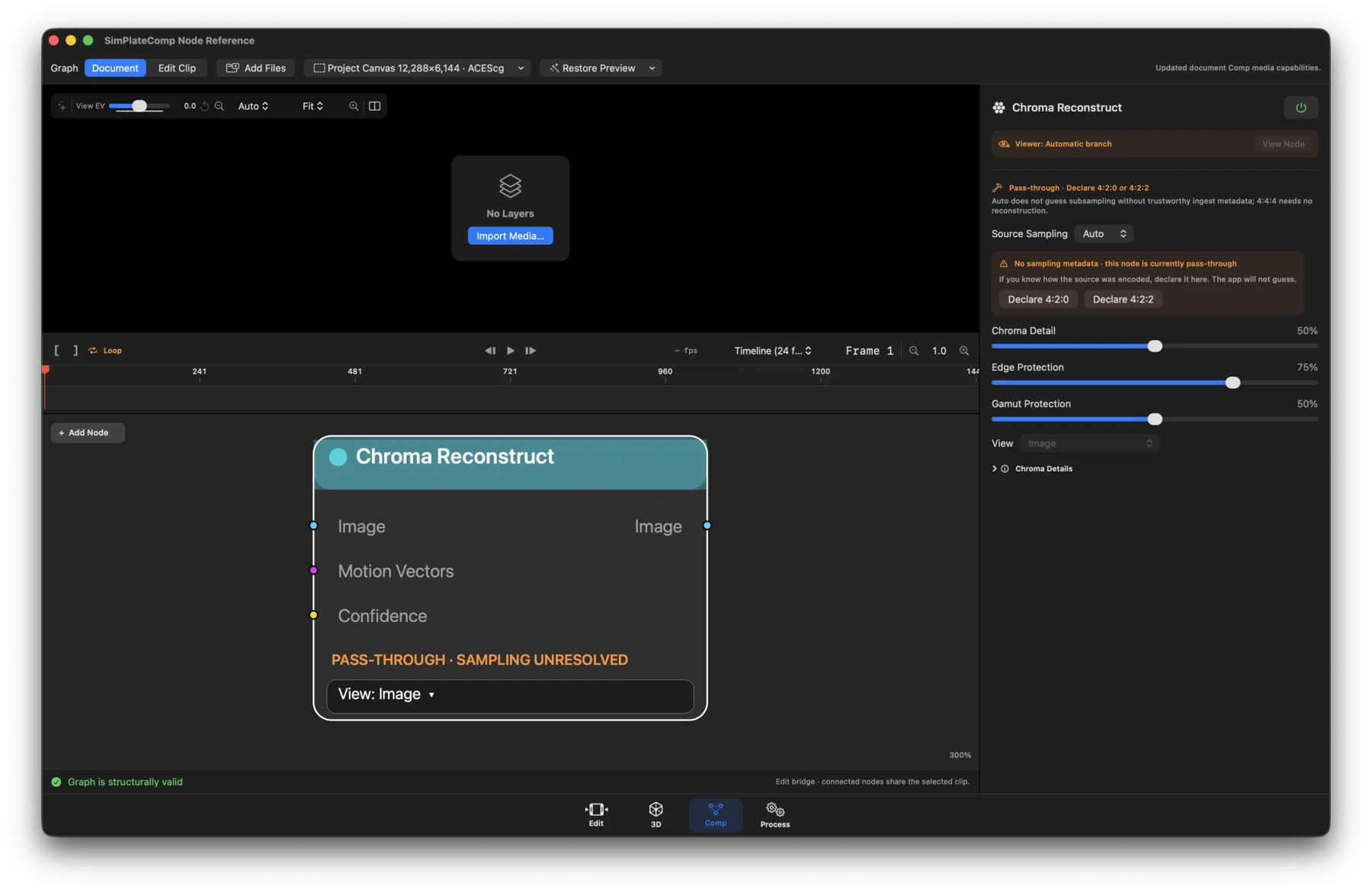
- Status: Runtime-dependent executable. Auto remains pass-through until source sampling is trustworthy.
- What it does: Reconstructs spatial chroma detail for explicitly declared 4:2:0 or 4:2:2 sources.
- Inputs / outputs: Image plus optional Motion Vectors and Confidence in; Image out.
- Controls: Source sampling (Auto, declare 4:2:0, declare 4:2:2), strength, edge and gamut protection, source status, Image/Processing Mask/Difference/A-B views, and viewer-only Show What Changed.
Deband
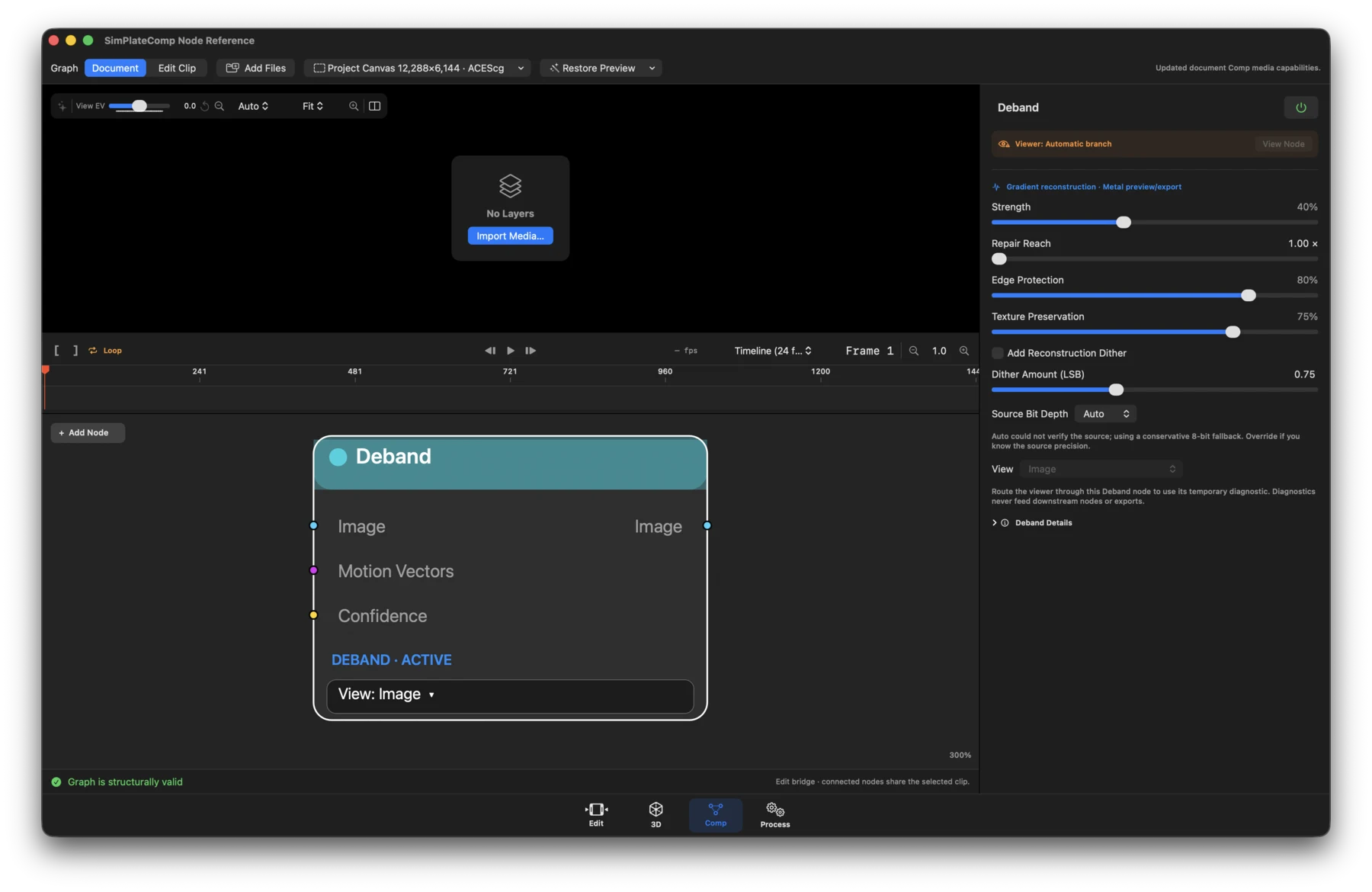
- Status: Runtime-dependent executable.
- What it does: Reconstructs multiscale gradients and can add source-code-value reconstruction dither.
- Inputs / outputs: Image plus optional Motion Vectors and Confidence in; Image out.
- Controls: Strength, repair reach, edge and texture protection, temporal radius, residual dither and LSB amount, source bit depth, seed, and Image/Mask/Difference/ A-B diagnostics.
Denoise
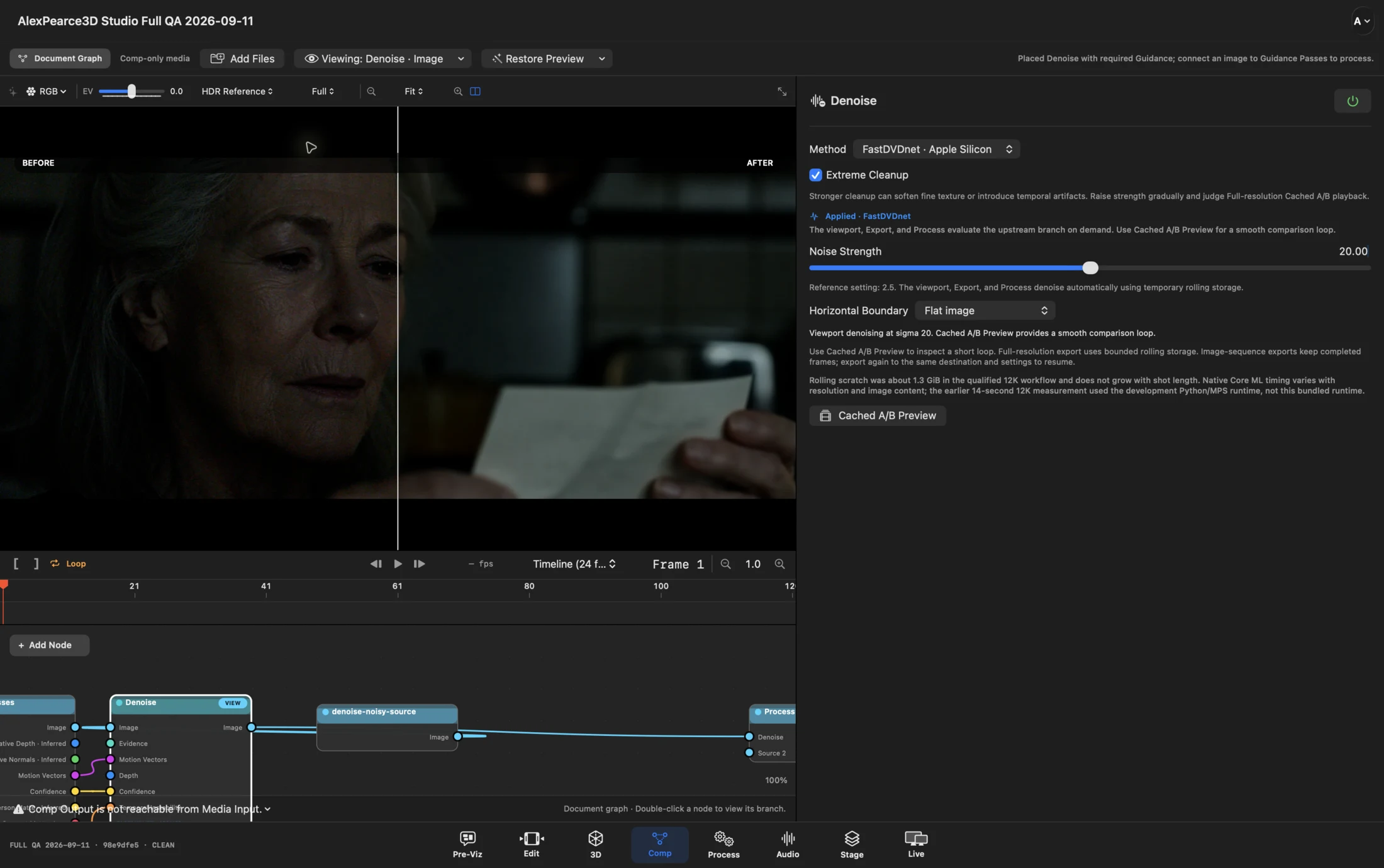
The viewport’s A/B wipe compares a real source clip with controlled noise on the left against the live FastDVDnet result on the right.
- Status: Runtime-dependent executable.
- What it does: Provides Adaptive Multiscale cleanup with a radius-two, five-frame window and optional typed guidance, plus FastDVDnet cleanup on Apple silicon.
- Inputs / outputs: Image plus optional Evidence, Motion Vectors, Depth, Confidence, and Temporal Instability in; Image out.
- Controls: Light/Balanced/Heavy mode, luma and chroma strength, spatial and temporal strength, cleanup aggression, detail protection, stable noise profile, multiscale and guidance toggles, source bit depth and thresholds, update/restore actions, and Image/Difference/A-B views.
Uprez
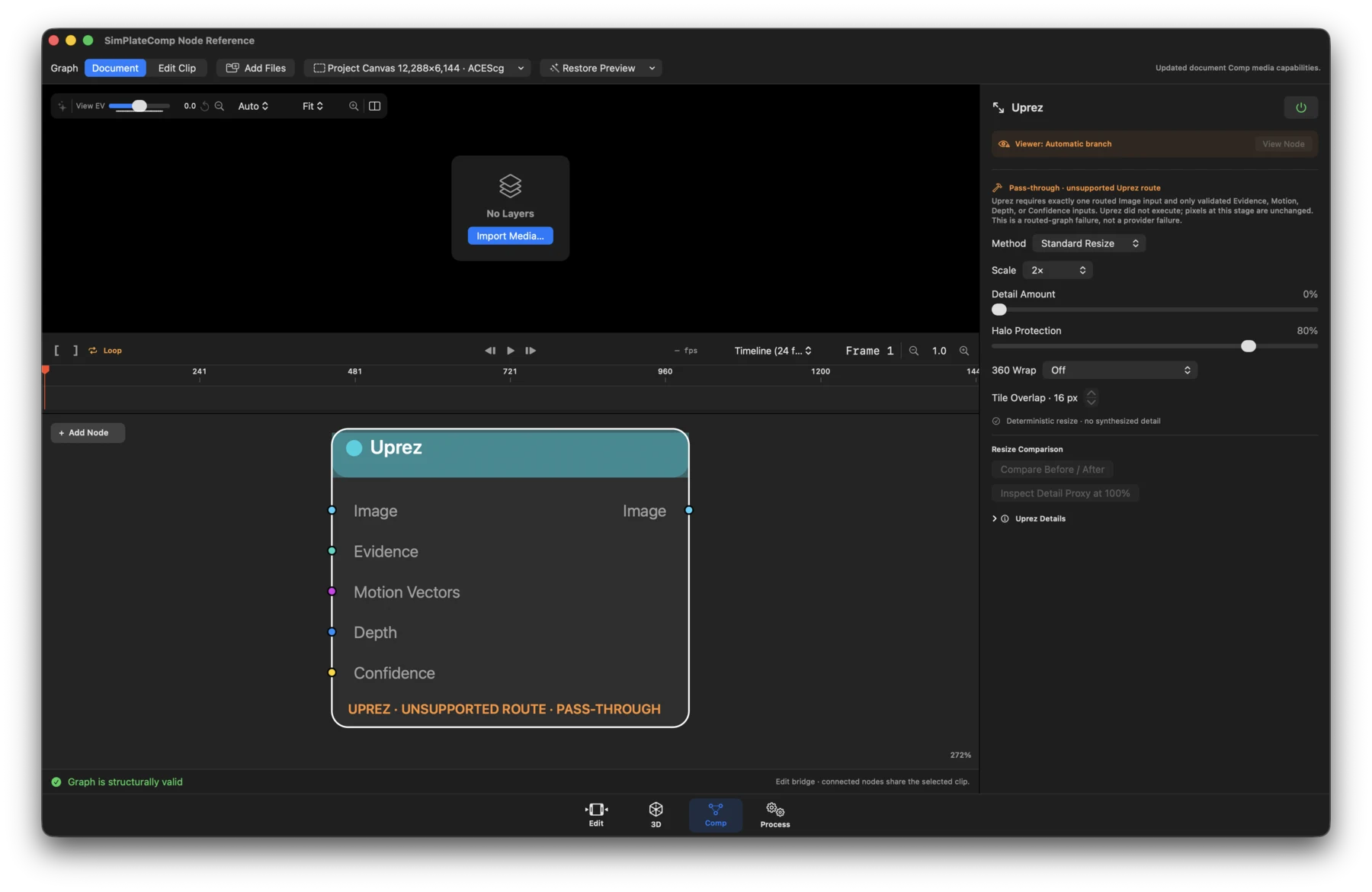
- Status: Standard Resize is available; Neural Detail is runtime-dependent.
- What it does: Changes the graph raster using deterministic resize or a 2× learned-detail route. Synthesized detail is never described as recovered source.
- Inputs / outputs: Image plus optional Evidence, Motion Vectors, Depth, and Confidence in; Image out.
- Controls: Standard Resize/Neural Detail 2×, scale or output size, wrap mode (Off or Horizontal Equirectangular), detail/protection settings, split comparison, 100% detail-proxy inspection, warnings, and Restore Recommended Defaults.
Flicker Reduction
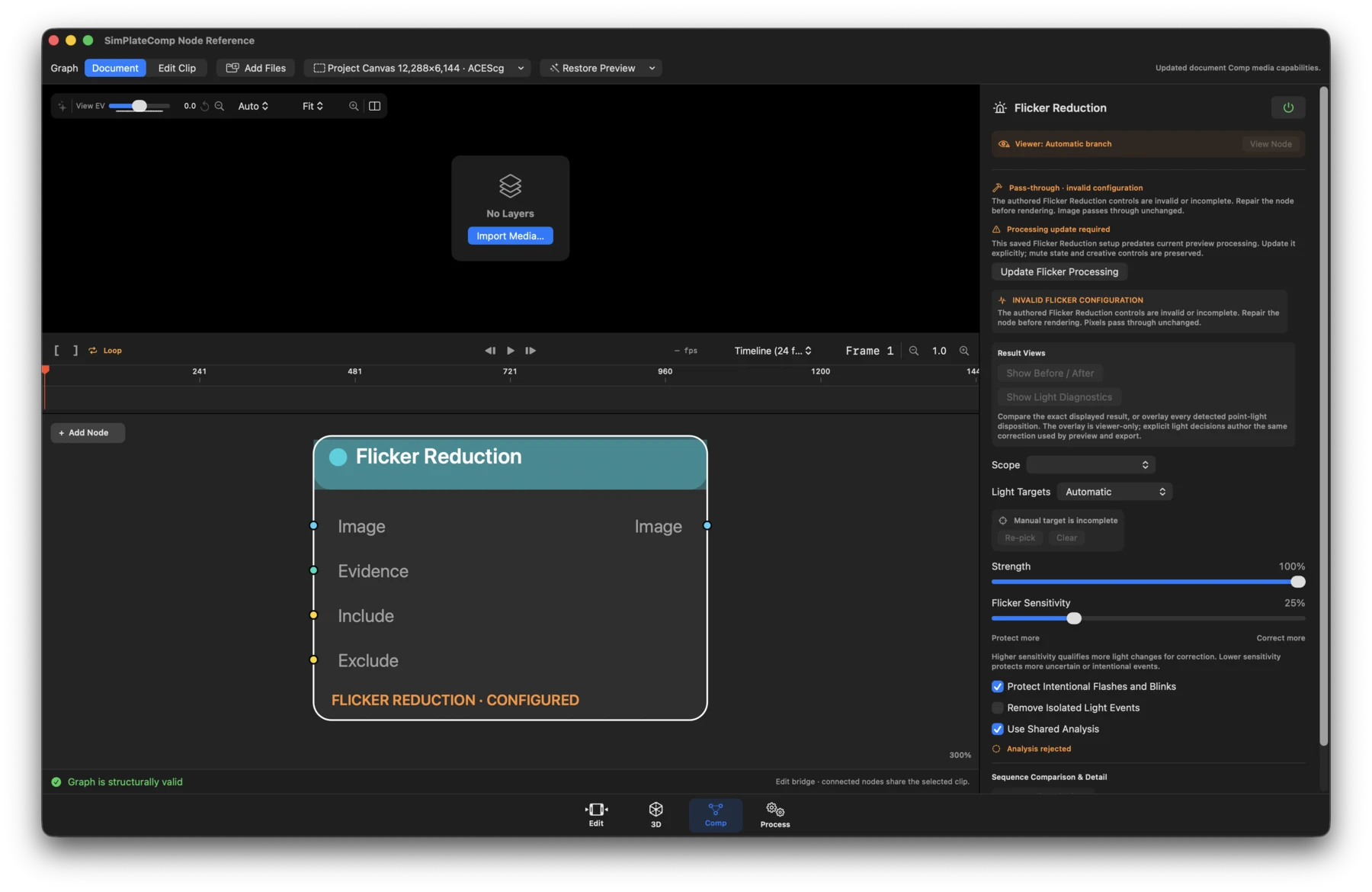
- Status: Runtime-dependent and route-limited. Unsupported richer routes or masks remain unchanged.
- What it does: Stabilizes qualified point-light and global-exposure flicker; combined mode normalizes global exposure first.
- Inputs / outputs: Image plus optional Evidence, Include, and Exclude masks in; Image out.
- Controls: Point Lights, Global Exposure, or Combined mode; target picking and per-light overrides; protect-more/correct-more balance; temporal settings; sequence comparison, magnification, before/after views, retry, and result status.
Smart Sharpen
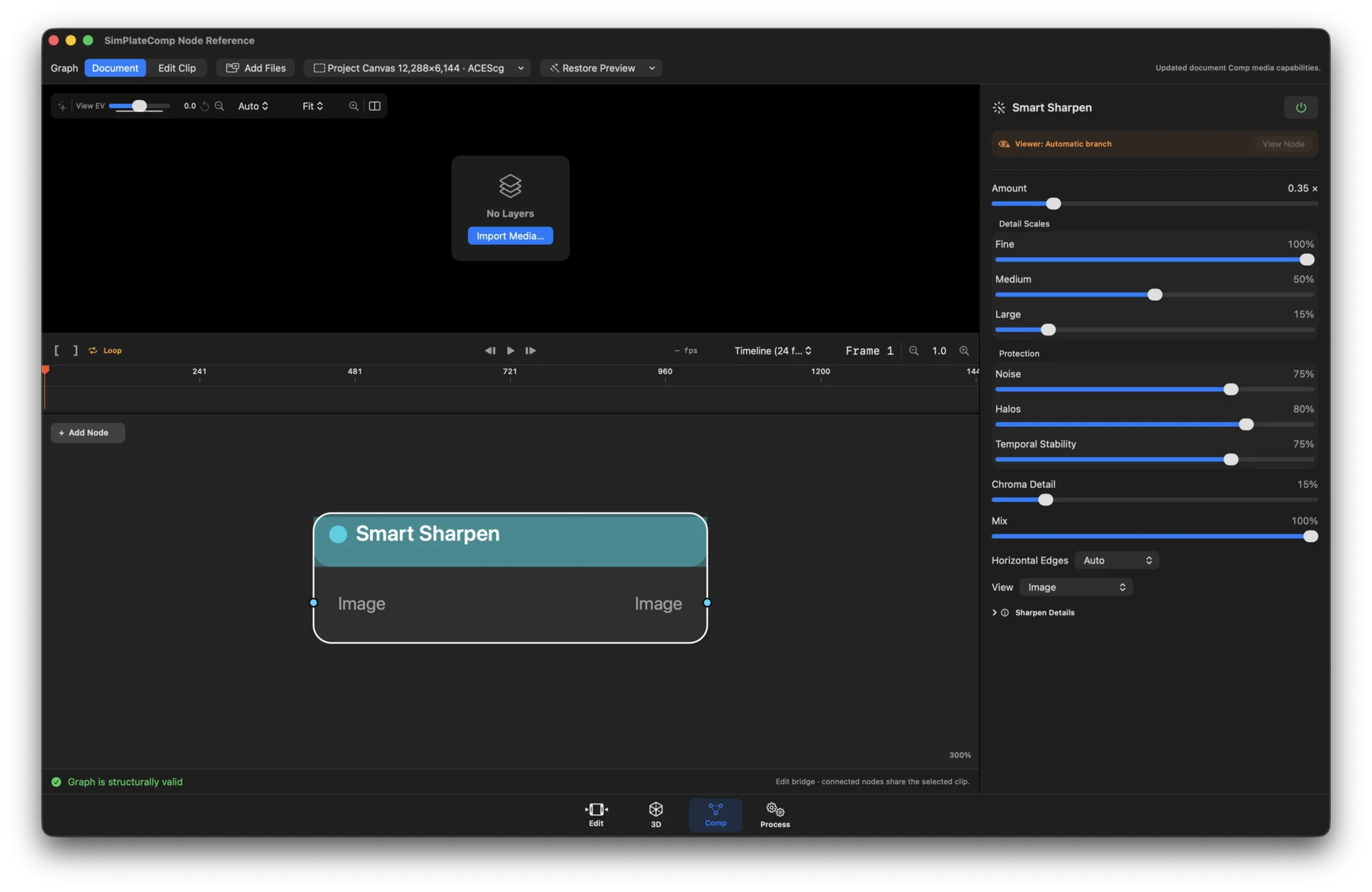
- Status: Available.
- What it does: Applies deterministic multiscale sharpening with noise, halo, alpha-edge, signed-HDR, and temporal-stability protection.
- Inputs / outputs: Image in; Image out.
- Precision: Accepts 16- and 32-bit floating-point working images, including Denoise output. Metal processing preserves the input texture precision; the Core Image path uses 32-bit float. Source bit depth does not cap intermediate processing precision; delivery bit depth is chosen at export.
- Controls: Amount and scale/detail settings, protection controls, clamp or horizontal-360 wrapping, and viewer-only Image, Sharpened Detail, Protection Mask, and Halo Risk views.
HDR Mapping
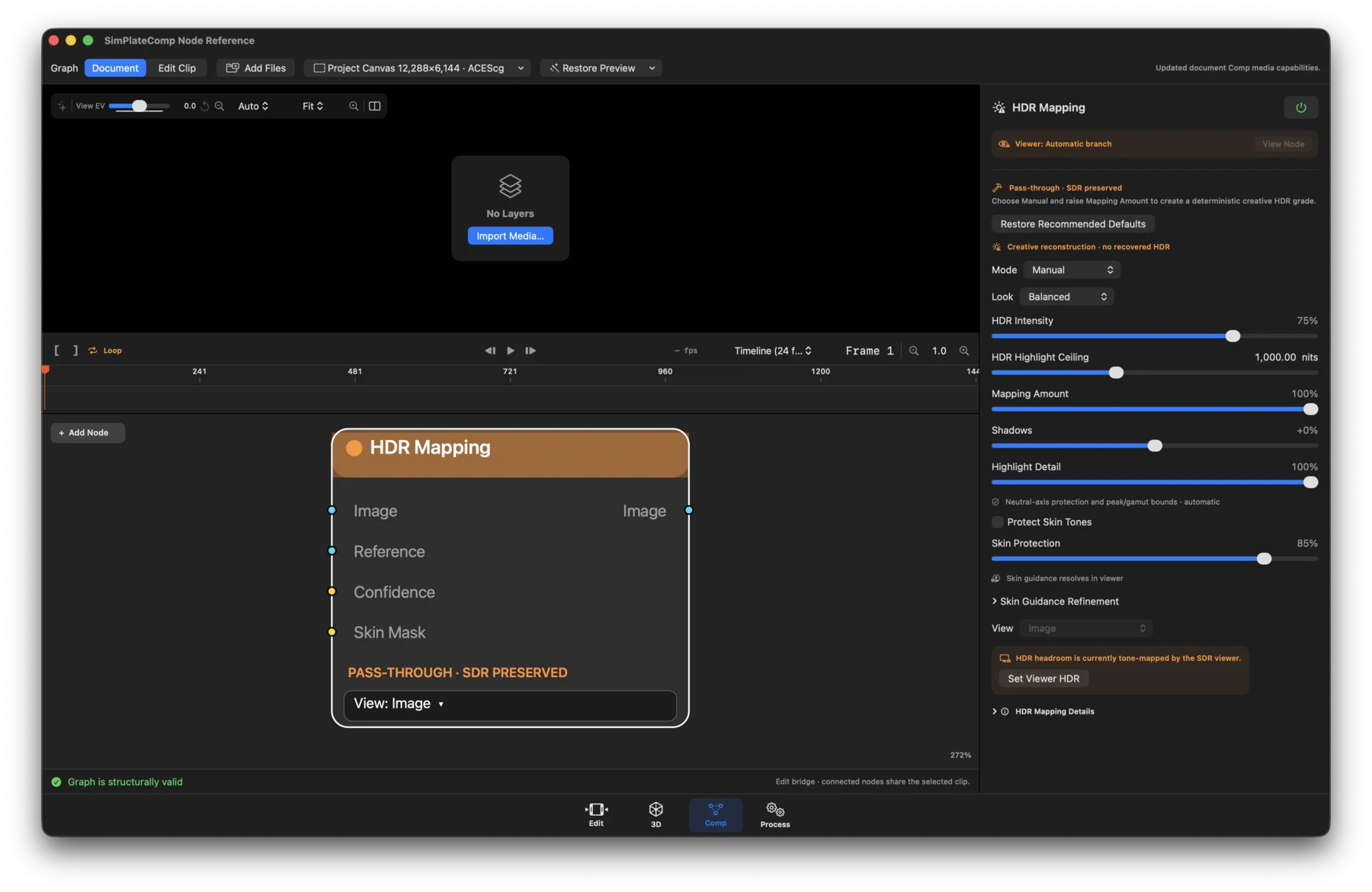
- Status: Available as creative SDR-to-HDR mapping; it does not recover source dynamic range.
- What it does: Maps working-linear imagery into a selected HDR presentation with skin, neutral, gamut, and temporal protection.
- Inputs / outputs: Image plus optional Reference, Confidence, and Skin Mask in; Image out.
- Controls: Preserve SDR/Manual mode, mapping amount, Conservative/Balanced/ Creative look, reference white and target peak, shadows, highlight start/detail/ rolloff, local contrast, gamut and saturation, native-range/neutral/skin protection, temporal stability, Rec.2020/PQ output settings, diagnostics, A/B comparison, and Set Viewer HDR.
Lens and finishing
Lens Undistort / Redistort
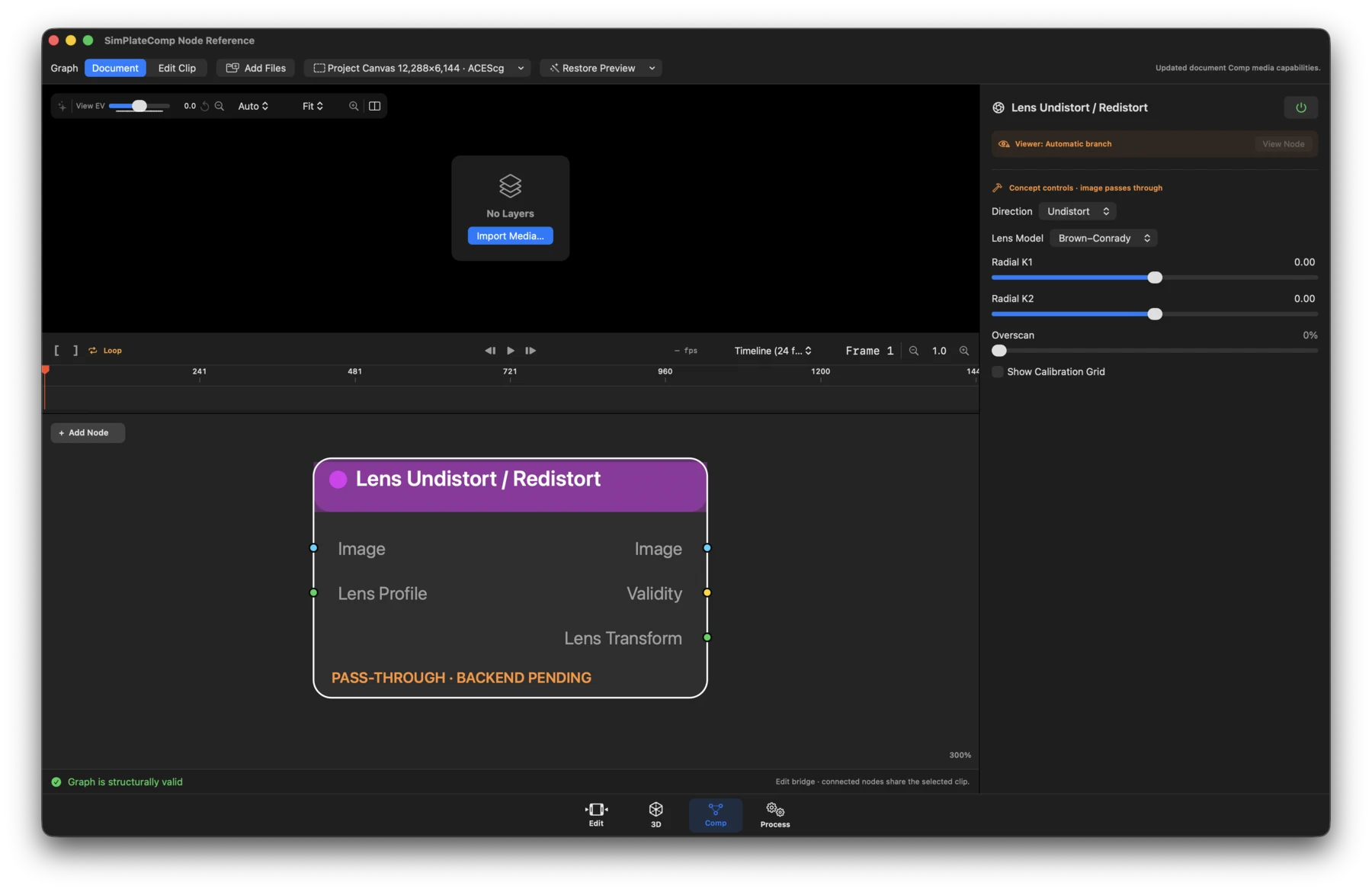
- Status: Pass-through. This is a future renderer contract.
- What it does: Authors paired undistort/redistort settings without currently changing pixels.
- Inputs / outputs: Image plus optional Lens Profile in; Image, Validity, and Lens Transform out.
- Controls: Undistort/Redistort, Brown-Conrady/STMap model, k1-k3 and p1-p2, optical center, same/custom extent, overscan, and grid display.
Lens Character
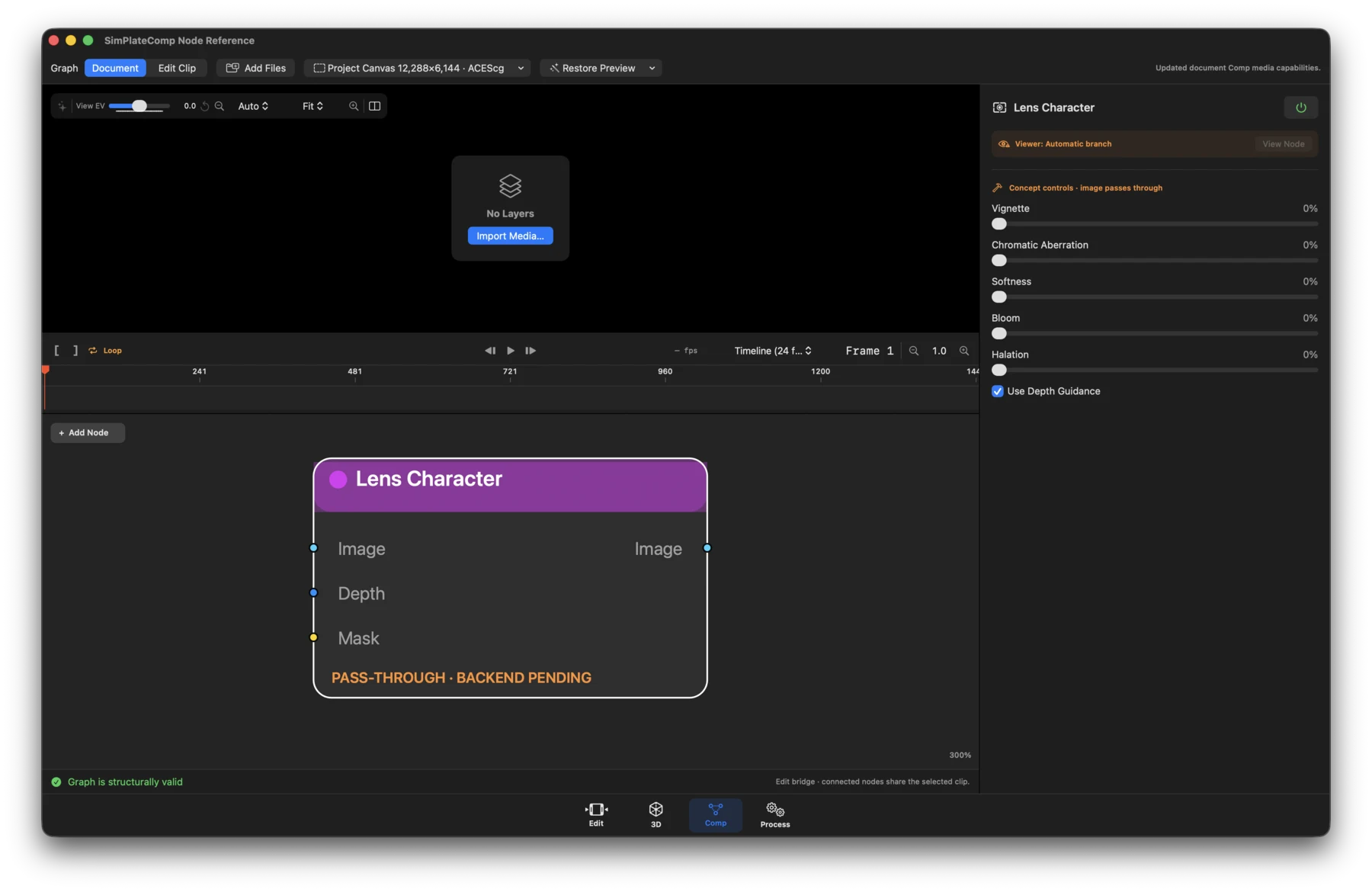
- Status: Pass-through. This is a future renderer contract.
- What it does: Authors synthetic depth-aware optical-character settings.
- Inputs / outputs: Image plus optional Depth and Mask in; Image out.
- Controls: Vignette, chromatic aberration, softness, bloom, halation, and Use Depth.
Sensor Noise
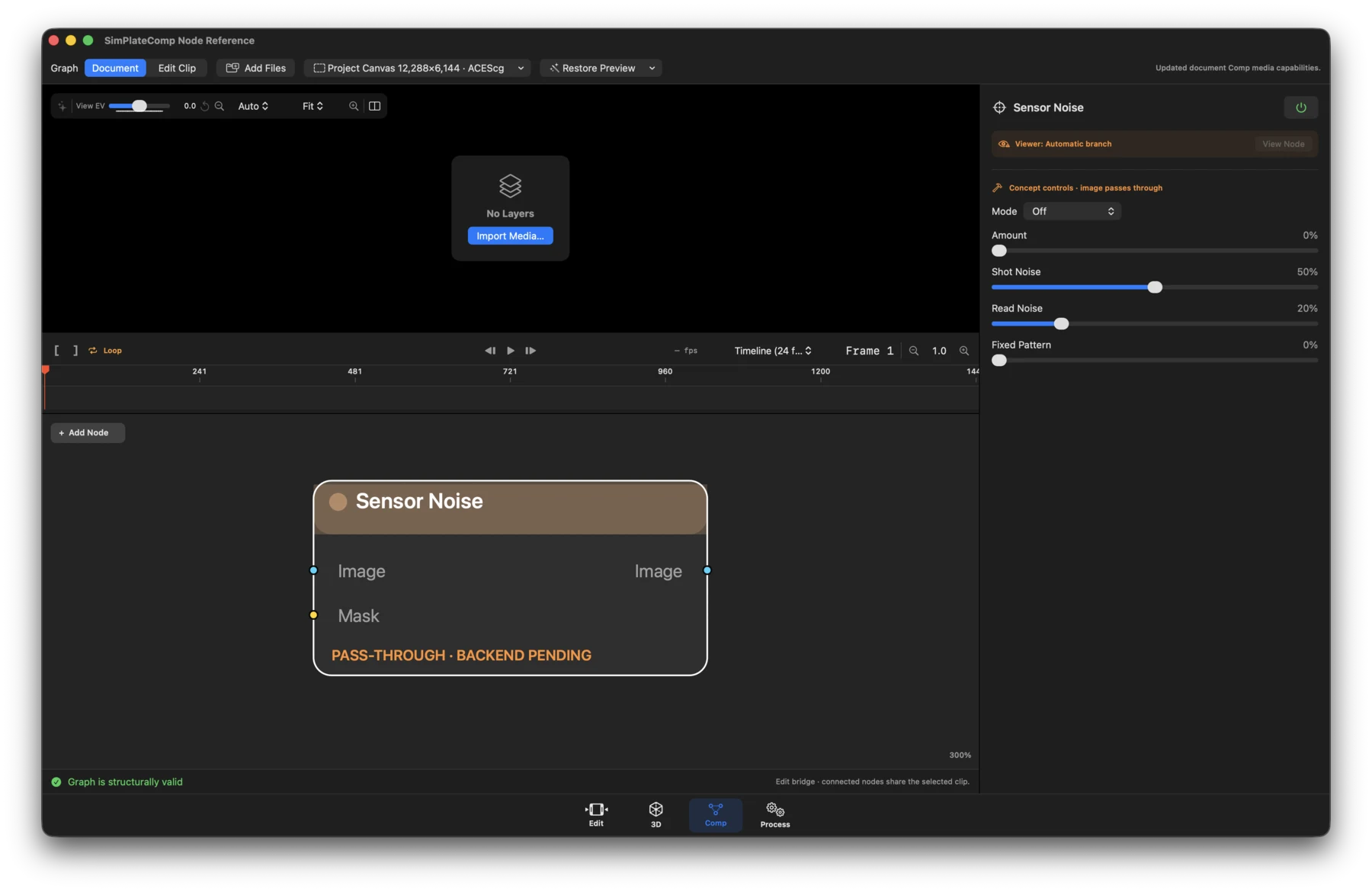
- Status: Pass-through. This is a future renderer contract.
- What it does: Authors synthetic sensor-like texture; it is never labeled as the camera's original noise.
- Inputs / outputs: Image plus optional Mask in; Image out.
- Controls: Off/mode, amount, shot noise, read noise, fixed pattern, chroma, temporal correlation, seed, and scene-linear domain.
Film Grain
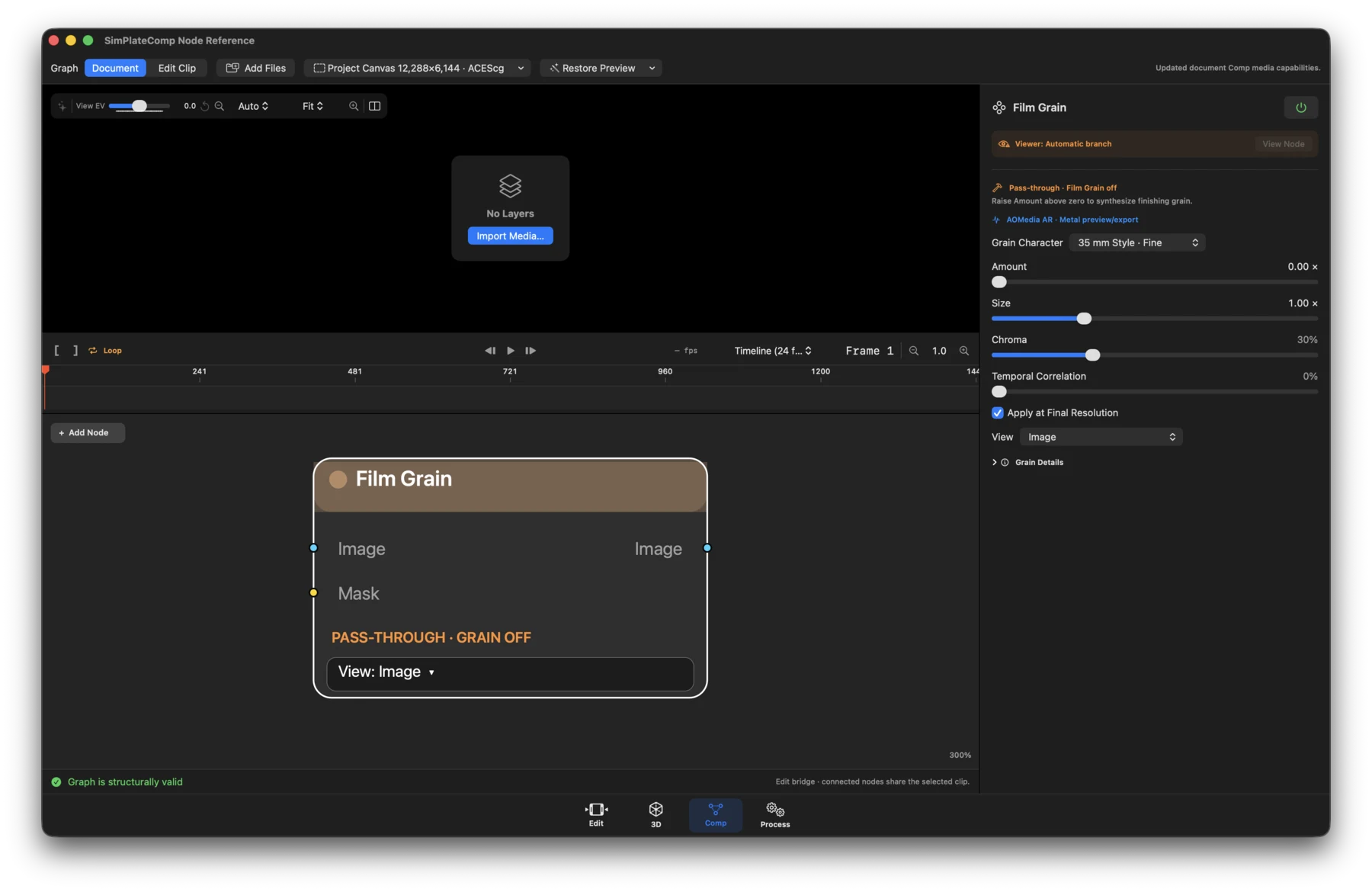
- Status: Available.
- What it does: Applies deterministic AOMedia-style autoregressive grain in preview and export. Presets are looks, not measurements of a stock or ISO.
- Inputs / outputs: Image plus optional Mask in; Image out.
- Controls: Grain stock/look, amount, size, chroma, temporal correlation, seed, final-resolution toggle, diagnostic view, and comparison wipe.
ACEScg Cache
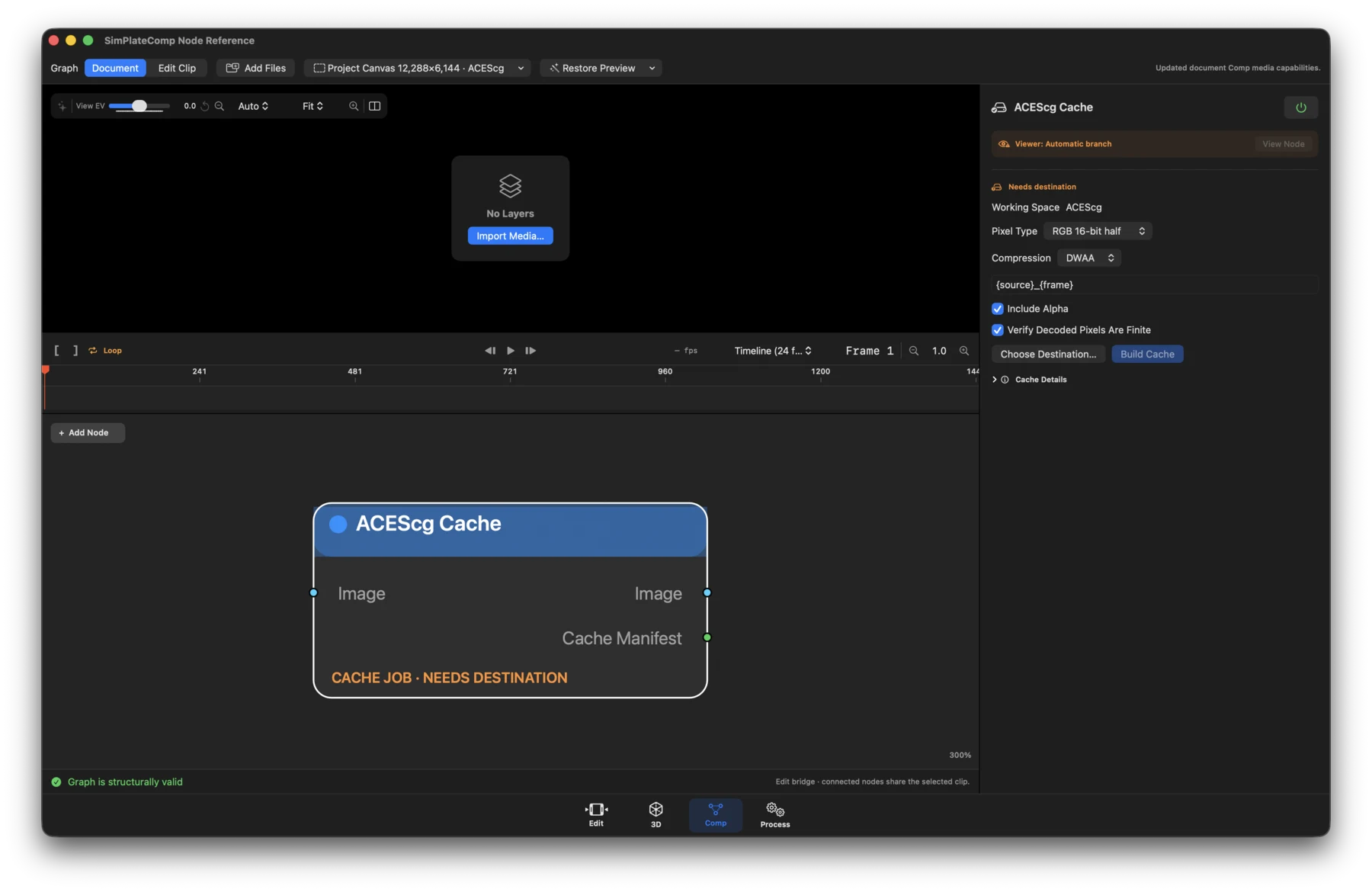
- Status: Workflow.
- What it does: Builds a content-addressed ACEScg OpenEXR sequence with verified resume and immutable manifest provenance.
- Inputs / outputs: Image in; Image and Cache Manifest out.
- Controls: Enable, destination, name template, RGB/RGBA alpha choice, 16-bit half or 32-bit float, DWAA/ZIP/PIZ/None compression, overwrite/resume and verify, Choose Destination, Build/Cancel, Reveal, and cache status.
Bloom
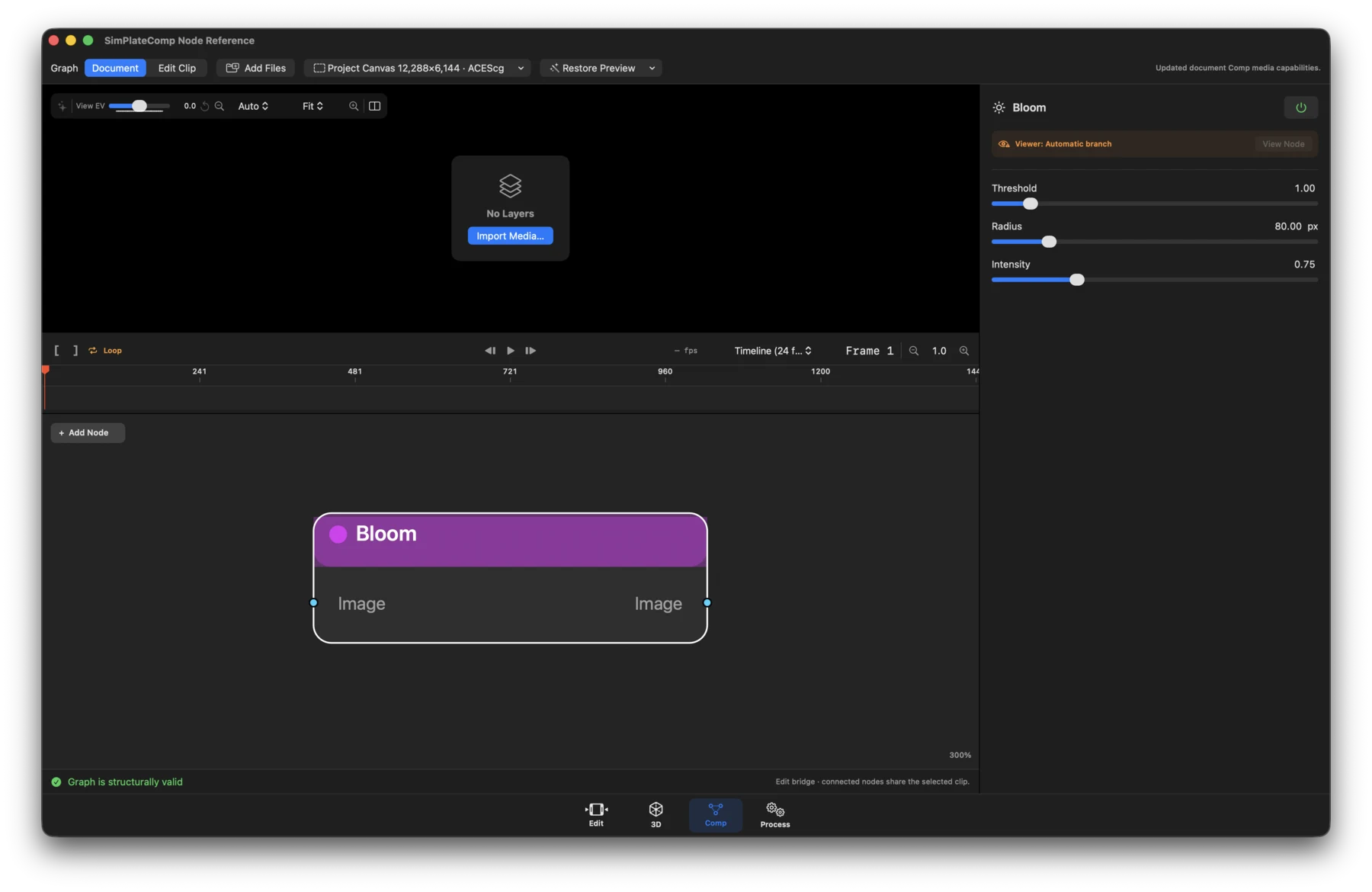
- Status: Available.
- What it does: Adds a scene-linear highlight glow.
- Inputs / outputs: Image in; Image out.
- Controls: Threshold, radius, and intensity.
Gaussian Blur
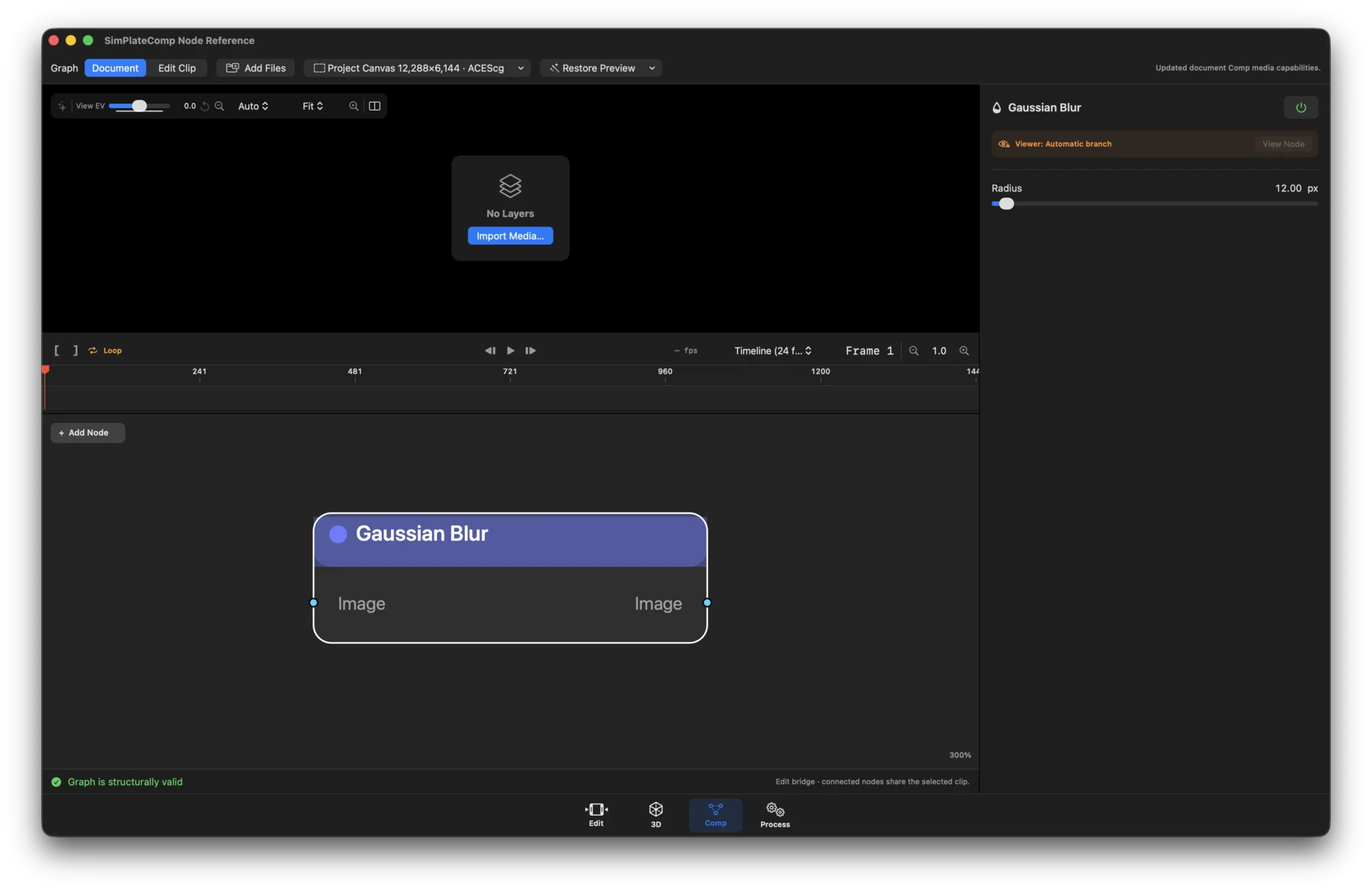
- Status: Available.
- What it does: Applies a high-quality native Gaussian convolution.
- Inputs / outputs: Image in; Image out.
- Controls: Radius.
Depth Fog
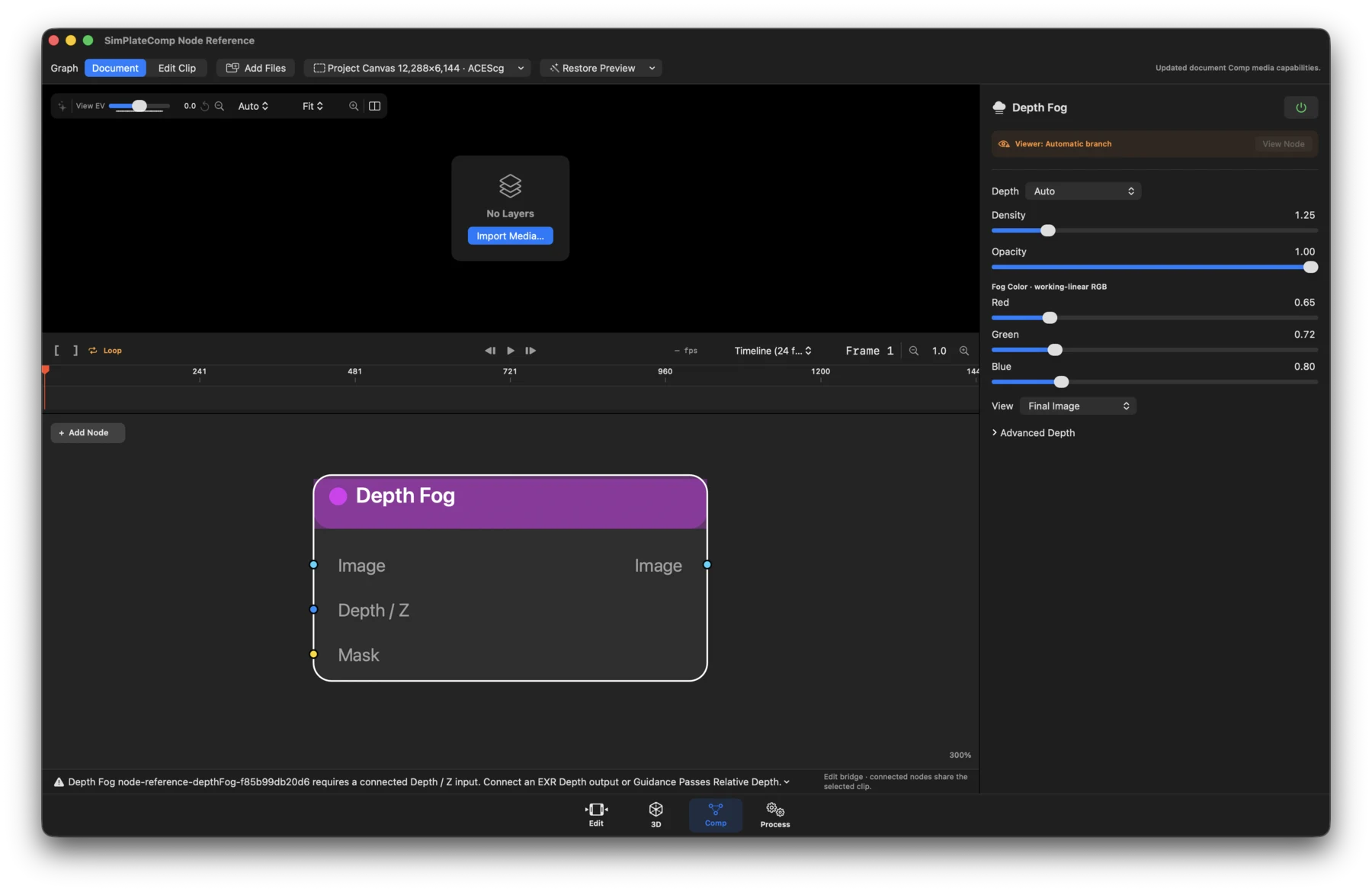
- Status: Available with a valid typed depth input.
- What it does: Applies Beer-Lambert atmospheric extinction while leaving transparent background untouched.
- Inputs / outputs: Image and required Depth / Z, plus optional Mask in; Image out.
- Controls: Depth semantics/mode, fog color in working-linear RGB, density, Invert Depth, near/start and far/end, falloff, inferred-relative settings, and isolated-depth-speckle suppression. Near, Far, and Falloff are primary controls. Distance sliders cover up to 1,000; click the numeric value to enter larger distances without changing saved values. Distance Multiplier converts the stored depth scale before Start/End. New nodes default to 1,000× and Far 1,000; older nodes without a multiplier retain 1×. For an Octane Maximum Z-depth of 1,060, use 1,060×. Scaled units are meters only when calibrated to a meter-based scene.
Z Depth
- What it does: Maps a depth pass into a reusable distance mask rather than applying fog. Near regions are black and distant regions are white; Invert reverses the selection, and Falloff shapes the transition.
- Inputs / outputs: Required Depth / Z, optional Image carrier; grayscale Image and typed Mask out.
- Controls: Near, Far, Falloff, Invert, and advanced depth interpretation. Relative/inferred depth is non-metric. Choose explicit interpretation for normalized or disparity exports.
- Workflow: Import beauty and standalone Z EXRs separately. Connect the Z Media Input's EXR Depth output to Z Depth, then connect Mask to the mask input of a color correction or Gaussian Blur node on the beauty branch. This is masked blur, not a physical depth-of-field simulation. The specialized Fog Mask and post-Uprez paths do not yet accept Z Depth extraction; they report an actionable error instead of silently ignoring it. Feed the original depth directly to Fog's Depth / Z input.
- Preview: Double-click a standalone scalar EXR Media Input for an automatically scaled grayscale preview. This viewing-only normalization does not change the source values or downstream depth interpretation.
Motion Blur
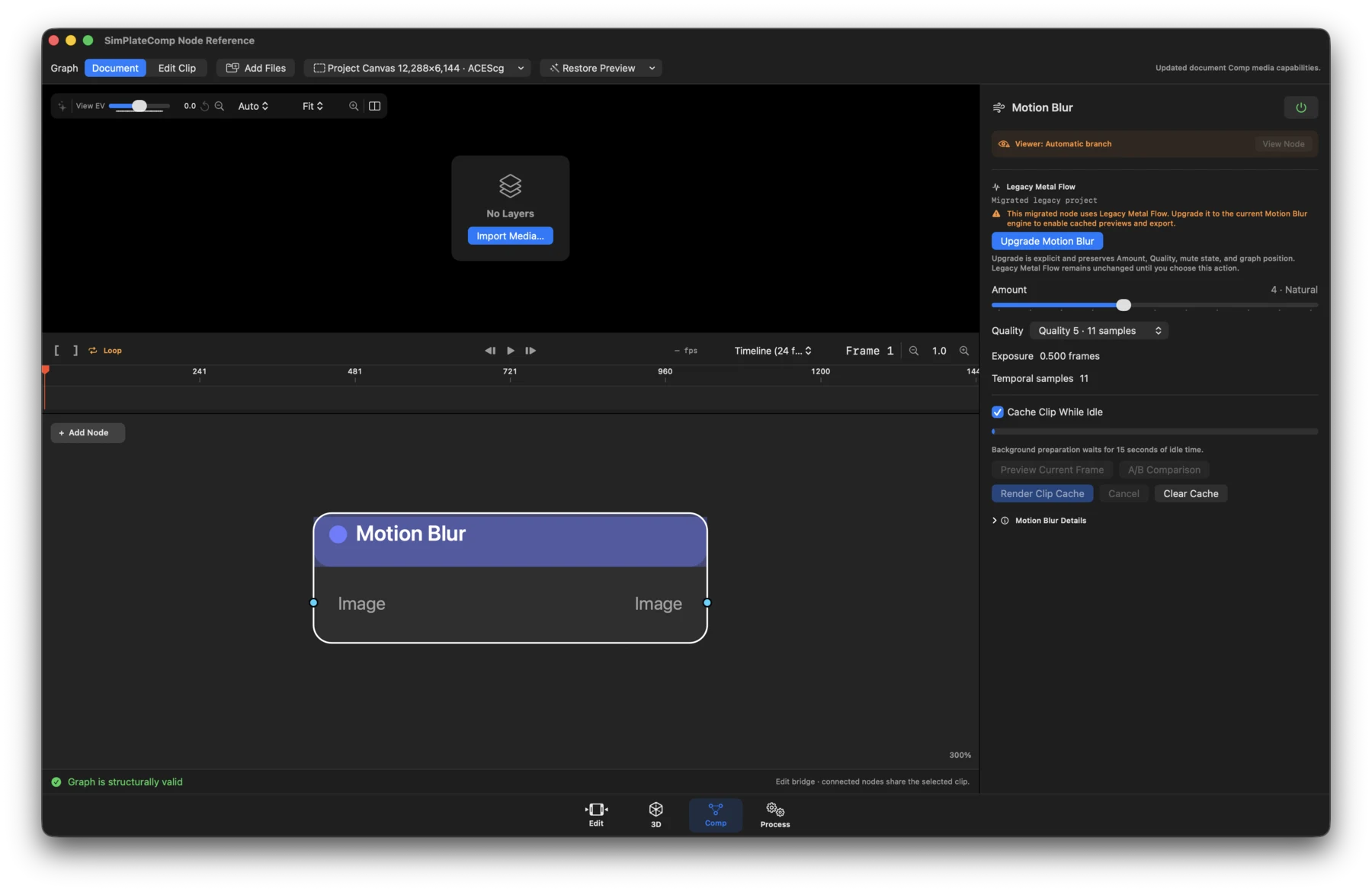
- Status: Runtime-dependent workflow.
- What it does: Blends motion-compensated temporal samples for natural blur.
- Inputs / outputs: Image in; Image out.
- Controls: Amount/shutter settings, quality and sample count, preparation and runtime status, Upgrade Motion Blur, Preview Current Frame, A/B Comparison, Render Clip Cache, Cancel, and Clear Cache.
Composite and output
Composite
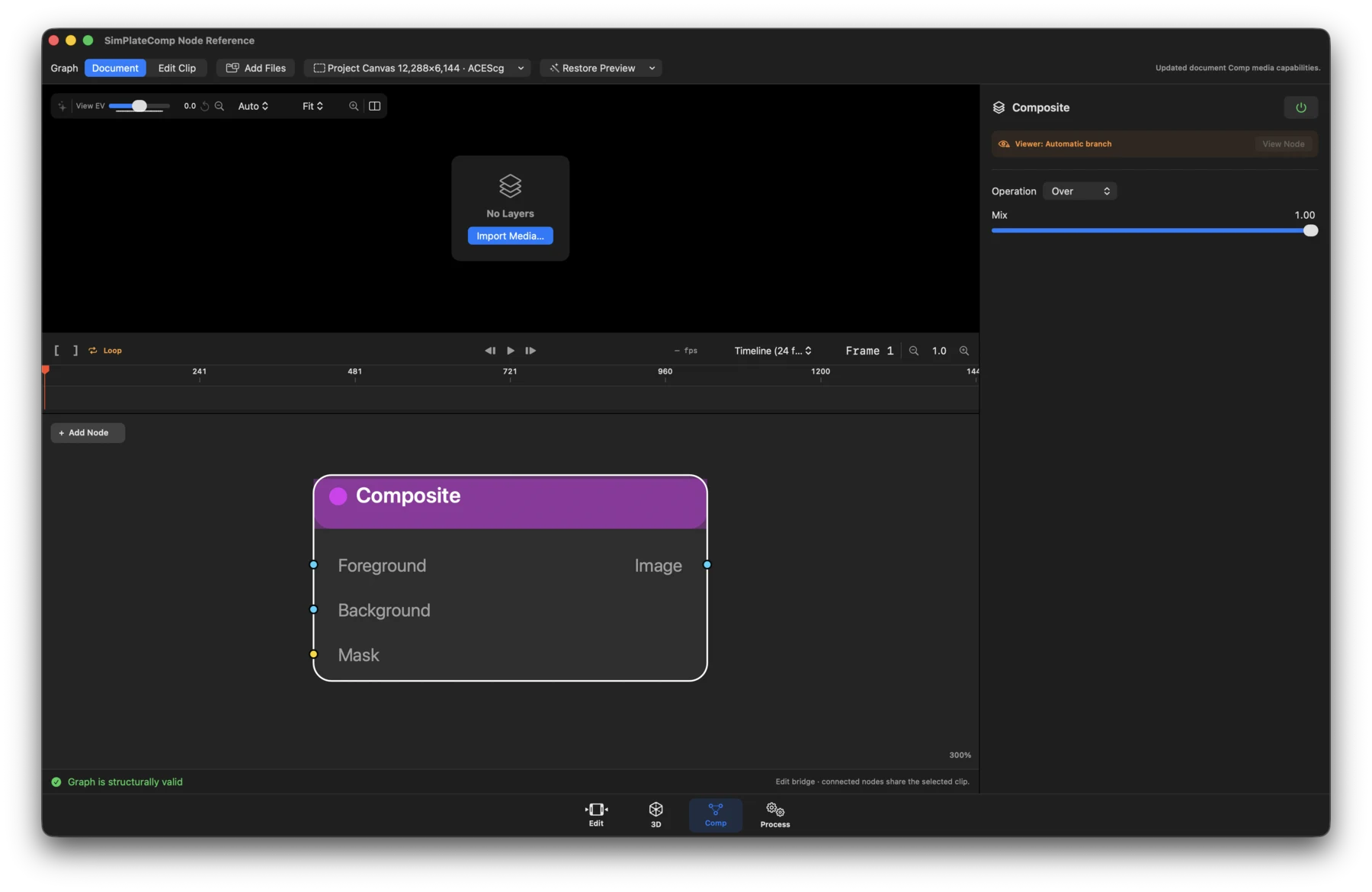
- Status: Pass-through / authoring only. Graph-to-renderer compositing is not yet implemented.
- What it does: Stores the intended foreground/background blend.
- Inputs / outputs: Required Foreground and Background, plus optional Mask in; Image out.
- Controls: Blend mode (Over, Add, Subtract, Multiply, Screen) and Mix.
Process
- Status: Available; Document-only and created in a new Document graph.
- What it does: Publishes one or more stable, named Comp sources for Process. It does not render, write, or upload by itself.
- Inputs / outputs: One or more optional, user-named Image inputs; no graph outputs.
- Controls: Published source names and stable IDs, add/remove/reorder sources, shared recipe or project default, frame range, and Prepare Recipe in Process.
Export
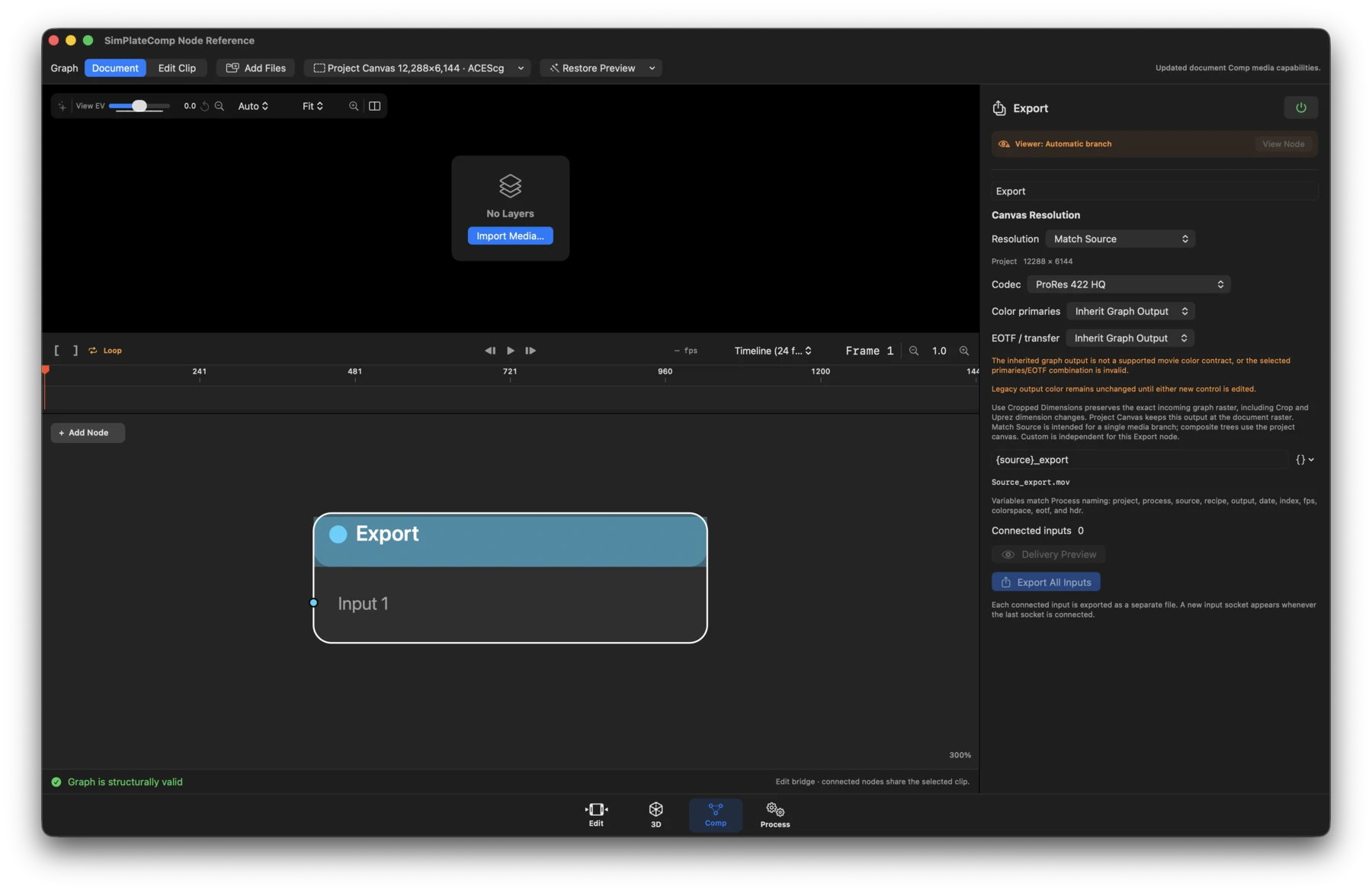
- Status: Available; Document-only and created in a new Document graph.
- What it does: Exports every connected input branch as a separate deliverable.
- Inputs / outputs: One or more optional Input N image sockets; no outputs.
- Controls: Add/remove inputs, Follow Graph/Project Canvas/Match Source/Custom resolution, custom width and height, codec, source or explicit output color, primaries and transfer function, filename template, destination, range, and export action/status.
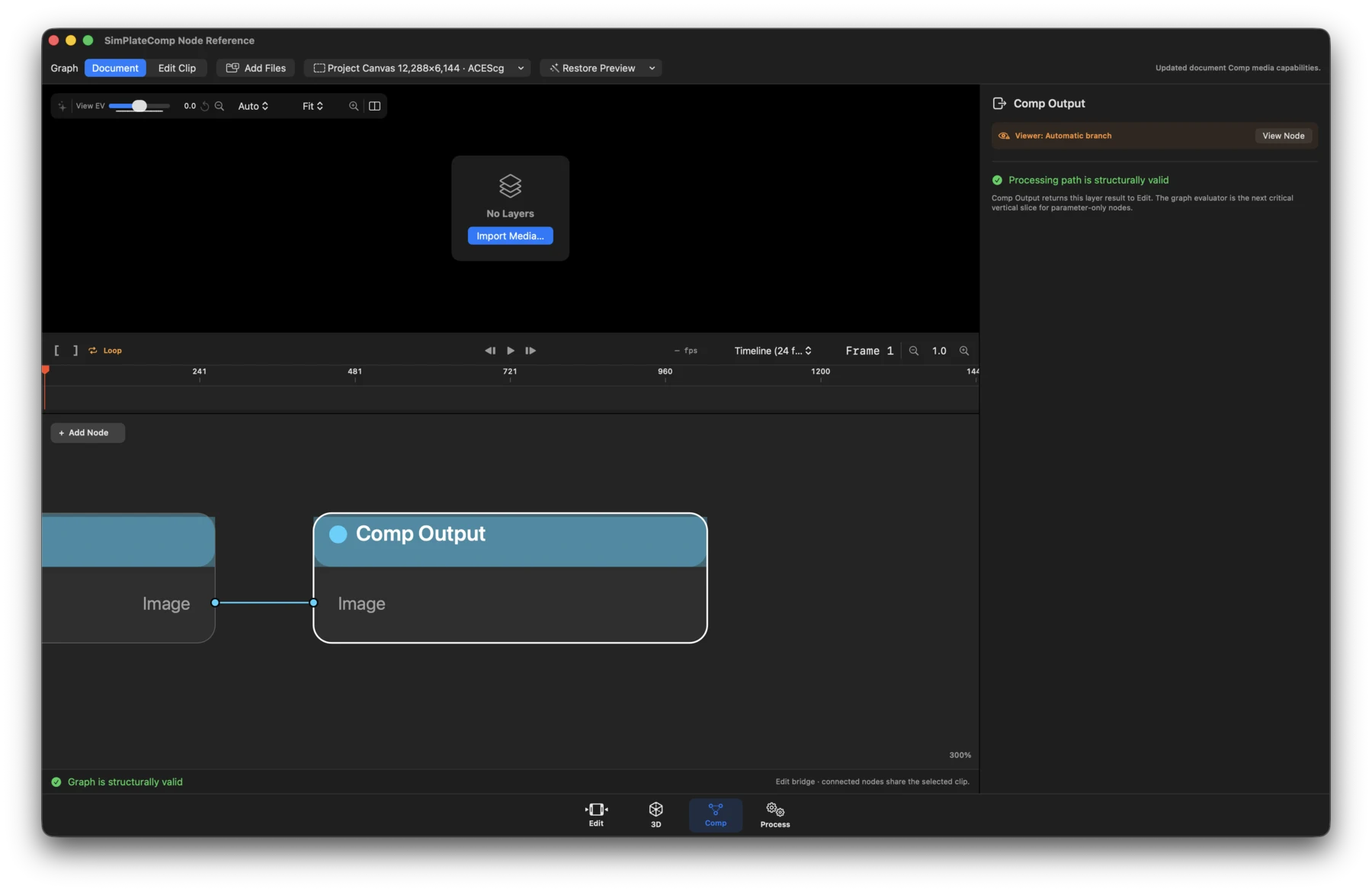
Comp Output
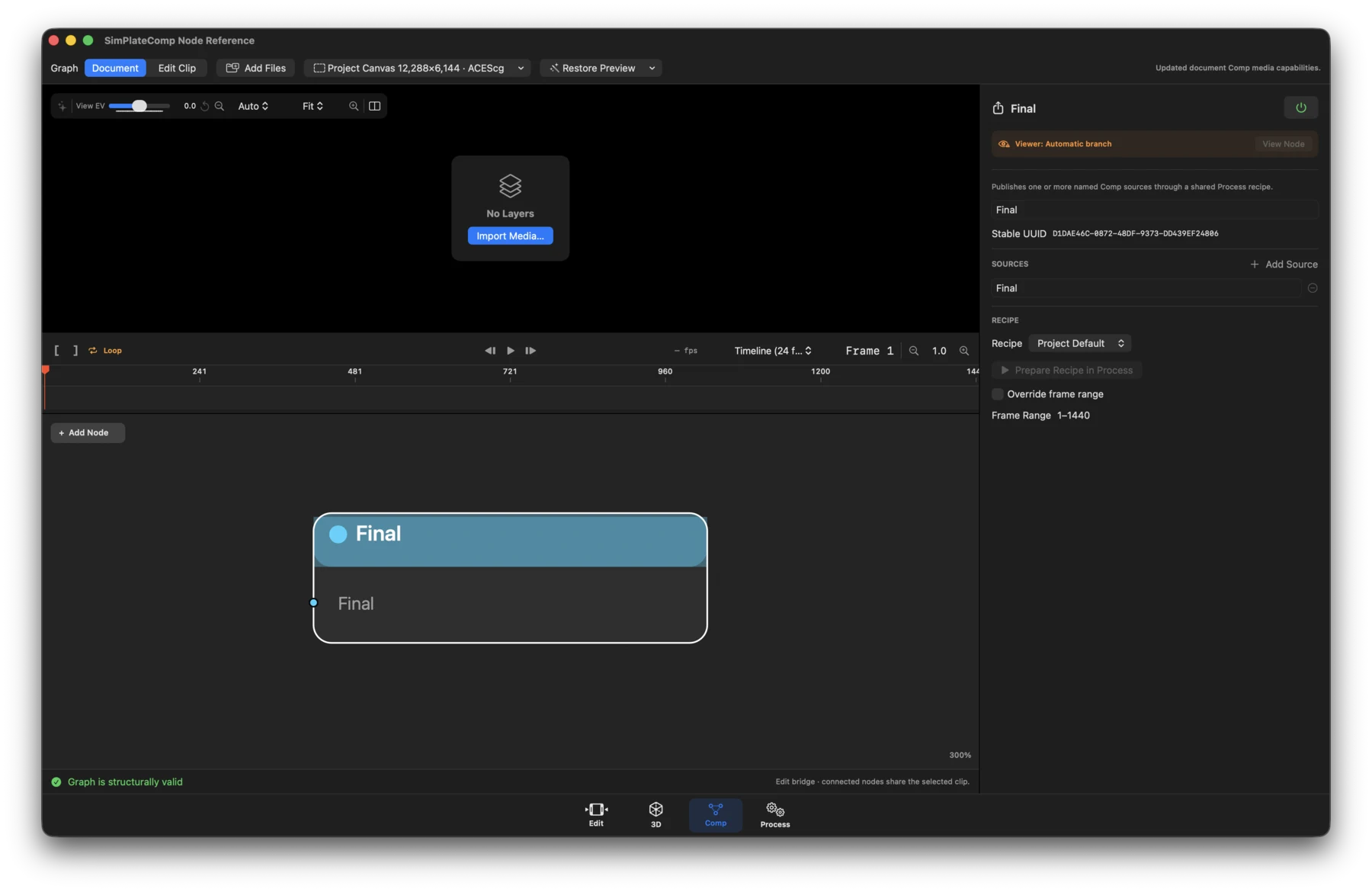
- Status: Available; created automatically and not removable in Edit Clip graphs.
- What it does: Validates and returns the processed layer branch to Edit.
- Inputs / outputs: Image in; no outputs.
- Controls: Output/path validation and graph status. The node has no creative image controls.